Can I assign more than one voice to a paragraph in Studio?
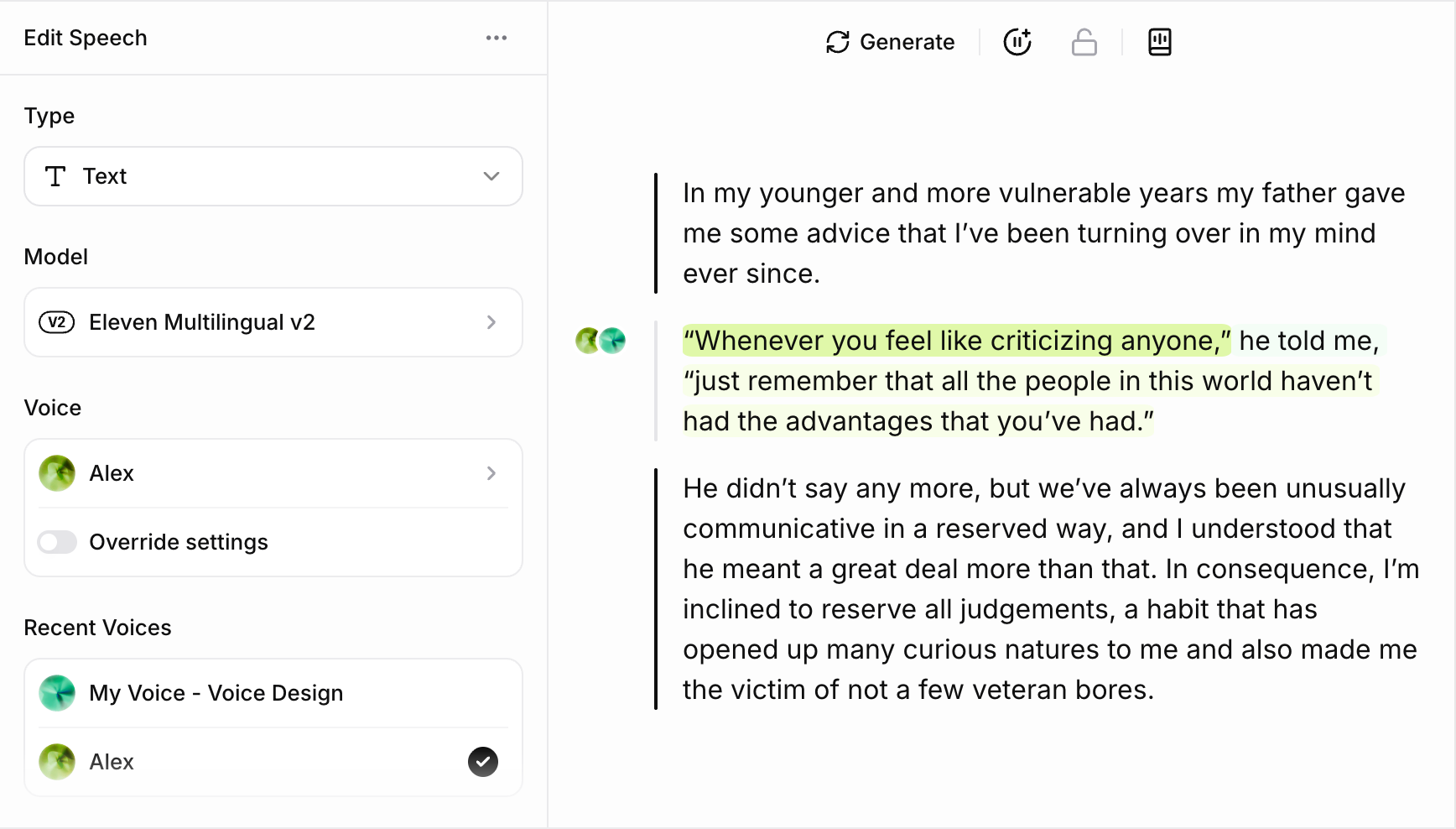
You can assign multiple voices to a single paragraph in Studio. To do this, you just need to select the text you want to assign to each voice, and change the voice using the voice selection drop-down in the Voices sidebar, on the left of the screen.
Each voice will be designated with a different color icon to the left of the paragraph, and the text associated with each voice will be highlighted in a corresponding color.