Workspaces
An overview on how teams can collaborate in a shared workspace.
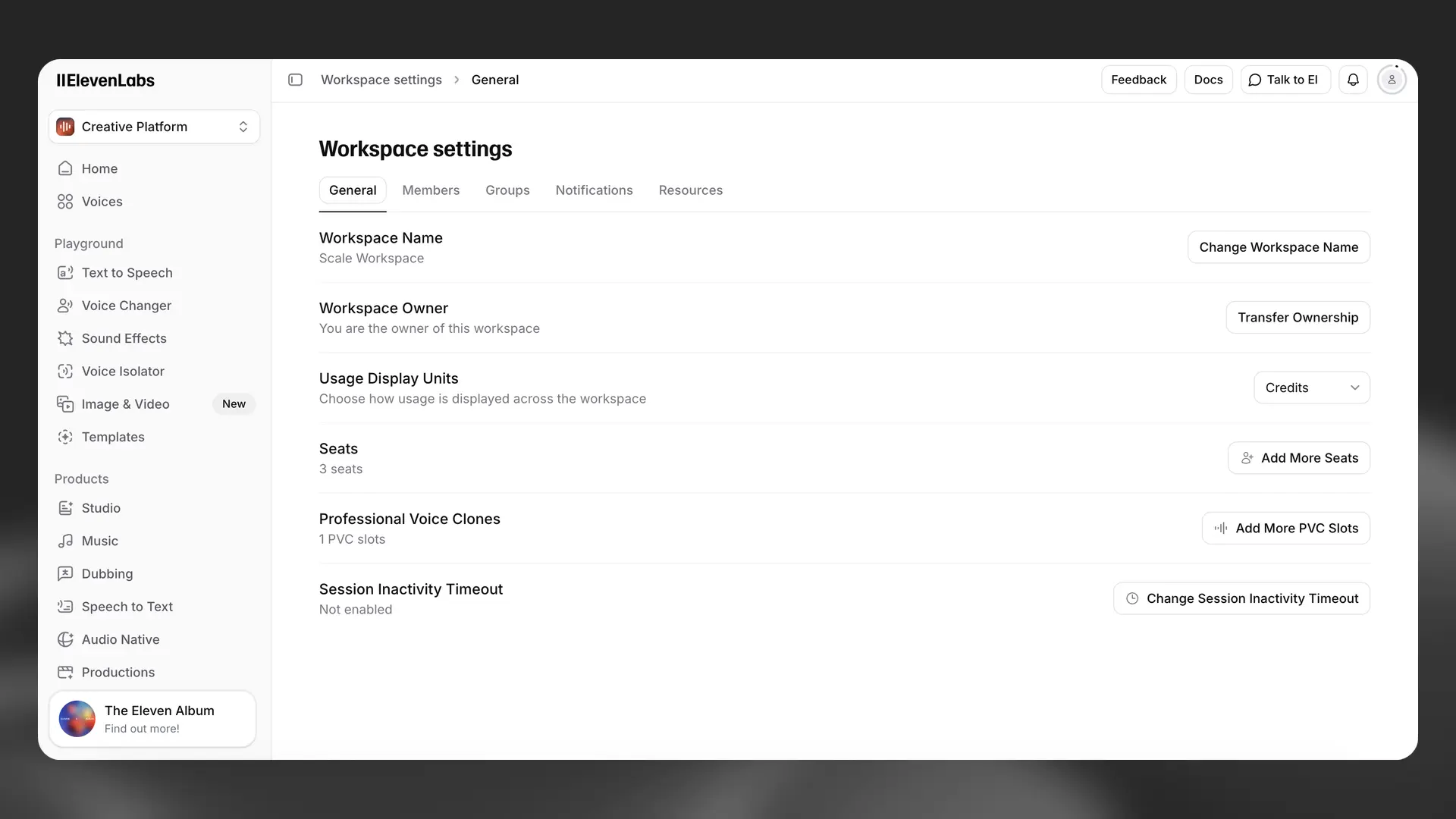
Overview
Section titled “Overview”For teams that want to collaborate in ElevenLabs, we offer shared multi seat workspaces. Workspaces offer the following benefits:
- Shared billing - Rather than having each of your team members individually create & manage subscriptions, all of your team’s character usage and billing is centralized under one workspace.
- Shared resources - Within a workspace, your team can share: voices, Agents, ElevenCreative Studio projects, dubs, and more.
- Access management - Your workspace admin can easily add and remove team members.
- API Key management - You can issue and revoke unlimited API keys for your team.
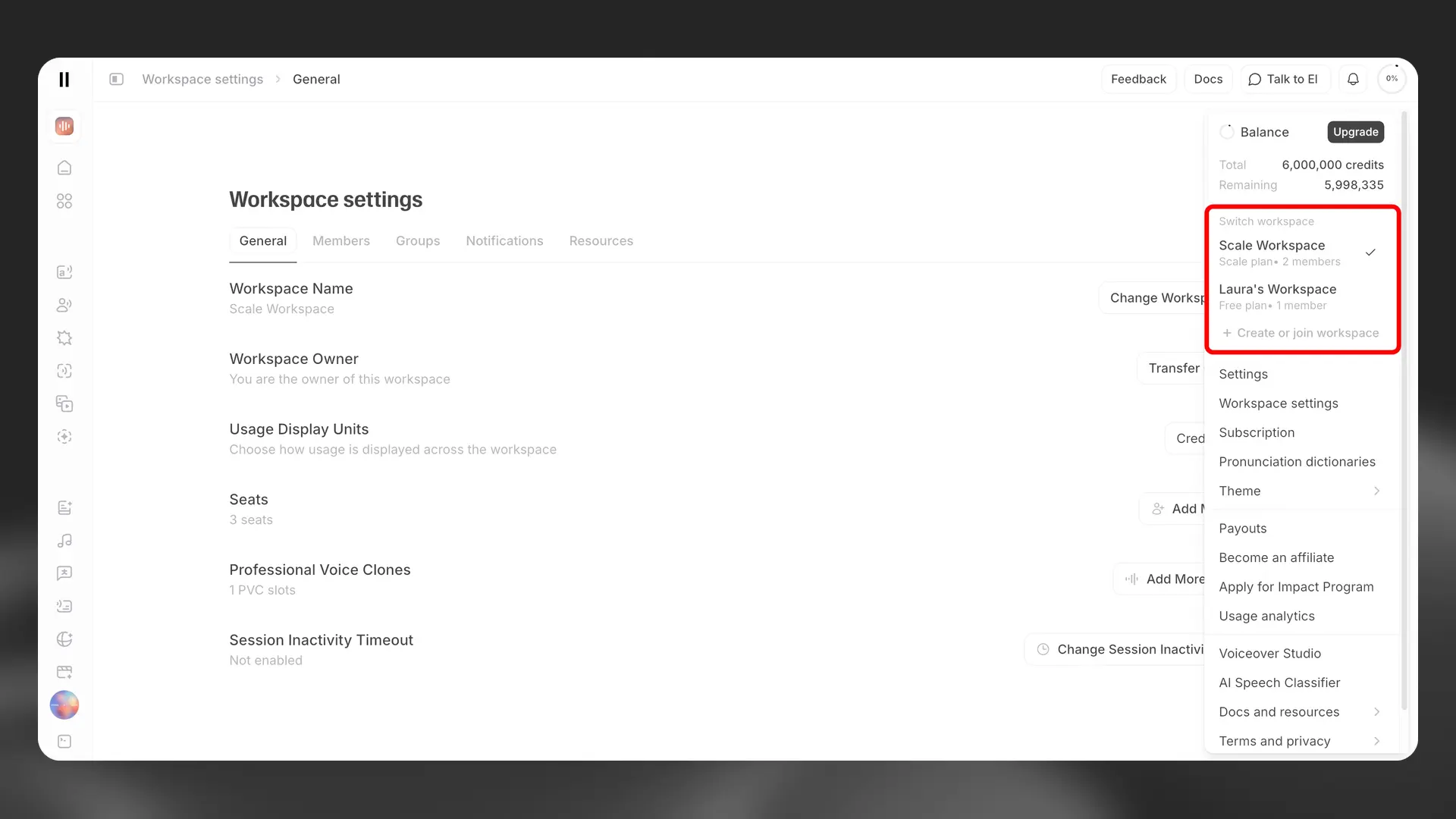
- Multiple workspace membership - Users can be members of multiple workspaces and easily switch between them from their account menu.
Multiple workspace membership
Section titled “Multiple workspace membership”Users can now accept invitations to multiple workspaces, allowing you to collaborate across different teams and organizations.
Key features
Section titled “Key features”-
Accept invites to other workspaces - When you accept an invitation to join another workspace, your existing resources (voices, projects, agents, etc.) remain in your original workspace.
-
Copy resources between workspaces - Workspace owners and members with the Copy Resources Between Workspaces permission can copy the following resources from one workspace to another:
- Voices
- ElevenCreative Studio projects
- Dubs
- Basic Agent Configs (note: secrets associated with the agent will not be copied over)
- Pronunciation Dictionaries
You can copy these resources in two ways:
- All at once — from your workspace settings, copy every supported resource to another workspace in a single click. It may take a few minutes to copy over all resources.
- One at a time — from the workspace resources page, select the Copy Resource to Another Workspace icon next to a resource, then choose the destination workspace.
-
Switch between workspaces - Use the workspace switcher in your account menu to quickly navigate between your workspaces.
Workspace limits
Section titled “Workspace limits”- Each user can have only one free workspace at a time
- There is no limit on the number of paid workspaces you can be a member of
How do I create a workspace?
Creating a workspace
Multi seat workspaces are automatically enabled on all accounts with Scale, Business and Enterprise subscriptions. On the Scale and Business plans, the account owner will be the workspace admin by default. They will have the power to add more team members as well as nominate others to be an admin. When setting up your Enterprise account, you’ll be asked to nominate a workspace admin.
How do I add a team member to a workspace?
Adding a team member to a workspace
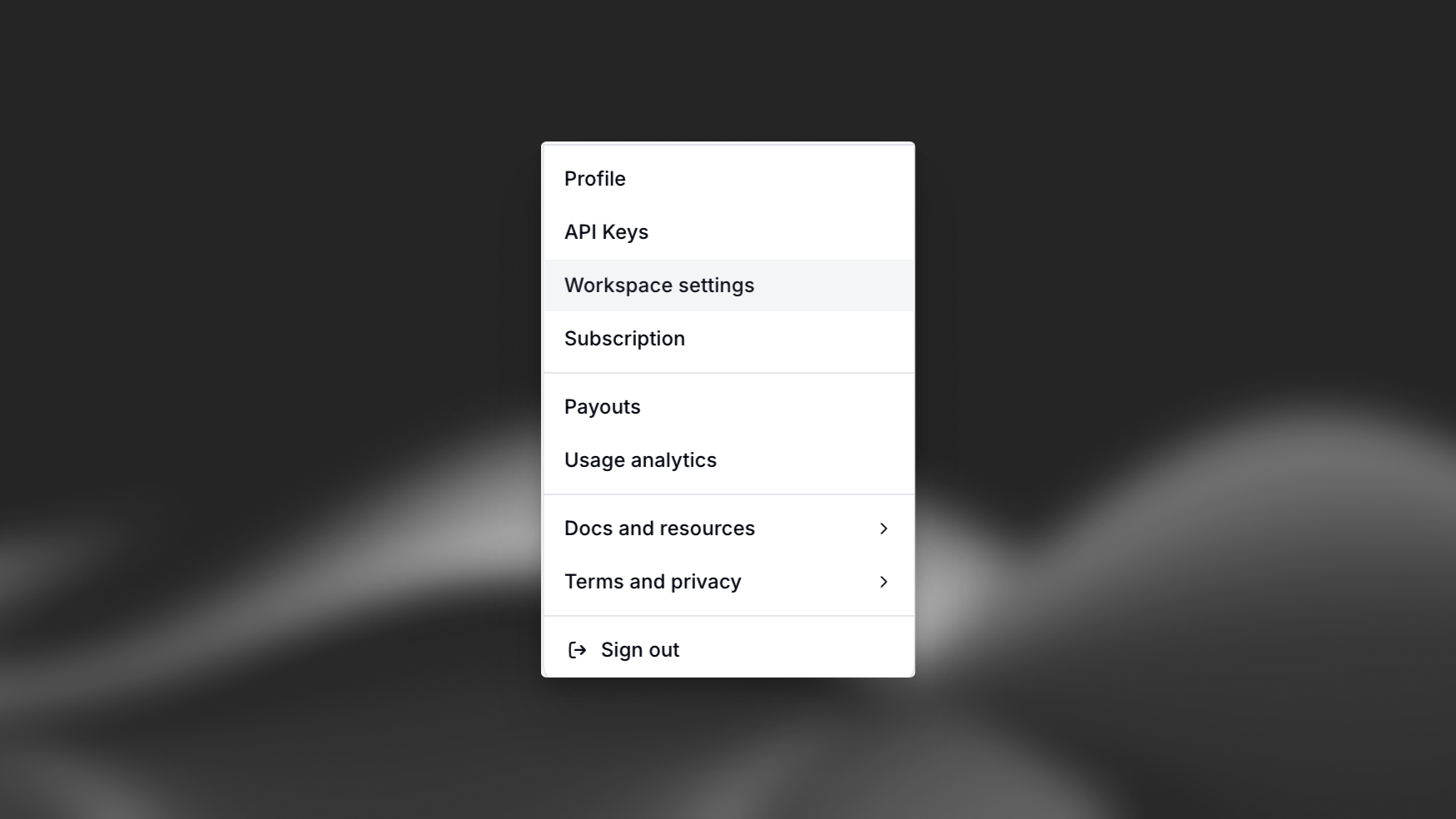
Once you are logged in, select your profile icon in the top right corner of the dashboard, choose Workspace settings, then navigate to the Members tab. From there you’ll be able to add team members, assign roles and remove members from the workspace.
Bulk Invites
Enterprise customers can invite their users in bulk once their domain has been verified following the Verify Domain step from the SSO configuration process.
User Auto Provisioning
Enterprise customers can enable user auto-provisioning via the Security & SSO tab in workspace settings.
When this feature is active, you can select which of your verified domains will trigger automatic enrollment. New users with an email address from an enabled domain will automatically join your workspace and occupy a seat.
What roles can I assign members?
Roles and Seats
Admin Role: Admins have enhanced permissions including the ability to add/remove teammates, manage permissions, and manage your workspace subscription. Admins always occupy a Full Seat.
Seat Types: Every workspace member occupies either a Full Seat or Basic Seat:
- Full Seats provide unrestricted access to all ElevenLabs products, including ElevenCreative, ElevenAgents, and ElevenAPI
- Basic Seats are designed for members who primarily work with ElevenAgents or ElevenAPI, with limited access to ElevenCreative (50,000 credit monthly ceiling or $5 for Enterprise plans)
Learn more about managing members and seat types.
How do I manage billing?
Managing Billing
To manage your billing, select your profile icon in the top right corner of the dashboard and choose Subscription. From there, you’ll be able to update your payment information and access past invoices.
How do I manage Service Accounts / API keys?
Managing Service Accounts
To manage Service Accounts, select your profile icon in the top right corner of the dashboard and choose Workspace settings. Navigate to the Service Accounts tab and you’ll be able to create / delete service accounts as well as issue new API keys for those service accounts.
Who is the workspace owner?
Managing the workspace owner
Each workspace has one owner. By default, this is the member who originally created the workspace. Ownership can be transferred to another account.
If you downgrade your subscription and exceed the available number of seats on your new plan, all users apart from the owner will be locked out. Workspace admins can also lock users in advance of the downgrade.