Avatars
Create persistent visual identities with synchronized lip movement for talking-head videos.
Overview
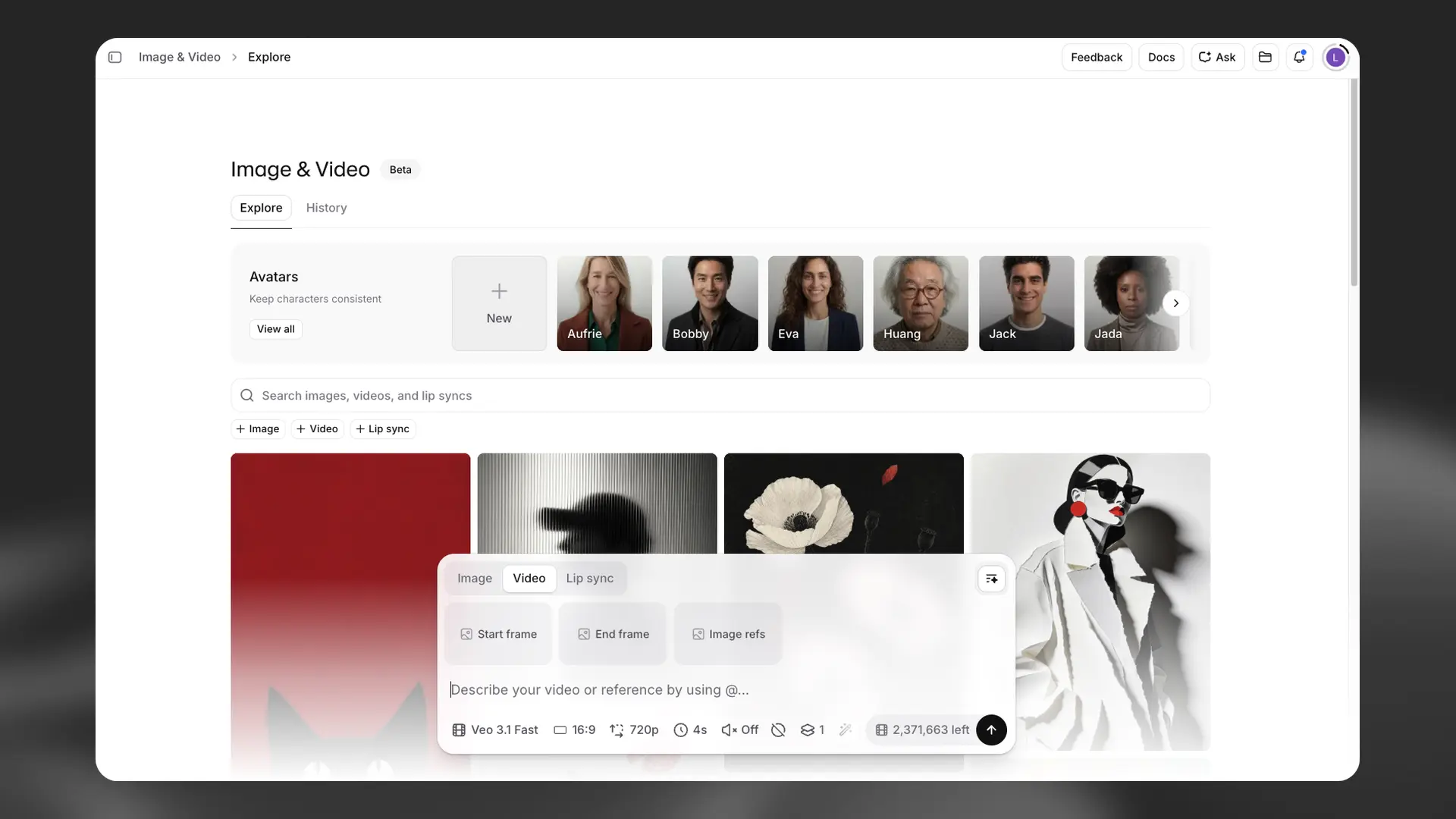
Section titled “Overview”Avatars are persistent visual identities that combine a person, character, or animal with any ElevenLabs voice to generate talking-head videos with synchronized lip movement. Create reusable identities once and pair them with any voice or script to produce consistent video content at scale.
Key capabilities
Section titled “Key capabilities”- Persistent identities: Create avatars once and reuse them across unlimited videos
- Voice flexibility: Pair any avatar with any voice from your library, including cloned voices
- Style variations: Generate multiple styles from a single avatar with different angles, outfits, backgrounds, or lighting
- Integrated text to speech: Convert text directly to speech within the avatar interface
- Flows integration: Automate avatar video generation at scale using the Avatar node
- Multiple lip-sync models: Platform automatically selects the optimal model based on input format and quality requirements
Creating an avatar
Section titled “Creating an avatar”Generate a new avatar from reference images, or a text prompt:
Upload reference images or describe your avatar
Upload multiple reference images of the same person or character from different angles. Higher quality reference images with varied perspectives produce better results.
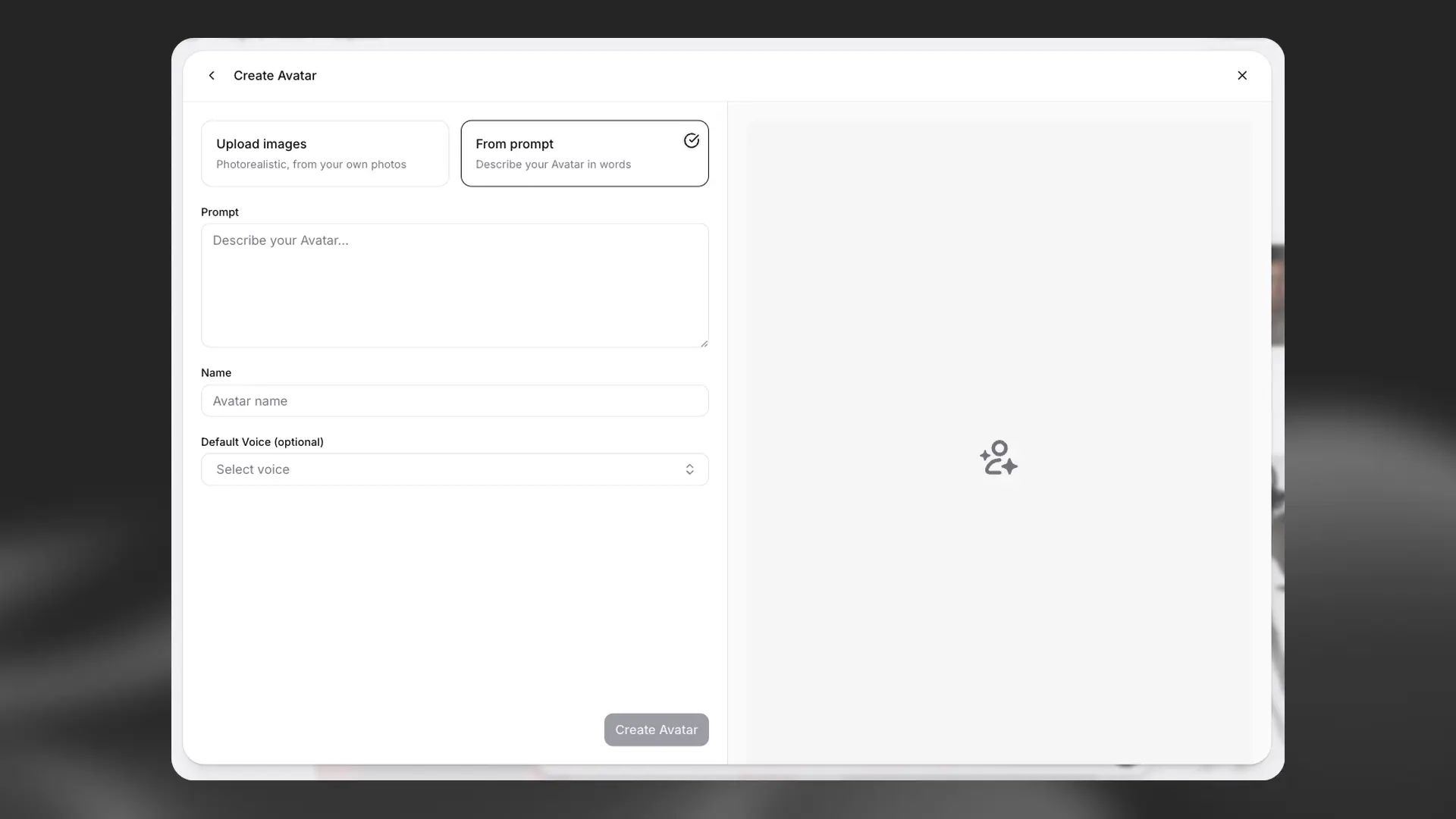
Alternatively, you can describe your avatar using a text prompt.
Configure and create
Name your avatar and optionally set a default voice. Click Create Avatar to generate the base identity.
Once created, the avatar appears in your library and can be used across projects.
Styles
Section titled “Styles”Styles are variations of an existing avatar that represent different visual contexts:
- Camera angles and framing
- Outfits and accessories
- Backgrounds and environments
- Lighting conditions
Creating a style
Section titled “Creating a style”To create a style for an existing avatar, click View Avatar, then click “New Style”.
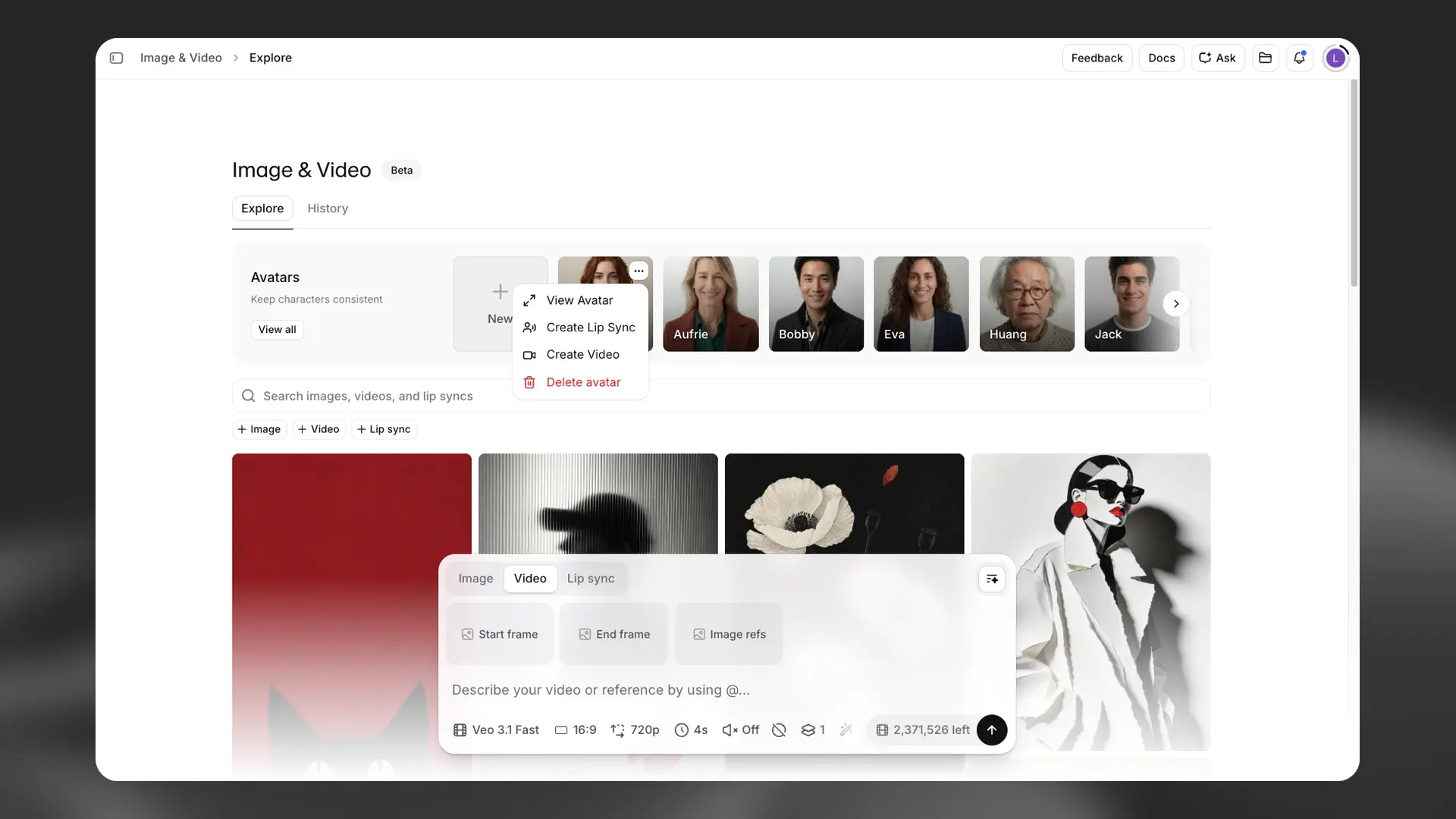
You can create styles in two ways:
Prompt it: Describe the new style using a text prompt.
Upload: Upload a reference image to guide the new style while maintaining the core identity.
Styles allow you to maintain brand consistency across different contexts without regenerating the entire avatar.
Generating videos
Section titled “Generating videos”Generate talking-head videos by pairing any avatar with a voice and script:
Select an avatar
Choose an avatar from your library, and select Create Lip Sync. Choose the style you want to use.
Choose a voice
If you set a default voice for your avatar, this will be pre-selected. You can also use any voice from your library, including community voices, cloned voices, or designed voices.
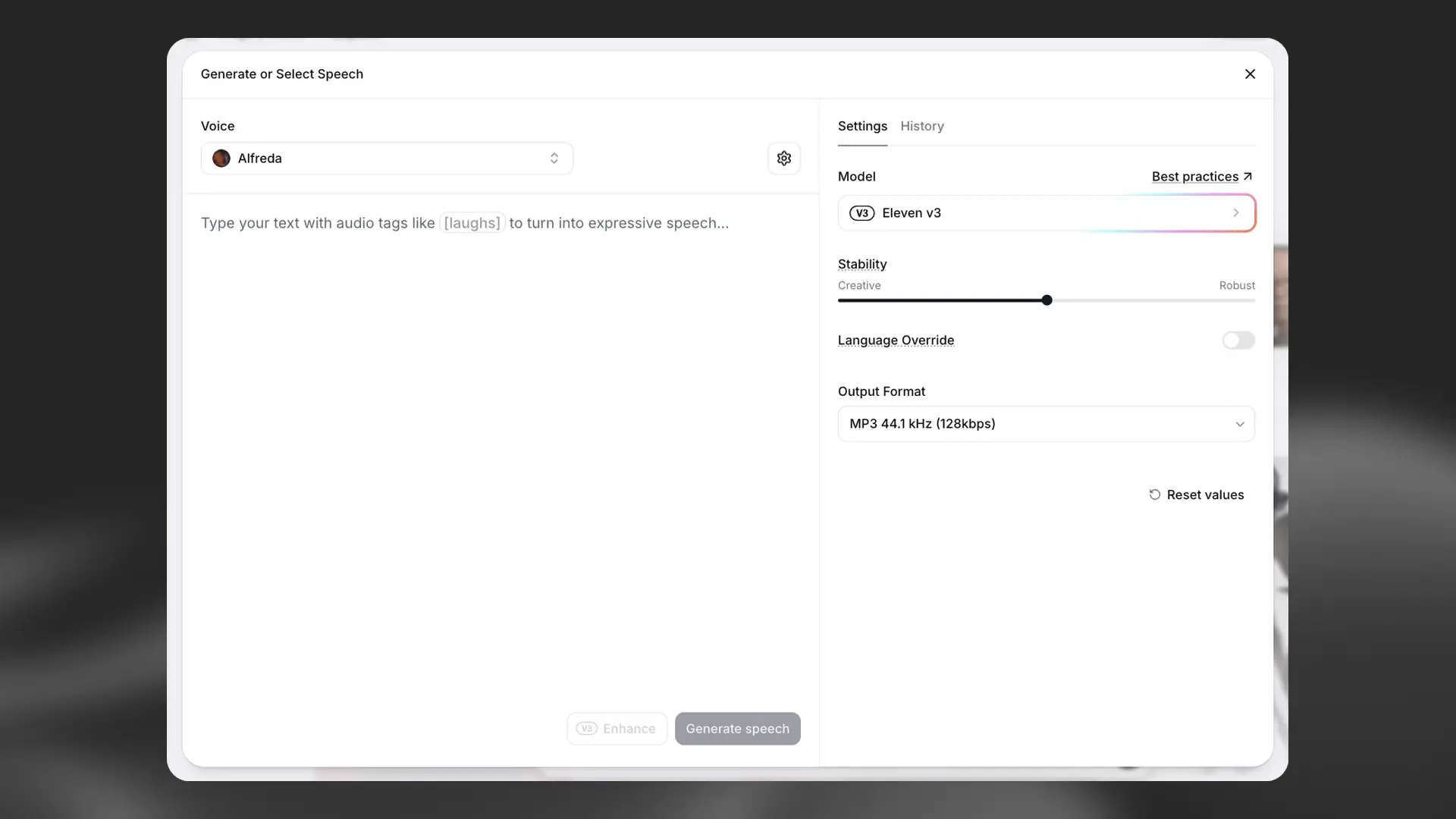
Add your script
Enter the text you want the avatar to speak, then click Generate speech. You can listen to the generated speech before moving onto the next step, and regenerate if needed.
You also have the option of selecting a previous Text to Speech generation from your History.
Once you’re happy with your selection, click Use Speech.
Generate
In the next step, you can add an optional prompt to guide the visuals of the lip sync. The platform selects the optimal lip sync model based on your input and quality requirements, but you can also change the model before generating the video. When you’re ready, click Generate to create your lip sync.
Flows integration
Section titled “Flows integration”The Avatar node in Flows enables automated avatar video generation at scale.
Use cases include:
- Personalized video campaigns with dynamic scripts
- Batch video generation with consistent branding
- Automated content pipelines with voice and visual swapping
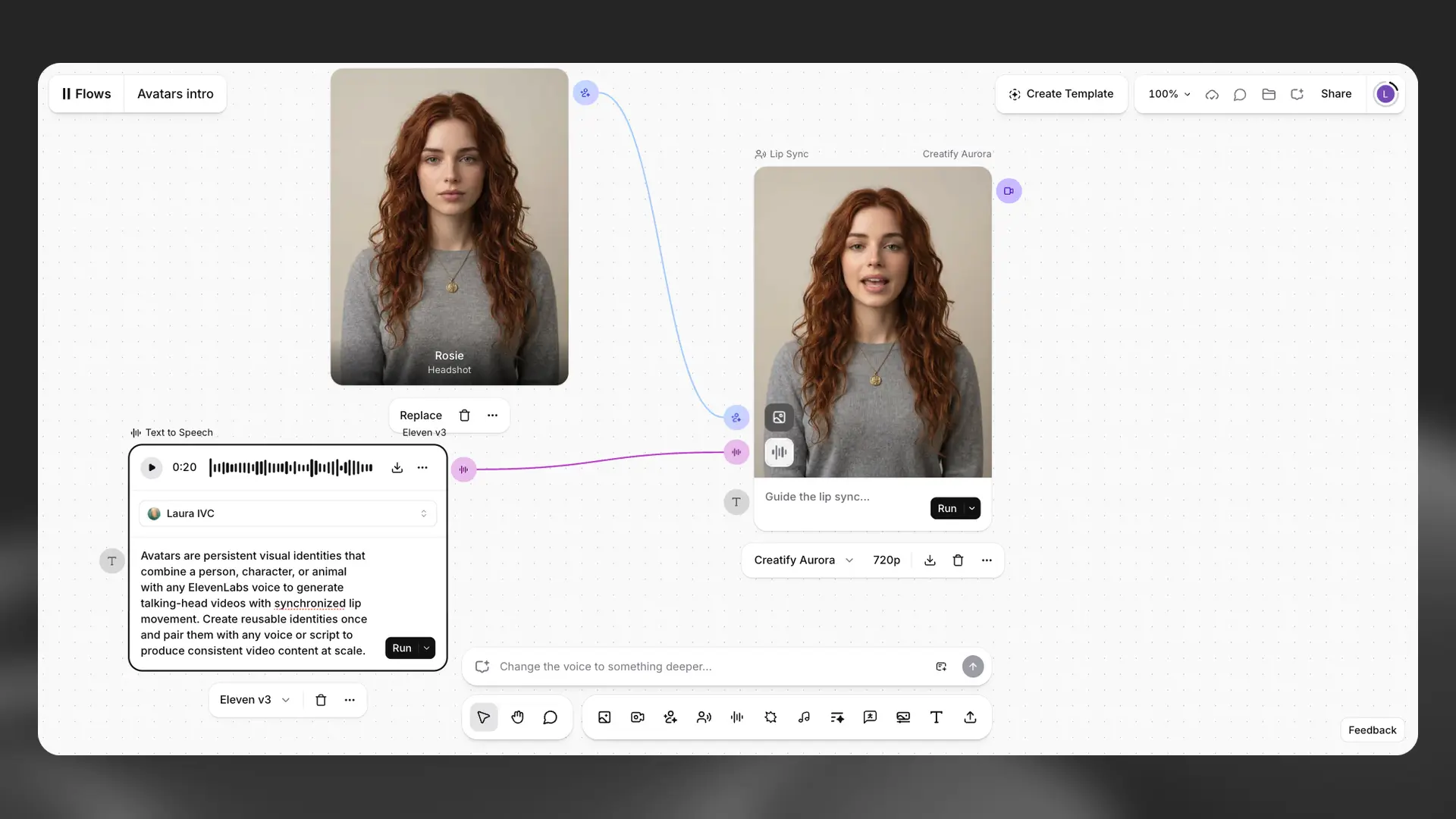
Learn more about Flows.
Credit costs
Section titled “Credit costs”Avatar generation follows the existing Image & Video pricing structure. Costs vary by:
- Selected lip-sync model
- Output resolution
- Video duration
Credit usage is deducted per generation. Check your usage in your usage analytics.
Key facts
Section titled “Key facts”- Availability: All paid plans
- Lip-sync models: Platform automatically selects optimal model
- Voice compatibility: Works with all ElevenLabs voices, including cloned voices
- Reusability: Avatars and styles persist across unlimited generations
- Flows support: Available as an Avatar node for automation
- API access: Not available at launch; planned for future release