Audio detector
Detect AI-generated audio with watermarking technology
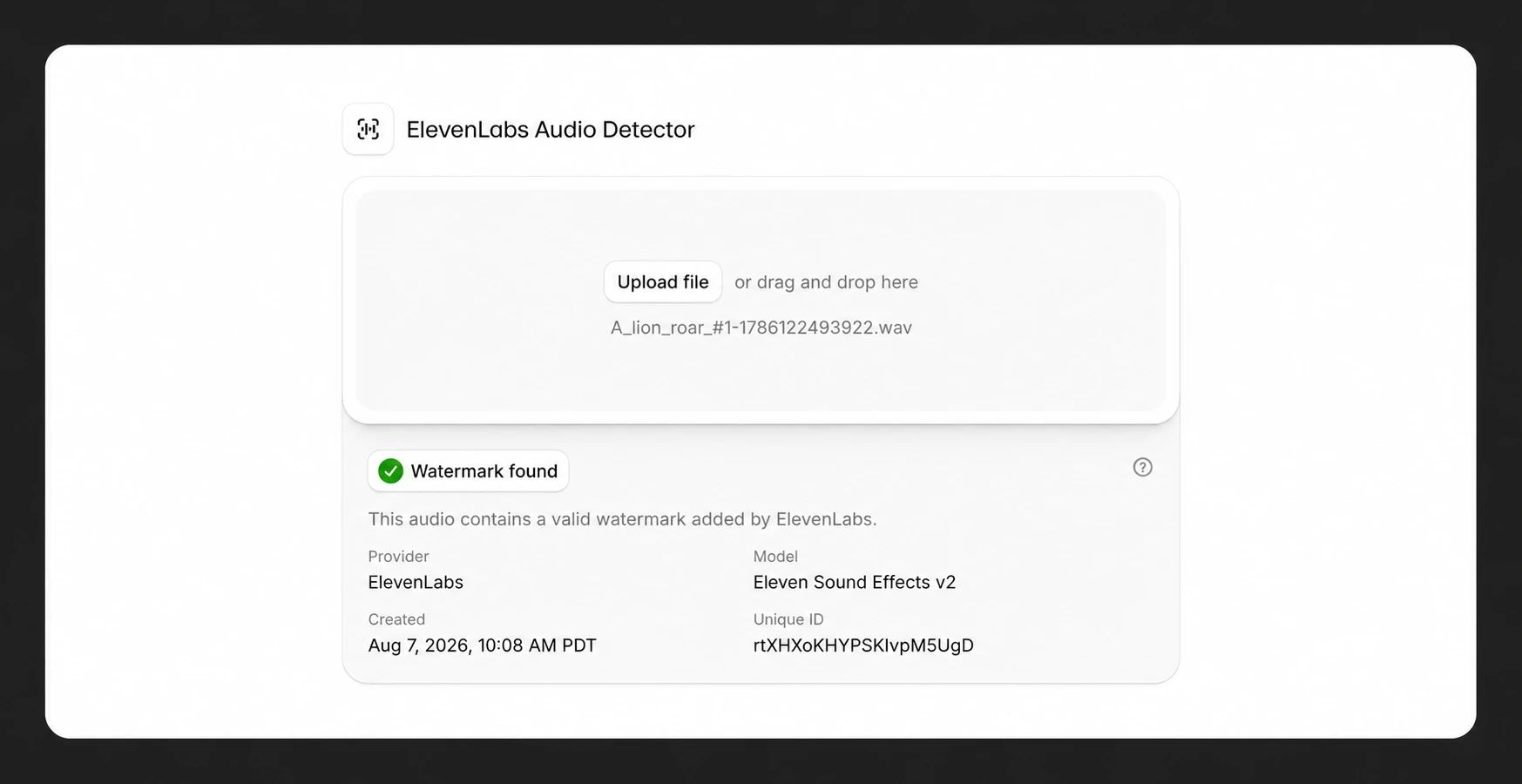
Overview
Section titled “Overview”ElevenLabs provides two tools for identifying AI-generated audio:
- Audio Detector: Uses watermarking technology to detect imperceptible watermarks embedded in ElevenLabs-generated audio. Free for signed-in users. The tool first checks for a watermark, then falls back to the AI Speech Classifier if no watermark is found.
- AI Speech Classifier: A legacy tool that uses machine learning to analyze audio characteristics and predict whether content was generated by ElevenLabs. Available without sign-in.
The Audio Detector is the recommended tool for checking ElevenLabs-generated content. It provides more reliable detection through digital watermarking rather than statistical analysis.
What is watermarking?
Section titled “What is watermarking?”Watermarking is a digital technology designed to identify AI-generated content. It embeds imperceptible patterns into audio at frequencies masked by existing sound, making the watermark completely inaudible while maintaining audio quality.
Using the audio detector
Section titled “Using the audio detector”Upload an audio file
Click the Upload audio button to select an audio file for analysis.
Review the results
The detector will scan for watermarks and indicate whether the audio was generated by ElevenLabs.
Difference between audio detector and AI speech classifier
Section titled “Difference between audio detector and AI speech classifier”The Audio Detector is the recommended tool for signed-in users. It checks for a watermark first, then falls back to the AI Speech Classifier if no watermark is found. This tool returns a positive result if it detects either a watermark or receives a positive identification from the AI Speech Classifier.
The standalone AI Speech Classifier page remains available separately without requiring sign-in. This legacy tool uses machine learning to analyze audio characteristics and predict whether content was likely generated by ElevenLabs. However, this approach is statistical and may produce false positives or miss modified audio.
For signed-in users, the AI Speech Classifier’s functionality is now built into the Audio Detector, providing a more comprehensive detection method.
Watermarking details
Section titled “Watermarking details”Audio quality and latency
Section titled “Audio quality and latency”Watermarking does not affect audio quality and adds zero latency in nearly all cases. The watermarks are imperceptible and carefully engineered to maintain the same generation speed.
Platform compatibility
Section titled “Platform compatibility”No other platforms can currently detect ElevenLabs watermarks. Watermarking is focused on public AI transparency and is not connected to other platforms’ monetization or content policies.
Third-party models
Section titled “Third-party models”Content generated by third-party models available through ElevenLabs is generally not watermarked unless explicitly stated otherwise. Watermarking is specific to audio generated directly by ElevenLabs models.
| Is the audio detector free to use? Yes, the audio detector is free for all signed-in users. |
|---|
| Can I hear the watermark? No. The watermark is completely inaudible. It hides patterns at frequencies masked by existing audio, ensuring no perceptible difference from unwatermarked content. |
| Can the audio detector check audio from other AI platforms? No. The ElevenLabs Audio Detector can only detect watermarks embedded by ElevenLabs. It will not detect watermarks applied by other platforms. |
| Do I have to be logged in to use the audio detector? Yes, the Audio Detector requires signing in to your ElevenLabs account. The older AI Speech Classifier is available without login. |
| How accurate is the AI speech classifier? Our classifier maintains high accuracy (99% precision, 80% recall) for audio files generated with ElevenLabs that have not been modified. We will continue to improve this tool, while exploring other detection tools that provide transparency about how content was created. |
| Does using the tool cost me anything? No, the tool is free for all to use. |
| Do I have to be logged in to use the tool? A web version of the tool is available for you to use without having to log in. |