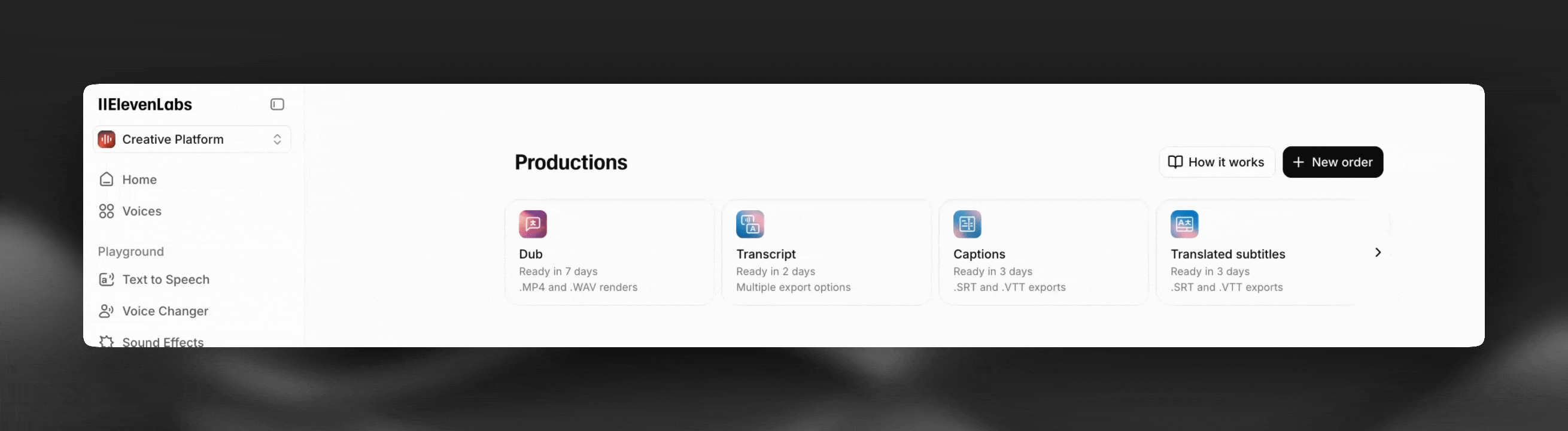
Productions
Human-edited transcripts, subtitles, dubs and audiobooks at scale.
https://www.youtube-nocookie.com/embed/mlbdLyGQgAg?rel=0
Overview
Section titled “Overview”Productions is a service that lets you order human-edited transcripts, subtitles, dubs, and audiobooks directly on the ElevenLabs platform. A team of expert linguists and localization professionals vetted and trained by ElevenLabs works on your content and delivers you polished final assets.
Why use Productions?
Section titled “Why use Productions?”- Quality at scale: Your audience cares – let native speakers ensure your multilingual content looks, sounds, and feels natural.
- Speed and cost: 5-10x cheaper than traditional LSP services and ready in days vs. weeks or months.
- Ease of use: No more email chains or procurement threads – get your content polished and ready for your audiences in just a few clicks.
Services
Section titled “Services”Click the cards below to learn more about our different Productions services:
Transcripts
Reviewed by native speakers for maximum accuracy
Subtitles
Adapted to formatting and accessibility requirements
Dubbing
Script translation and audio generation by localization professionals
Audiobooks (coming soon)
Support for single and multi-speaker voice casting
How it works
Section titled “How it works”Upload new files or select existing files
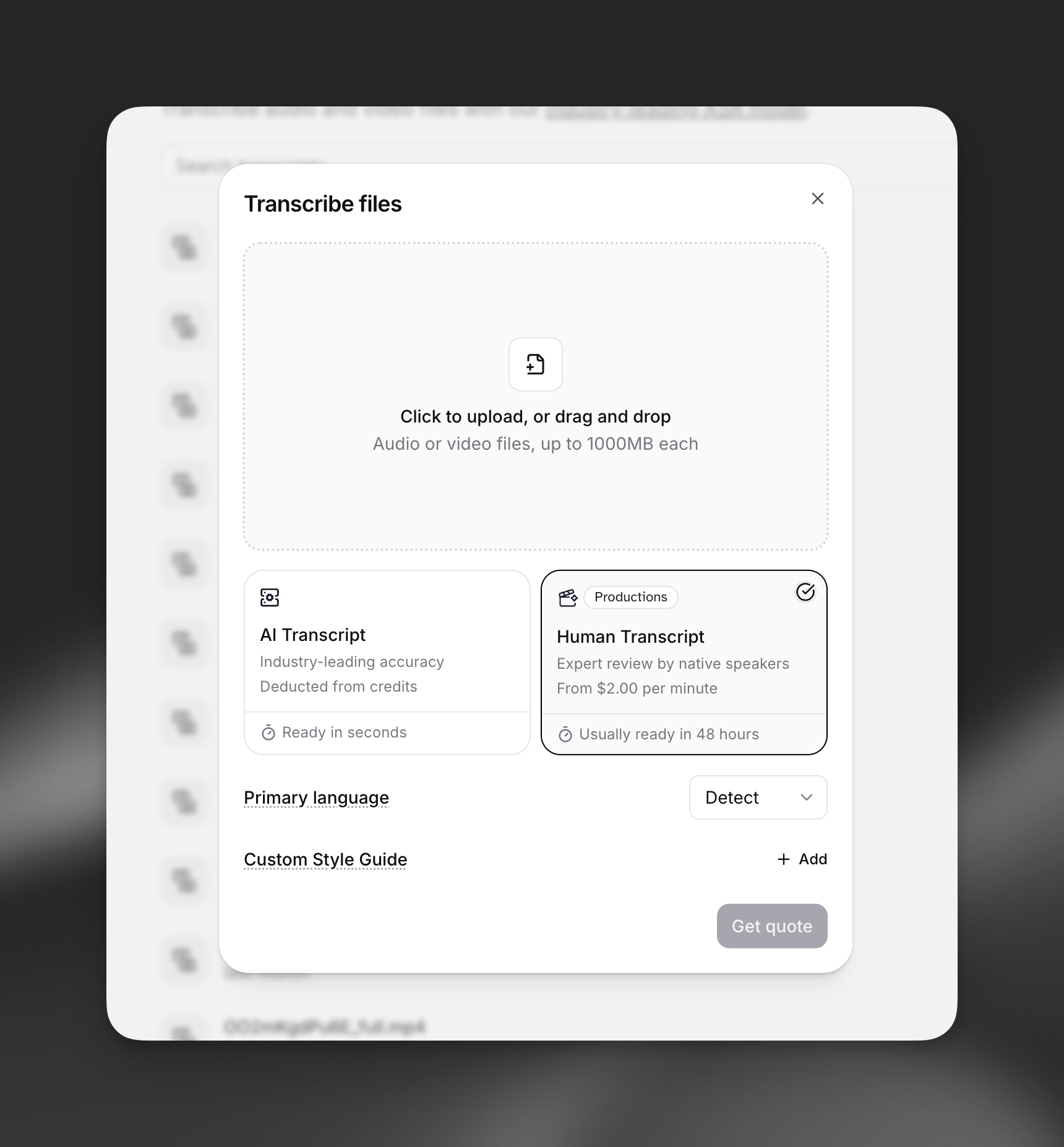
Ordering a new asset: head to the Productions page of your ElevenLabs account and create a new order. You may also see a Productions option when using the order dialog for other products like Speech to Text or Dubbing
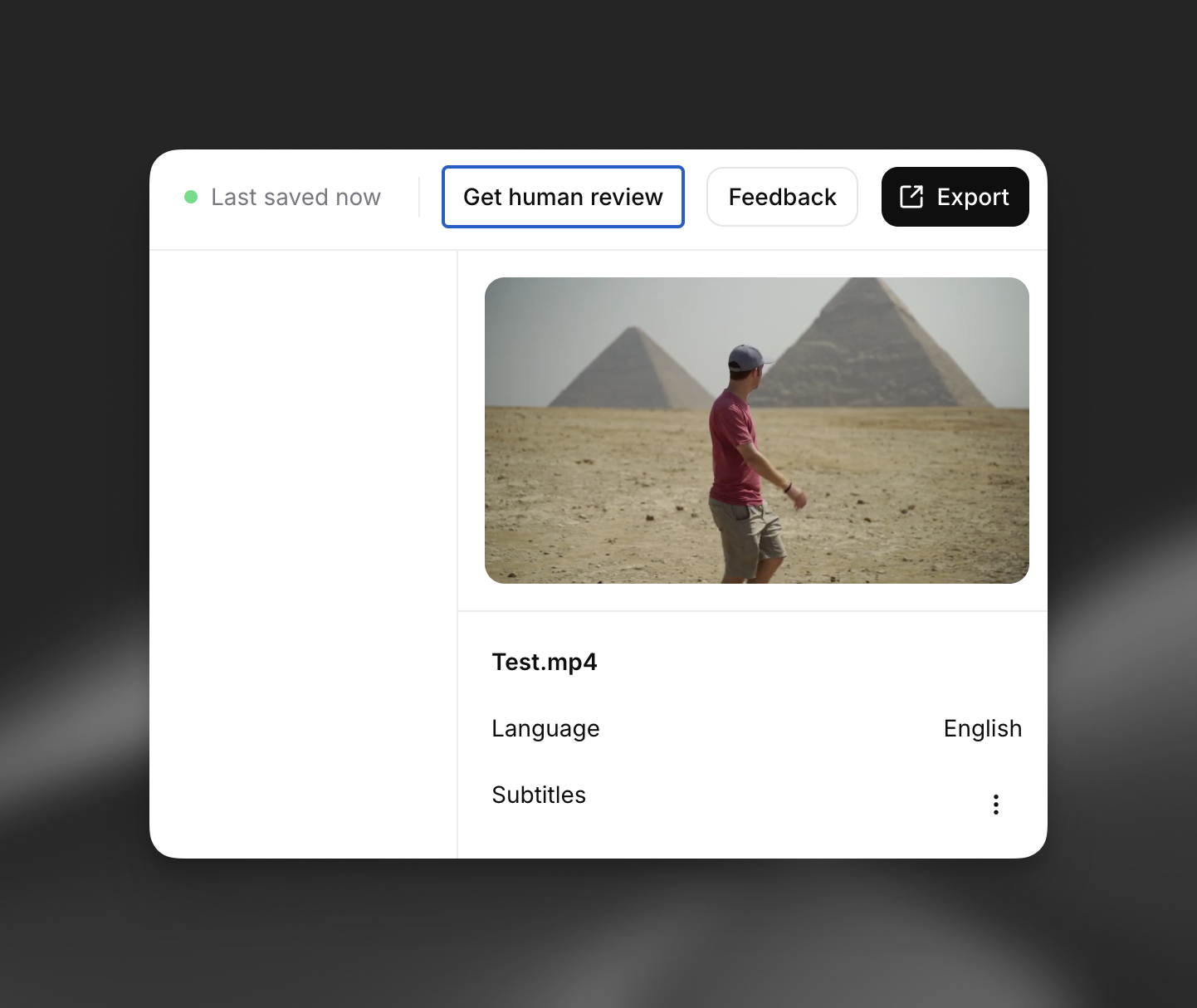
Starting from an existing asset: you can also order human-edited versions of existing assets in your ElevenLabs account. Look for the ‘Get human review’ button in the top right of the editor view for this option.
Review and confirm quote
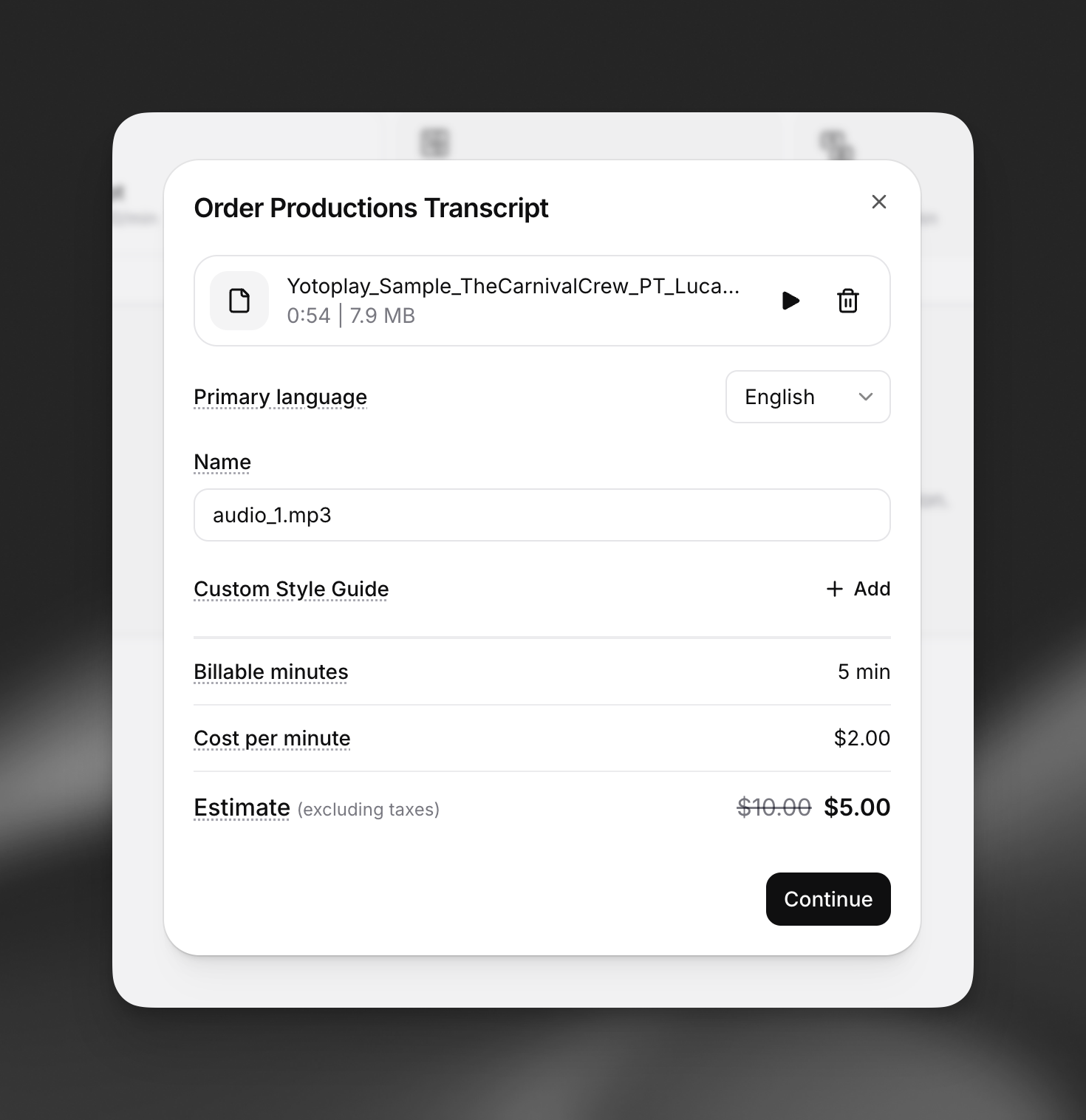
Once you upload a file, select a language, and choose your style guide options, you’ll see a quote with an estimated price for the settings you’ve chosen.
When you click Continue, the file will be analyzed and the final price will be returned.
Complete checkout
After reviewing the final quote, click Checkout and follow the dialog instructions to complete your payment.
Track your order progress
Head to the Productions page of your ElevenLabs account and click any order to open a side panel with more details.
You’ll also receive an email when your order is ready.
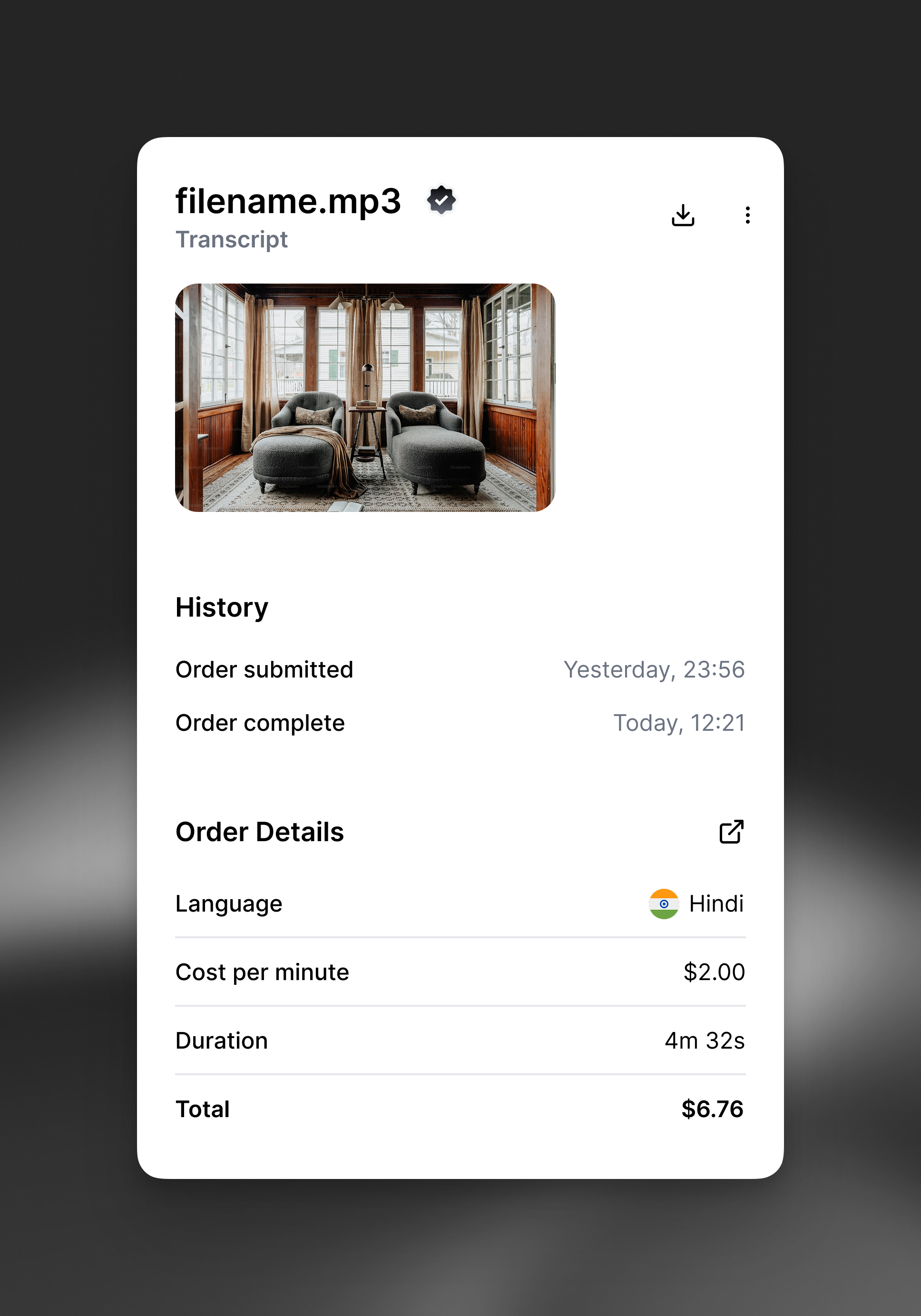
View and download your completed assets and invoices
Open a completed Production and click the View button to open a read only copy. You can also download an invoice for your order by clicking the link next to Details.
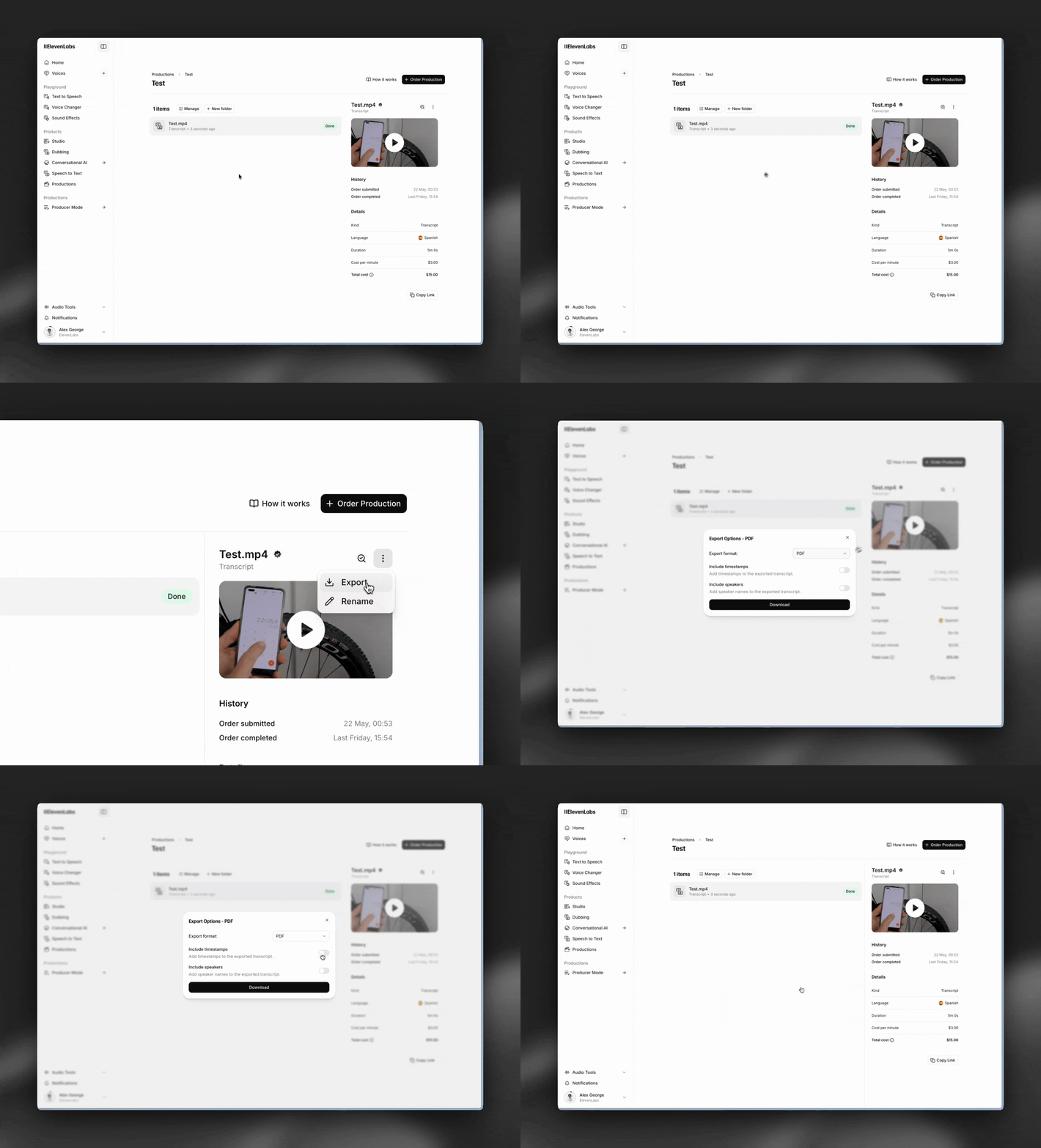
To export your completed assets, use the export menu in the sidebar or inside the read only copy.
Organize your assets into folders
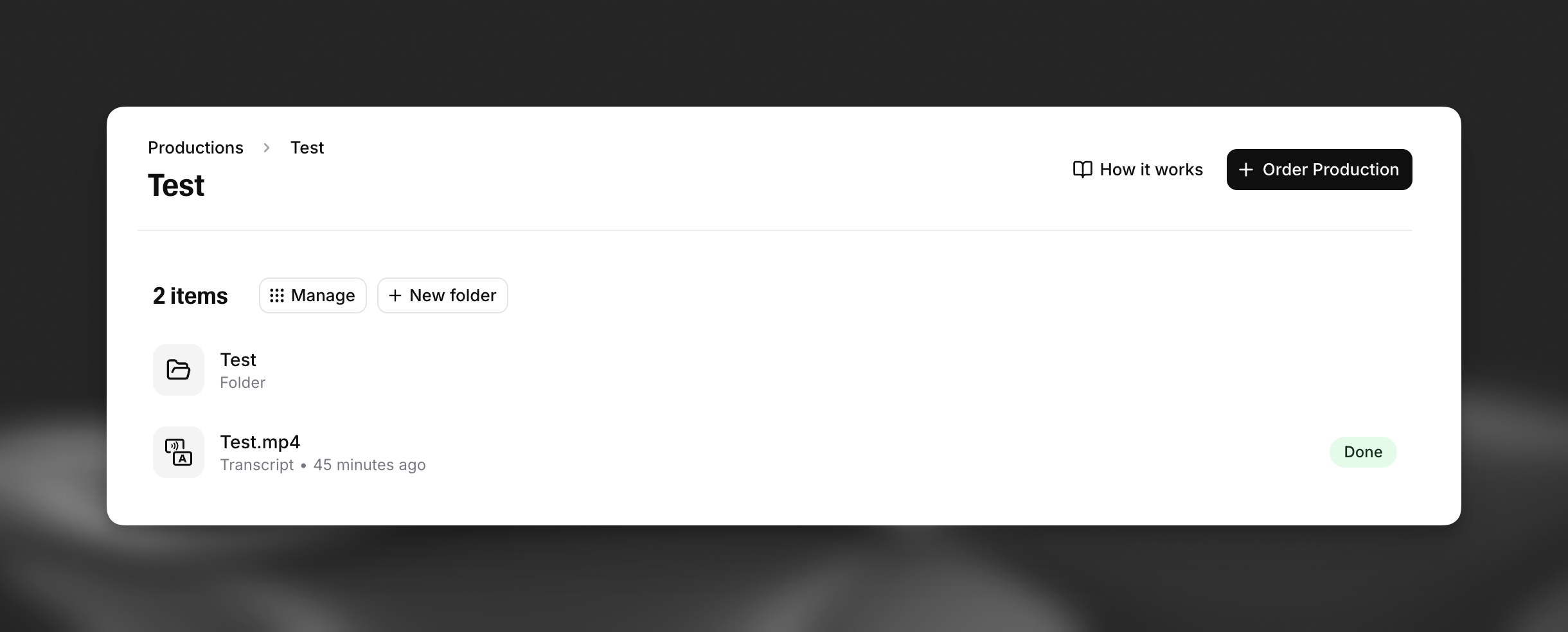
Productions has a folder system to help you organize your assets. Click New folder to create a new folder. Click Manage and use the Move to Folder option in the toolbar to nest folders inside other folders.
Enterprise
Section titled “Enterprise”We offer a white glove service to enterprise customers that can make volume commitments, including:
- Discounted per minute rates on each of our services
- Expedited turnaround times
- Advanced pre and post-processing services
Email us at productions@elevenlabs.io or contact sales to learn more.
| How much does it cost? All Productions prices are presented to you in USD ($) per minute of source audio. Exact prices depend on the type of asset you want to order (transcript, subtitles, dub, etc.), the source and target languages, and any custom style guide options you choose. We always show you up front how much a Production will cost before asking you to confirm and complete a checkout process. |
|---|
| What languages do you support? We currently support the following languages for Productions jobs, both source and target: Arabic English French German Hindi Italian Portuguese Russian Spanish Turkish Ukrainian We’re working hard to expand our language coverage quickly and will update this list as new languages become available. |
| What if I'm not happy with the result? You can leave feedback on a completed production by opening it (use the View option in the sidebar) and clicking the Feedback button. |
| Can I make changes once I receive the final version? No. You can export a completed Production and make changes off platform. We plan to add support for this soon. |
| Are Productions jobs really done by humans? Yes, Productions is powered by a network of expert linguists and localization professionals vetted and trained by ElevenLabs. If you’d like to join our Producer network, please check the Productions openings on our Careers page |
| I have specific requirements I'd like to discuss – is that possible? Yes, please contact us at productions@elevenlabs.io. |