Transcripts
Human-edited transcripts from ElevenLabs Productions
General
Section titled “General”Transcripts ordered from Productions are reviewed and corrected by native speakers for maximum accuracy. We offer 2 types of human transcripts:
| Option | When to use it | Description |
|---|---|---|
| Non‑verbatim (“clean”) | Podcasts, webinars, marketing, personal use | Removes filler words, stutters, audio event tags for smoother reading. Focuses on transcribing the core meaning. Most suitable for the majority of use-cases. |
| Verbatim | Legal, research | Attempts to capture exactly what is said, including all filler words, stutters and audio event tags. |
- For a more detailed breakdown of non-verbatim vs. verbatim transcription options, please see the Style guides section below.
- For more information about other Productions services, please see the Overview page.
How it works
Section titled “How it works”Order transcript
Transcribing new files
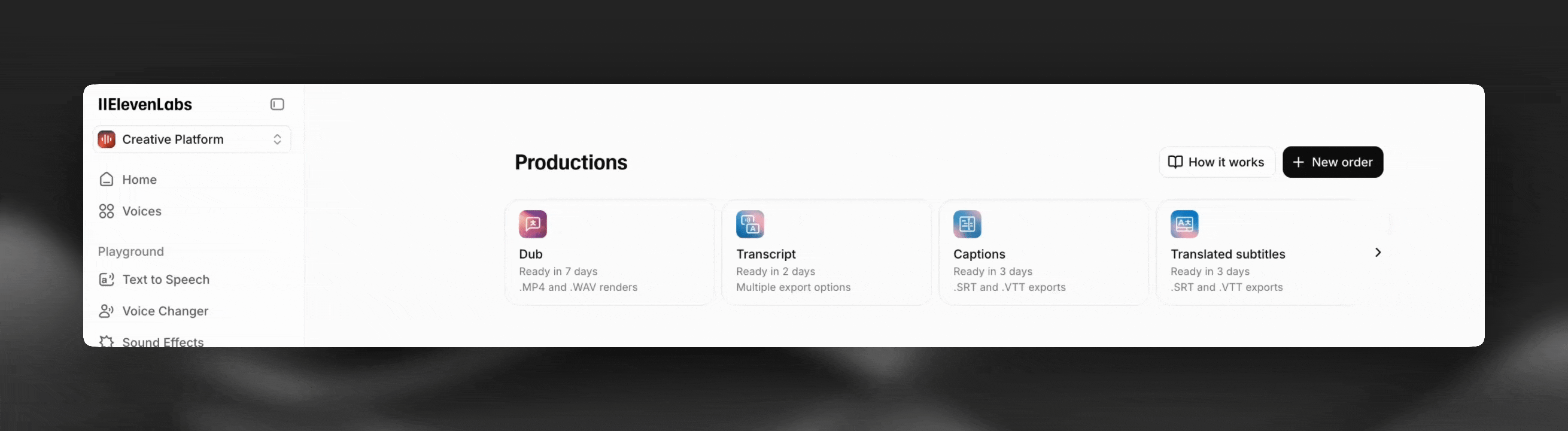
Productions page
The easiest way to order a new transcript from Productions is from the Productions page in your ElevenLabs account.
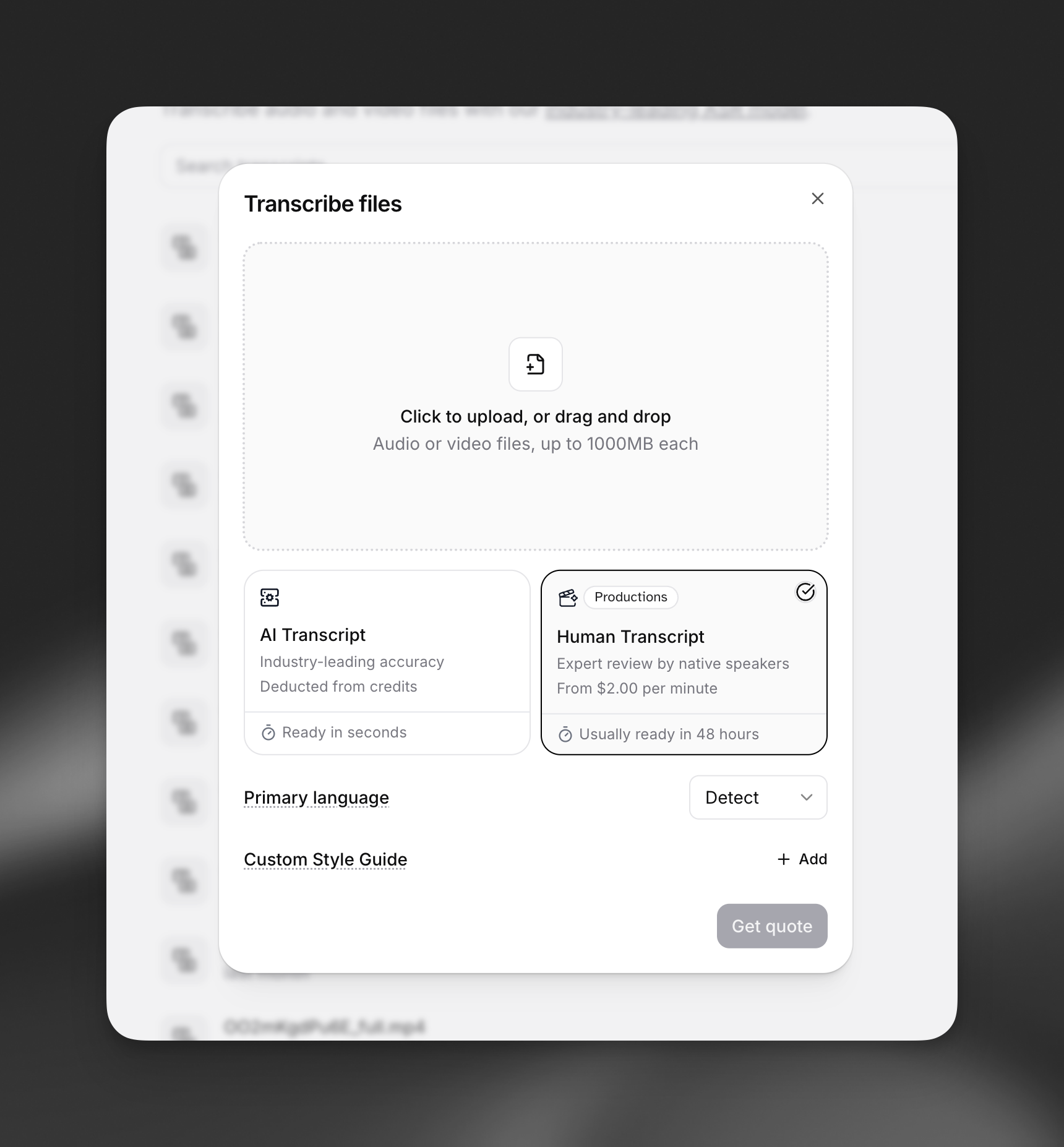
Speech to Text Order Dialog
You can also select the Human Transcript option in the Speech to Text order dialog.
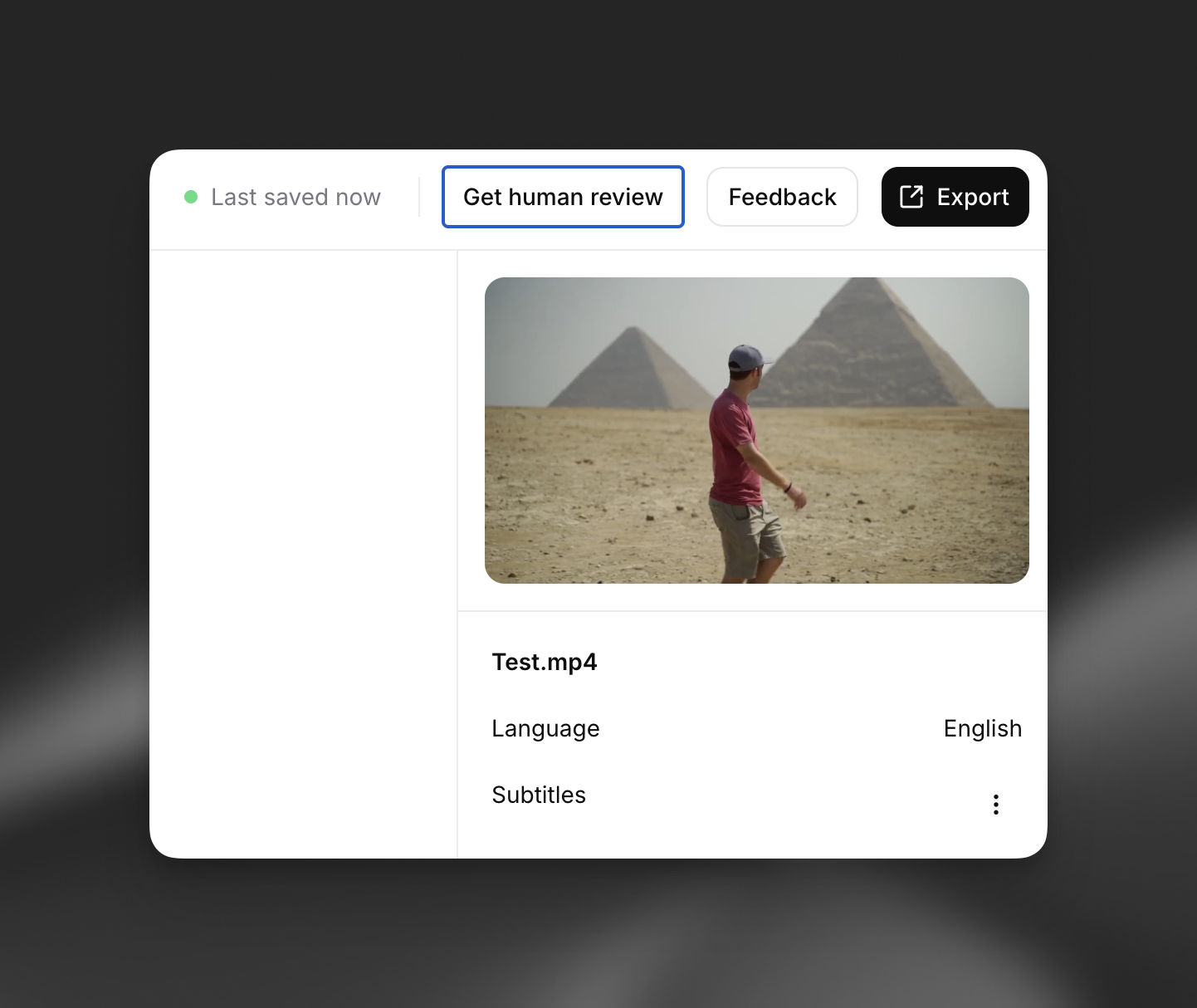
Starting from an existing transcript
Open an existing transcript and click the Get human review button to create a new Productions order for that transcript.
Export transcript
You will receive an email notification when your transcript is ready and see it marked as ‘Done’ on your Productions page.
Quick export
Open a transcript on your Productions page and click the three dots, then the Export button.
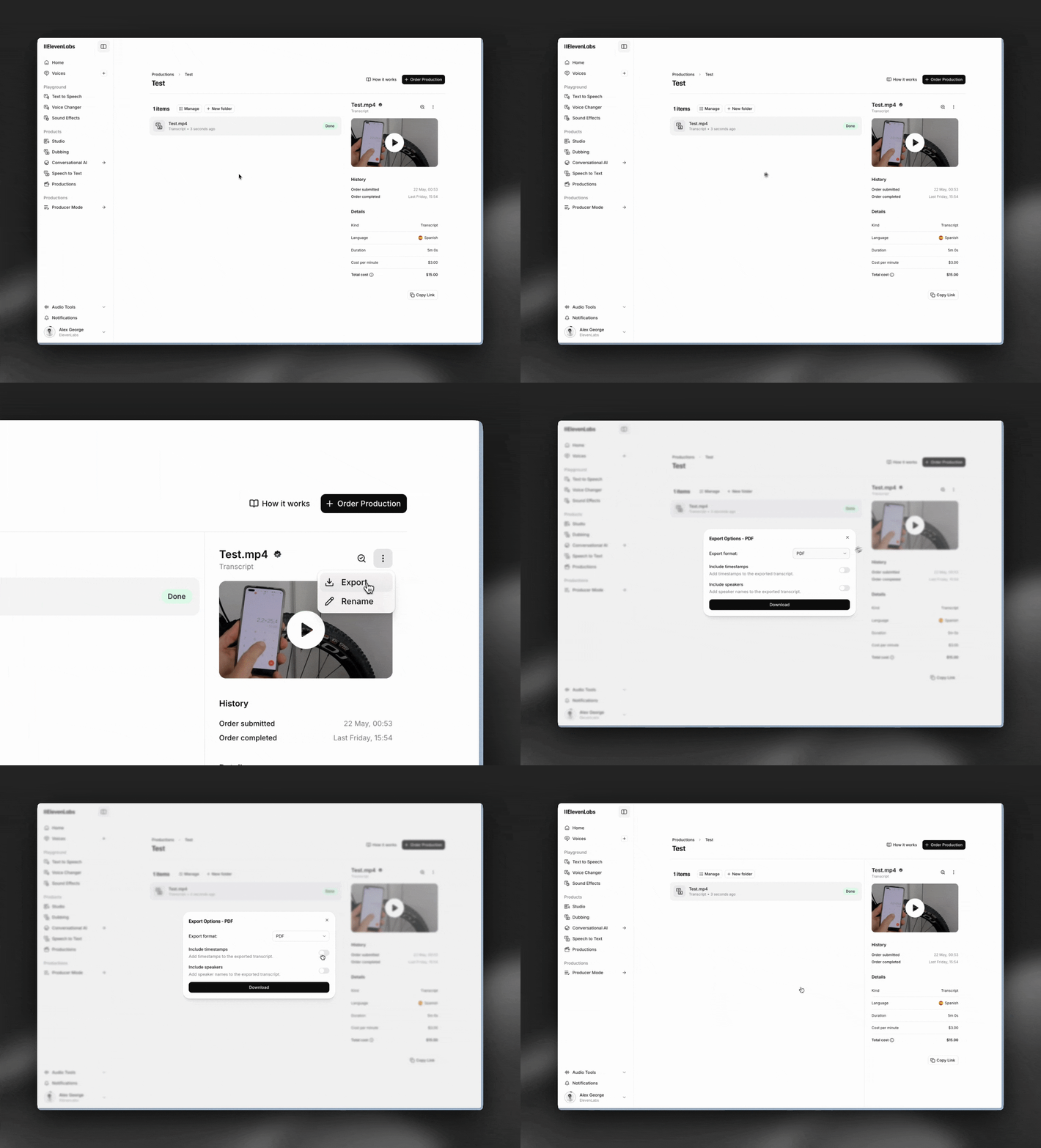
Export from viewer
Open a transcript on your Productions page and click the View icon to open the transcript viewer.

Pricing
Section titled “Pricing”Our transcription pricing depends on several factors, including languages, transcription type (verbatim vs non-verbatim), and content complexity. Talk to sales to discuss your specific needs and get a custom quote.
SLAs / Delivery Time
Section titled “SLAs / Delivery Time”We aim to deliver all transcripts within 48 hours. If you are an enterprise interested in achieving quicker turnaround times, please contact us at productions@elevenlabs.io.
Style guides
Section titled “Style guides”When ordering a Productions transcript, you will see the option to activate ‘Verbatim’ mode. Please read the breakdown below for more information about this option.
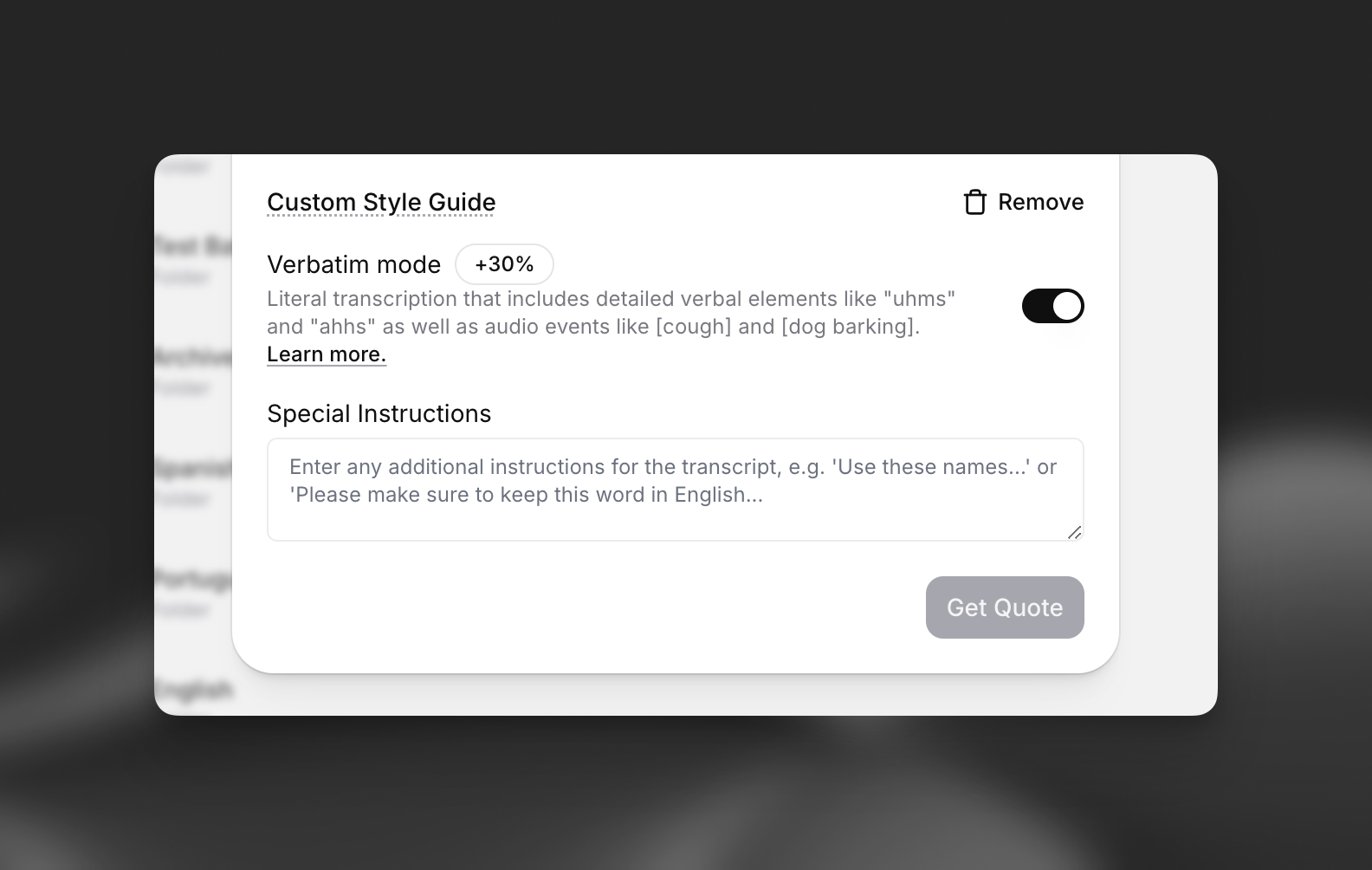
Non-verbatim
Non-verbatim transcription, also called clean or intelligent verbatim, focuses on clarity and readability. Unlike verbatim transcriptions, it removes unnecessary elements like filler words, stutters, and irrelevant sounds while preserving the speaker’s message.
What gets left out in non-verbatim transcripts:
- Filler words and verbal tics like “um,” “like,” “you know,” or “I mean”
- Repetitions including intentional and unintentional (e.g. stuttering)
- Audio event tags, including non-verbal sounds like [coughing] or [throat clearing] as well as environmental sounds like [dog barking]
- Slang or incorrect grammar (e.g. ‘ain’t’ → ‘is not’)
Verbatim
In verbatim transcription, the goal is to capture everything that can be heard,, meaning:
- All detailed verbal elements: stutters, repetitions, etc
- All non-verbal elements like human sounds ([cough]) and environmental sounds ([dog barking])
Non-verbatim vs. verbatim
The following table provides a comprehensive breakdown of our non-verbatim vs. verbatim transcription services.
| Feature | Verbatim Transcription | Verbatim Example | Non-Verbatim (Clean) Transcription | Non-Verbatim Example |
|---|---|---|---|---|
| Filler words | All filler words are included exactly as spoken. | ”So, um, I was like, you know, maybe we should wait.” | Filler words like “um,” “like,” “you know” are removed. | ”I was thinking maybe we should wait.” |
| Stutters | Stutters and repeated syllables are transcribed with hyphens. | ”I-I-I don’t know what to say.” | Stutters are removed for smoother reading. | ”I don’t know what to say.” |
| Repetitions | Repeated words are retained even when unintentional. | ”She, she, she told me not to come.” | Unintentional repetitions are removed. | ”She told me not to come.” |
| False Starts | False starts are included using double hyphens. | ”I was going to—no, actually—let’s wait.” | False starts are removed unless they show meaningful hesitation. | ”Let’s wait.” |
| Interruptions | Speaker interruptions are marked with a single hyphen. | Speaker 1: “Did you see—” Speaker 2: “Yes, I did.” | Interruptions are simplified or smoothed. | Speaker 1: “Did you see it?” Speaker 2: “Yes, I did.” |
| Informal Contractions | Informal speech is preserved as spoken. | ”She was gonna go, but y’all called.” | Standard grammar should be used for clarity, outside of exceptions. Please refer to your language style guide to know which contractions to keep vs. when to resort to standard grammar. | ”She was going to go, but you all called.” |
| Emphasized Words | Elongated pronunciations are reflected with extended spelling. | ”That was amaaazing!” | Standard spelling is used. | ”That was amazing!” |
| Interjections | Interjections and vocal expressions are included. | ”Ugh, this is terrible. Wow, I can’t believe it!” | Only meaningful interjections are retained. | ”This is terrible. Wow, I can’t believe it!” |
| Swear Words | Swear words are fully transcribed. | ”Fuck this, I’m not going.” | Swear words should be fully transcribed, unless indicated otherwise. | ”Fuck this, I’m not going.” |
| Pronunciation Mistakes | Mispronounced words are corrected. | Example (spoken): “ecsetera” Transcribed: “etcetera” | Mispronounced words are corrected here as well. | Example (spoken): “ecsetera” Transcribed: “etcetera” |
| Non-verbal human sounds | Human non-verbal sounds like [laughing], [sighing], [swallowing] are transcribed inline. | ”I—[sighs]—don’t know.” | Most non-verbal sounds are excluded unless they impact meaning. | ”I don’t know.” |
| Environmental Sounds | Environmental sounds are described in square brackets. | ”[door slams], [birds chirping], [phone buzzes]“ | Omit unless essential to meaning. Include if: 1. The sound impacts emotion or meaning 2. The sound is directly referenced by the speaker | ”What was that noise? [dog barking]” “Hang on, I hear something [door slamming]“ |
| What if I'm not happy with the result? You can leave feedback on a completed transcript by clicking the three dots (⋯) next to your deliverable and selecting Feedback. |
|---|
| Can I make changes once I receive the final version? No. You can export a completed transcript and make changes off platform. We plan to add support for this soon. |