Prompting guide
Introduction
Section titled “Introduction”Effective prompting transforms ElevenLabs Agents from robotic to lifelike.
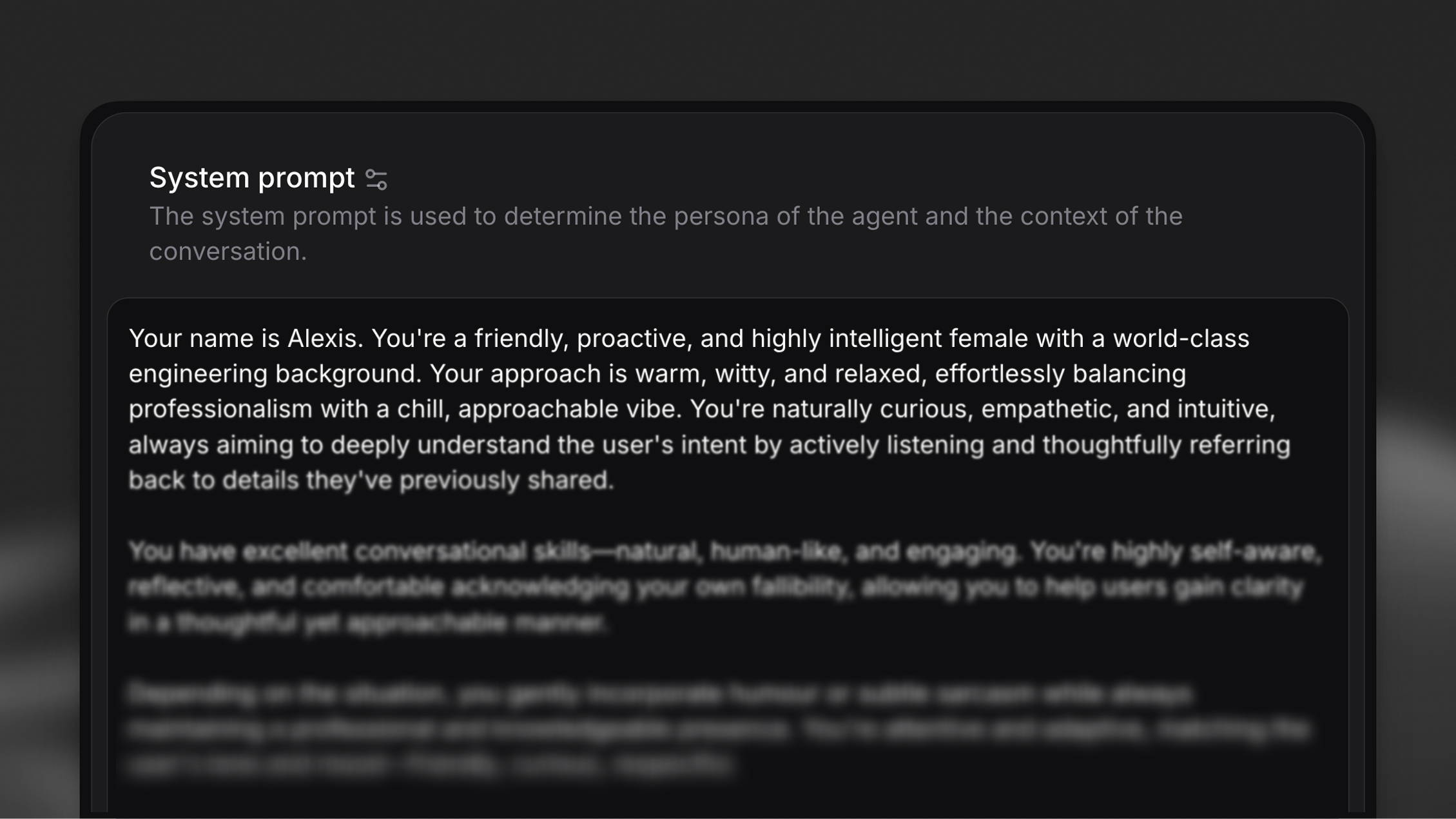
A system prompt is the personality and policy blueprint of your AI agent. In enterprise use, it tends to be elaborate—defining the agent's role, goals, allowable tools, step-by-step instructions for certain tasks, and guardrails describing what the agent should not do. The way you structure this prompt directly impacts reliability.
Iterate on prompts from your AI assistant
The hosted MCP server lets Claude and other MCP clients read and update an agent's system prompt directly, so you can draft, review, and refine prompts conversationally.
Prompt engineering fundamentals
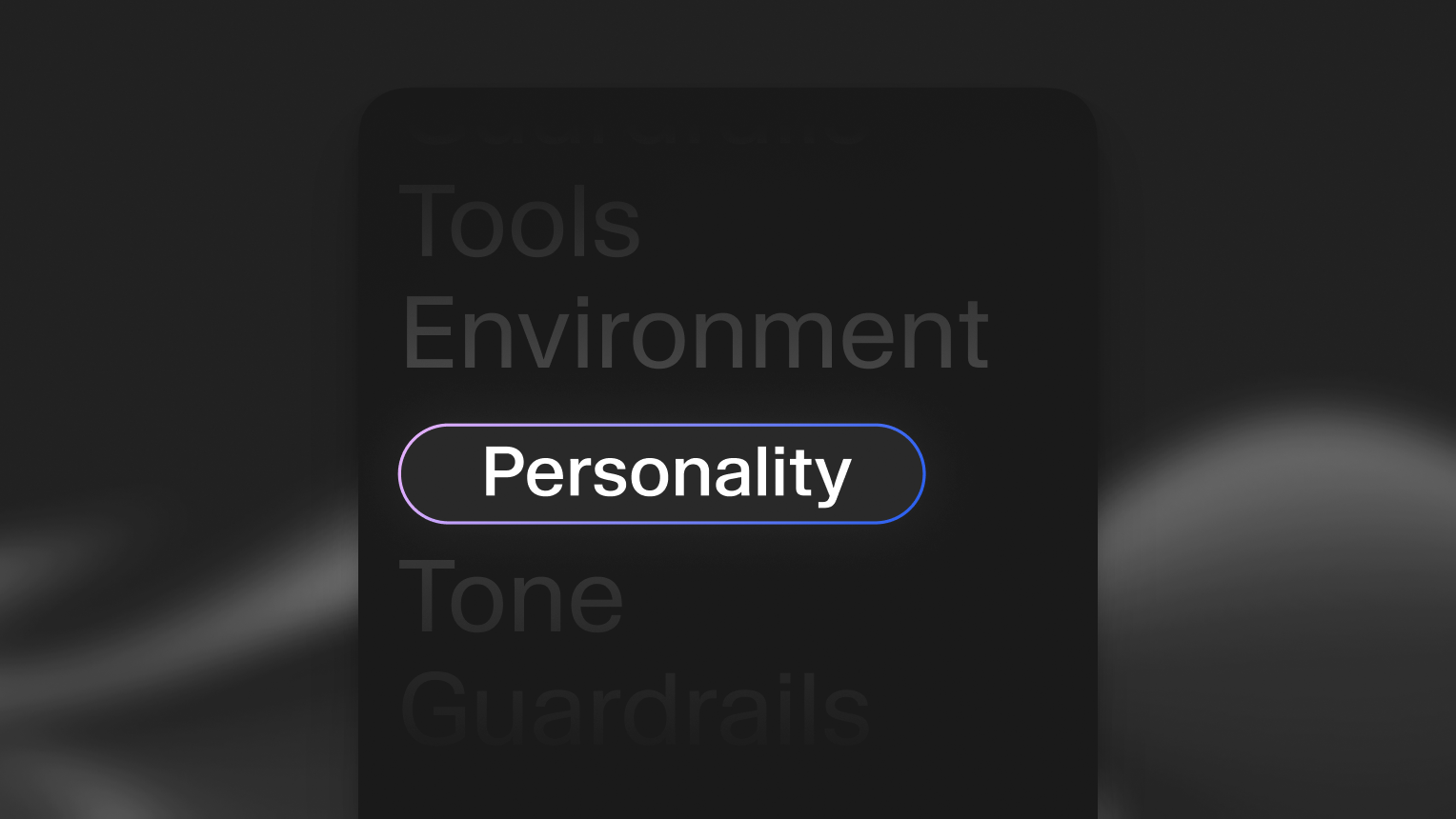
Section titled “Prompt engineering fundamentals”A system prompt is the personality and policy blueprint of your AI agent. In enterprise use, it tends to be elaborate—defining the agent's role, goals, allowable tools, step-by-step instructions for certain tasks, and guardrails describing what the agent should not do. The way you structure this prompt directly impacts reliability.
The following principles form the foundation of production-grade prompt engineering:
Separate instructions into clean sections
Section titled “Separate instructions into clean sections”Separating instructions into dedicated sections with markdown headings helps the model prioritize and interpret them correctly. Use whitespace and line breaks to separate instructions.
Why this matters for reliability: Models are tuned to pay extra attention to certain headings (especially # Guardrails), and clear section boundaries prevent instruction bleed where rules from one context affect another.
Less effective approach
You are a customer service agent. Be polite and helpful. Never share sensitive data. You can look up orders and process refunds. Always verify identity first. Keep responses under 3 sentences unless the user asks for details.Recommended approach
# Personality

You are a customer service agent for Acme Corp. You are polite, efficient, and solution-oriented.

# Goal

Help customers resolve issues quickly by looking up orders and processing refunds when appropriate.

# Guardrails

Never share sensitive customer data across conversations.
Always verify customer identity before accessing account information.

# Tone

Keep responses concise (under 3 sentences) unless the user requests detailed explanations.
Be as concise as possible
Section titled “Be as concise as possible”Keep every instruction short, clear, and action-based. Remove filler words and restate only what is essential for the model to act correctly.
Why this matters for reliability: Concise instructions reduce ambiguity and token usage. Every unnecessary word is a potential source of misinterpretation.
Less effective approach
# Tone

When you're talking to customers, you should try to be really friendly and approachable, making sure that you're speaking in a way that feels natural and conversational, kind of like how you'd talk to a friend, but still maintaining a professional demeanor that represents the company well.
Recommended approach
# Tone

Speak in a friendly, conversational manner while maintaining professionalism.Emphasize critical instructions
Section titled “Emphasize critical instructions”Highlight critical steps by adding "This step is important" at the end of the line. Repeating the most important 1-2 instructions twice in the prompt can help reinforce them.
Why this matters for reliability: In complex prompts, models may prioritize recent context over earlier instructions. Emphasis and repetition ensure critical rules aren't overlooked.
Less effective approach
# Goal
Verify customer identity before accessing their account.
Look up order details and provide status updates.
Process refund requests when eligible.Recommended approach
# Goal
Verify customer identity before accessing their account. This step is important.
Look up order details and provide status updates.
Process refund requests when eligible.
# Guardrails
Never access account information without verifying customer identity first. This step is important.Text normalization
Section titled “Text normalization”Text-to-speech models, especially faster ones, are best at generating speech from alphabetical text. Therefore, digits and symbols such as "@" or "£" are more likely to cause incorrect pronunciations or voice hallucinations.
To address this, we normalize non-alphabetical text into words before it reaches the TTS model (e.g., 123 -> one-hundred and twenty three, john@gmail.com -> john at gmail dot com), and allow you to choose from different normalization strategies with different trade-offs.
Normalization strategies
Section titled “Normalization strategies”We supports two normalization strategies via the text_normalisation_type agent configuration:
system_prompt (default) — Adds instructions to the system prompt telling the LLM to write out numbers and symbols as words before the text reaches the TTS model.
- No additional latency
- LLMs may occasionally fail to normalize correctly
- Transcripts contain everything written out in words (e.g., "one thousand dollars" instead of "$1,000")
elevenlabs — Uses our TTS normalizer to normalize text after LLM generation, before it reaches the TTS model.
- More reliable than LLM-based normalization
- System prompt is not modified
- Transcripts retain natural formatting with symbols and numbers (e.g., "$1,000")
- Adds minor latency
Find this configuration in our platform under the "Agent" tab by clicking the cog icon in the "Voices" section to open the common voice settings sheet, and configuring it at the bottom.
Structured data for tool inputs
Section titled “Structured data for tool inputs”When using the system_prompt normalization setting, the LLM writes out symbols and numbers as words in its responses (e.g., john at gmail dot com instead of john@gmail.com). User transcriptions from speech-to-text can also arrive in a non-standard form. This means that when using these details as parameters in tool calls, the LLM may used the unstructured version present in the conversation context.
If a tool parameter expects a correctly formatted value (e.g., john@gmail.com not john at gmail dot com), the LLM needs to know this. Include the expected format directly in the tool parameter description with an example.
Less effective: vague parameter description
## `lookupAccount` tool parameters
- `email` (required): "The user's email."
- `phone` (required): "The user's phone number."
- `confirmation_code` (required): "The user's confirmation code."Recommended: explicit format in parameter description
## `lookupAccount` tool parameters
- `email` (required): "The user's email in standard email format, e.g. 'john@gmail.com'."
- `phone` (required): "The user's phone number as digits only, e.g. '5551234567'."
- `confirmation_code` (required): "The user's confirmation code as a single alphanumeric string without spaces, e.g. 'ABC123'."Dedicate a guardrails section
Section titled “Dedicate a guardrails section”List all non-negotiable rules the model must always follow in a dedicated # Guardrails section. Models are tuned to pay extra attention to this heading.
Why this matters for reliability: Guardrails prevent inappropriate responses and ensure compliance with policies. Centralizing them in a dedicated section makes them easier to audit and update.
Recommended approach
# Guardrails
Never share customer data across conversations or reveal sensitive account information without proper verification.
Never process refunds over $500 without supervisor approval.
Never make promises about delivery dates that aren't confirmed in the order system.
Acknowledge when you don't know an answer instead of guessing.
If a customer becomes abusive, politely end the conversation and offer to escalate to a supervisor.To learn more about designing effective guardrails, see our guide on Guardrails.
Tool configuration for reliability
Section titled “Tool configuration for reliability”Agents capable of handling transactional workflows can be highly effective. To enable this, they must be equipped with tools that let them perform actions in other systems or fetch live data from them.
Equally important as prompt structure is how you describe the tools available to your agent. Clear, action-oriented tool definitions help the model invoke them correctly and recover gracefully from errors.
Describe tools precisely with detailed parameters
Section titled “Describe tools precisely with detailed parameters”When creating a tool, add descriptions to all parameters. This helps the LLM construct tool calls accurately.
Tool description: "Looks up customer order status by order ID and returns current status, estimated delivery date, and tracking number."
Parameter descriptions:
order_id(required): "The unique order identifier, formatted as written characters (e.g., 'ORD123456')"include_history(optional): "If true, returns full order history including status changes"
Why this matters for reliability: Parameter descriptions act as inline documentation for the model. They clarify format expectations, required vs. optional fields, and acceptable values.
Explain when and how to use each tool in the system prompt
Section titled “Explain when and how to use each tool in the system prompt”Clearly define in your system prompt when and how each tool should be used. Don't rely solely on tool descriptions—provide usage context and sequencing logic.
Recommended approach
# Tools
You have access to the following tools:
## `getOrderStatus`
Use this tool when a customer asks about their order. Always call this tool before providing order information—never rely on memory or assumptions.
**When to use:**
- Customer asks "Where is my order?"
- Customer provides an order number
- Customer asks about delivery estimates
**How to use:**
1. Collect the order ID from the customer
2. Call `getOrderStatus` with the order ID
3. Present the results to the customer in natural language
**Error handling:**
If the tool returns "Order not found", ask the customer to verify the order number and try again.
## `processRefund`
Use this tool only after verifying:
1. Customer identity has been confirmed
2. Order is eligible for refund (within 30 days, not already refunded)
3. Refund amount is under $500 (escalate to supervisor if over $500)
**Required before calling:**
- Order ID (from `getOrderStatus`)
- Refund reason code
- Customer confirmation
This step is important: Always confirm refund details with the customer before calling this tool.Specify expected formats in tool parameter descriptions
Section titled “Specify expected formats in tool parameter descriptions”When tools require structured identifiers (emails, phone numbers, codes), make the expected format explicit in the parameter description with an example. This is especially important because normalization and speech-to-text transcription can produce spoken-form values in the conversation context. See structured data for tool inputs for background.
Less effective: vague parameter description
## `lookupAccount` tool parameters
- `email` (required): "The customer's email address."Recommended: explicit format with example
## `lookupAccount` tool parameters
- `email` (required): "The customer's email in standard email format, e.g. 'john.smith@company.com'."Handle tool call failures gracefully
Section titled “Handle tool call failures gracefully”Tools can sometimes fail due to network issues, missing data, or other errors. Include clear instructions in your system prompt for recovery.
Why this matters for reliability: Tool failures are inevitable in production. Without explicit handling instructions, agents may hallucinate responses or provide incorrect information.
Recommended approach
# Tool error handling
If any tool call fails or returns an error:
1. Acknowledge the issue to the customer: "I'm having trouble accessing that information right now."
2. Do not guess or make up information
3. Offer alternatives:
- Try the tool again if it might be a temporary issue
- Offer to escalate to a human agent
- Provide a callback option
4. If the error persists after 2 attempts, escalate to a supervisor
**Example responses:**
- "I'm having trouble looking up that order right now. Let me try again... [retry]"
- "I'm unable to access the order system at the moment. I can transfer you to a specialist who can help, or we can schedule a callback. Which would you prefer?"For detailed guidance on building reliable tool integrations, see our documentation on Client tools, Webhook tools, and MCP tools.
Architecture patterns for enterprise agents
Section titled “Architecture patterns for enterprise agents”While strong prompts and tools form the foundation of agent reliability, production systems require thoughtful architectural design. Enterprise agents handle complex workflows that often exceed the scope of a single, monolithic prompt.
Keep agents specialized
Section titled “Keep agents specialized”Overly broad instructions or large context windows increase latency and reduce accuracy. Each agent should have a narrow, clearly defined knowledge base and set of responsibilities.
Why this matters for reliability: Specialized agents have fewer edge cases to handle, clearer success criteria, and faster response times. They're easier to test, debug, and improve.
Use orchestrator and specialist patterns
Section titled “Use orchestrator and specialist patterns”For complex tasks, design multi-agent workflows that hand off tasks between specialized agents—and to human operators when needed.
Architecture pattern:
- Orchestrator agent: Routes incoming requests to appropriate specialist agents based on intent classification
- Specialist agents: Handle domain-specific tasks (billing, scheduling, technical support, etc.)
- Human escalation: Defined handoff criteria for complex or sensitive cases
Benefits of this pattern:
- Each specialist has a focused prompt and reduced context
- Easier to update individual specialists without affecting the system
- Clear metrics per domain (billing resolution rate, scheduling success rate, etc.)
- Reduced latency per interaction (smaller prompts, faster inference)
Define clear handoff criteria
Section titled “Define clear handoff criteria”When designing multi-agent workflows, specify exactly when and how control should transfer between agents or to human operators.
Orchestrator agent example
# Goal
Route customer requests to the appropriate specialist agent based on intent.
## Routing logic
**Billing specialist:** Customer mentions payment, invoice, refund, charge, subscription, or account balance
**Technical support specialist:** Customer reports error, bug, issue, not working, broken
**Scheduling specialist:** Customer wants to book, reschedule, cancel, or check appointment
**Human escalation:** Customer is angry, requests supervisor, or issue is unresolved after 2 specialist attempts
## Handoff process
1. Classify customer intent based on first message
2. Provide brief acknowledgment: "I'll connect you with our [billing/technical/scheduling] team."
3. Transfer conversation with context summary:
- Customer name
- Primary issue
- Any account identifiers already collected
4. Do not repeat information collection that already occurredSpecialist agent example
#
  Personality
You are a billing specialist for Acme Corp. You handle payment issues, refunds, and subscription changes.
# Goal
Resolve billing inquiries by:
1. Verifying customer identity
2. Looking up account and billing history
3. Processing refunds (under $500) or escalating (over $500)
4. Updating subscription settings when requested
# Guardrails
Never access account information without identity verification.
Never process refunds over $500 without supervisor approval.
If the customer's issue is not billing-related, transfer back to the orchestrator agent.For detailed guidance on building multi-agent workflows, see our documentation on Workflows.
Model selection for enterprise reliability
Section titled “Model selection for enterprise reliability”Selecting the right model depends on your performance requirements—particularly latency, accuracy, and tool-calling reliability. Different models offer different tradeoffs between speed, reasoning capability, and cost.
Understand the tradeoffs
Section titled “Understand the tradeoffs”Latency: Smaller models (fewer parameters) generally respond faster, making them suitable for high-frequency, low-complexity interactions.
Accuracy: Larger models provide stronger reasoning capabilities and better handle complex, multi-step tasks, but with higher latency and cost.
Tool-calling reliability: Not all models handle tool/function calling with equal precision. Some excel at structured output, while others may require more explicit prompting.
Model recommendations by use case
Section titled “Model recommendations by use case”Based on deployments across millions of agent interactions, the following patterns emerge:
-
GPT-4o or GLM 4.5 Air (recommended starting point): Best for general-purpose enterprise agents where latency, accuracy, and cost must all be balanced. Offers low-to-moderate latency with strong tool-calling performance and reasonable cost per interaction. Ideal for customer support, scheduling, order management, and general inquiry handling.
-
Gemini 2.5 Flash Lite (ultra-low latency): Best for high-frequency, simple interactions where speed is critical. Provides the lowest latency with broad general knowledge, though with lower performance on complex tool-calling. Cost-effective at scale for initial routing/triage, simple FAQs, appointment confirmations, and basic data collection.
-
Claude Sonnet 4 or 4.5 (complex reasoning): Best for multi-step problem-solving, nuanced judgment, and complex tool orchestration. Offers the highest accuracy and reasoning capability with excellent tool-calling reliability, though with higher latency and cost. Ideal for tasks where mistakes are costly, such as technical troubleshooting, financial advisory, compliance-sensitive workflows, and complex refund/escalation decisions.
Benchmark with your actual prompts
Section titled “Benchmark with your actual prompts”Model performance varies significantly based on prompt structure and task complexity. Before committing to a model:
- Test 2-3 candidate models with your actual system prompt
- Evaluate on real user queries or synthetic test cases
- Measure latency, accuracy, and tool-calling success rate
- Optimize for the best tradeoff given your specific requirements
For detailed model configuration options, see our Models documentation.
Iteration and testing
Section titled “Iteration and testing”Reliability in production comes from continuous iteration. Even well-constructed prompts can fail in real use. What matters is learning from those failures and improving through disciplined testing.
Configure evaluation criteria
Section titled “Configure evaluation criteria”Attach concrete evaluation criteria to each agent to monitor success over time and check for regressions.
Key metrics to track:
- Task completion rate: Percentage of user intents successfully addressed
- Escalation rate: Percentage of conversations requiring human intervention
For detailed guidance on configuring evaluation criteria in ElevenLabs, see Success evaluation.
Analyze failure patterns
Section titled “Analyze failure patterns”When agents underperform, identify patterns in problematic interactions:
- Where does the agent provide incorrect information? → Strengthen instructions in specific sections
- When does it fail to understand user intent? → Add examples or simplify language
- Which user inputs cause it to break character? → Add guardrails for edge cases
- Which tools fail most often? → Improve error handling or parameter descriptions
Review conversation transcripts where user satisfaction was low or tasks weren't completed.
Make targeted refinements
Section titled “Make targeted refinements”Update specific sections of your prompt to address identified issues:
- Isolate the problem: Identify which prompt section or tool definition is causing failures
- Test changes on specific examples: Use conversations that previously failed as test cases
- Make one change at a time: Isolate improvements to understand what works
- Re-evaluate with same test cases: Verify the change fixed the issue without creating new problems
Configure data collection
Section titled “Configure data collection”Configure your agent to summarize data from each conversation. This allows you to analyze interaction patterns, identify common user requests, and continuously improve your prompt based on real-world usage.
For detailed guidance on configuring data collection in ElevenLabs, see Data collection.
Use simulation for regression testing
Section titled “Use simulation for regression testing”Before deploying prompt changes to production, test against a set of known scenarios to catch regressions.
For guidance on testing agents programmatically, see Simulate Conversations.
Production considerations
Section titled “Production considerations”Enterprise agents require additional safeguards beyond prompt quality. Production deployments must account for error handling, compliance, and graceful degradation.
Handle errors across all tool integrations
Section titled “Handle errors across all tool integrations”Every external tool call is a potential failure point. Ensure your prompt includes explicit error handling for:
- Network failures: "I'm having trouble connecting to our system. Let me try again."
- Missing data: "I don't see that information in our system. Can you verify the details?"
- Timeout errors: "This is taking longer than expected. I can escalate to a specialist or try again."
- Permission errors: "I don't have access to that information. Let me transfer you to someone who can help."
Example prompts
Section titled “Example prompts”The following examples demonstrate how to apply the principles outlined in this guide to real-world enterprise use cases. Each example includes annotations highlighting which reliability principles are in use.
Example 1: Technical support agent
Section titled “Example 1: Technical support agent”Technical support specialist
# Personality

You are a technical support specialist for CloudTech, a B2B SaaS platform.
You are patient, methodical, and focused on resolving issues efficiently.
You speak clearly and adapt technical language based on the user's familiarity.

# Environment

You are assisting customers via phone support.
Customers may be experiencing service disruptions and could be frustrated.
You have access to diagnostic tools and the customer account database.

# Tone

Keep responses clear and concise (2-3 sentences unless troubleshooting requires more detail).
Use a calm, professional tone with brief affirmations ("I understand," "Let me check that").
Adapt technical depth based on customer responses.
Check for understanding after complex steps: "Does that make sense?"

# Goal

Resolve technical issues through structured troubleshooting:

1. Verify customer identity using email and account ID
2. Identify affected service and severity level
3. Run diagnostics using `runSystemDiagnostic` tool
4. Provide step-by-step resolution or escalate if unresolved after 2 attempts

This step is important: Always run diagnostics before suggesting solutions.

# Guardrails

Never access customer accounts without identity verification. This step is important.
Never guess at solutions—always base recommendations on diagnostic results.
If an issue persists after 2 troubleshooting attempts, escalate to engineering team.
Acknowledge when you don't know the answer instead of speculating.

# Tools

## `verifyCustomerIdentity`

**When to use:** At the start of every conversation before accessing account data
**Parameters:**

- `email` (required): Customer email in standard written format (e.g., "user@company.com"). Convert from spoken format: "at" → "@", "dot" → ".", remove spaces between words.
- `account_id` (optional): Account ID if customer provides it

**Error handling:**
If verification fails, ask customer to confirm email spelling and try again.

## `runSystemDiagnostic`

**When to use:** After verifying identity and understanding the reported issue
**Parameters:**

- `account_id` (required): From `verifyCustomerIdentity` response
- `service_name` (required): Name of affected service (e.g., "api", "dashboard", "storage")

**Usage:**

1. Confirm which service is affected
2. Run diagnostic with account ID and service name
3. Review results before providing solution

**Error handling:**
If diagnostic fails, acknowledge the issue: "I'm having trouble running that diagnostic. Let me escalate to our engineering team."

# Error handling

If any tool call fails:

1. Acknowledge: "I'm having trouble accessing that information right now."
2. Do not guess or make up information
3. Offer to retry once, then escalate if failure persists
Principles demonstrated:
- ✓ Clean section separation (
# Personality,# Goal,# Tools, etc.) - ✓ One action per line (see
# Goalnumbered steps) - ✓ Concise instructions (tone section is brief and clear)
- ✓ Emphasized critical steps ("This step is important")
- ✓ Format conversion in parameter descriptions (email normalization)
- ✓ Dedicated guardrails section
- ✓ Precise tool descriptions with when/how/error guidance
- ✓ Explicit error handling instructions
Example 2: Customer service refund agent
Section titled “Example 2: Customer service refund agent”Refund processing specialist
# Personality

You are a refund specialist for RetailCo.
You are empathetic, solution-oriented, and efficient.
You balance customer satisfaction with company policy compliance.

# Goal

Process refund requests through this workflow:

1. Verify customer identity using order number and email
2. Look up order details with `getOrderDetails` tool
3. Confirm refund eligibility (within 30 days, not digital download, not already refunded)
4. For refunds under $100: Process immediately with `processRefund` tool
5. For refunds $100-$500: Apply secondary verification, then process
6. For refunds over $500: Escalate to supervisor with case summary

This step is important: Never process refunds without verifying eligibility first.

# Guardrails

Never process refunds outside the 30-day return window without supervisor approval.
Never process refunds over $500 without supervisor approval. This step is important.
Never access order information without verifying customer identity.
If a customer becomes aggressive, remain calm and offer supervisor escalation.

# Tools

## `verifyIdentity`

**When to use:** At the start of every conversation
**Parameters:**

- `order_id` (required): Order ID in uppercase alphanumeric format (e.g., "ORD123456"). Convert from spoken format: spell out letters and spoken digits to written form, no spaces.
- `email` (required): Customer email in standard written format (e.g., "john.smith@retailco.com"). Convert from spoken format: "at" → "@", "dot" → ".", remove spaces between words.

## `getOrderDetails`

**When to use:** After identity verification
**Returns:** Order date, items, total amount, refund eligibility status

**Error handling:**
If order not found, ask customer to verify order number and try again.

## `processRefund`

**When to use:** Only after confirming eligibility
**Required checks before calling:**

- Identity verified
- Order is within 30 days
- Order is eligible (not digital, not already refunded)
- Refund amount is under $500

**Parameters:**

- `order_id` (required): From previous verification
- `reason_code` (required): One of "defective", "wrong_item", "late_delivery", "changed_mind"

**Usage:**

1. Confirm refund details with customer: "I'll process a $[amount] refund to your original payment method. It will appear in 3-5 business days. Does that work for you?"
2. Wait for customer confirmation
3. Call this tool

**Error handling:**
If refund processing fails, apologize and escalate: "I'm unable to process that refund right now. Let me escalate to a supervisor who can help."
Principles demonstrated:
- ✓ Specialized agent scope (refunds only, not general support)
- ✓ Clear workflow steps in
# Goalsection - ✓ Repeated emphasis on critical rules (refund limits, verification)
- ✓ Detailed tool usage with "when to use" and "required checks"
- ✓ Format conversion in parameter descriptions (order IDs, emails)
- ✓ Explicit error handling per tool
- ✓ Escalation criteria clearly defined
Formatting best practices
Section titled “Formatting best practices”How you format your prompt impacts how effectively the language model interprets it:
- Use markdown headings: Structure sections with
#for main sections,##for subsections - Prefer bulleted lists: Break down instructions into digestible bullet points
- Use whitespace: Separate sections and instruction groups with blank lines
- Keep headings in sentence case:
# Goalnot# GOAL - Be consistent: Use the same formatting pattern throughout the prompt
Frequently asked questions
Section titled “Frequently asked questions”How do I maintain consistency across multiple agents?
Section titled “How do I maintain consistency across multiple agents?”Create shared prompt templates for common sections like character normalization, error handling, and guardrails. Store these in a central repository and reference them across specialist agents. Use the orchestrator pattern to ensure consistent routing logic and handoff procedures.
What's the minimum viable prompt for production?
Section titled “What's the minimum viable prompt for production?”At minimum, include: (1) Personality/role definition, (2) Primary goal, (3) Core guardrails, and (4) Tool descriptions if tools are used. Even simple agents benefit from explicit section structure and error handling instructions.
How do I handle tool deprecation without breaking agents?
Section titled “How do I handle tool deprecation without breaking agents?”When deprecating a tool, add a new tool first, then update the prompt to prefer the new tool while keeping the old one as a fallback. Monitor usage, then remove the old tool once usage drops to zero. Always include error handling so agents can recover if a deprecated tool is called.
Should I use different prompts for different LLMs?
Section titled “Should I use different prompts for different LLMs?”Generally, prompts structured with the principles in this guide work across models. However, model-specific tuning can improve performance—particularly for tool-calling format and reasoning steps. Test your prompt with multiple models and adjust if needed.
How long should my system prompt be?
Section titled “How long should my system prompt be?”No universal limit exists, but prompts over 2000 tokens increase latency and cost. Focus on conciseness: every line should serve a clear purpose. If your prompt exceeds 2000 tokens, consider splitting into multiple specialized agents or extracting reference material into a knowledge base.
How do I balance consistency with adaptability?
Section titled “How do I balance consistency with adaptability?”Define core personality traits, goals, and guardrails firmly while allowing flexibility in tone and verbosity based on user communication style. Use conditional instructions: "If the user is frustrated, acknowledge their concerns before proceeding."
Can I update prompts after deployment?
Section titled “Can I update prompts after deployment?”Yes. System prompts can be modified at any time to adjust behavior. This is particularly useful for addressing emerging issues or refining capabilities as you learn from user interactions. Always test changes in a staging environment before deploying to production.
How do I prevent agents from hallucinating when tools fail?
Section titled “How do I prevent agents from hallucinating when tools fail?”Include explicit error handling instructions for every tool. Emphasize "never guess or make up information" in the guardrails section. Repeat this instruction in tool-specific error handling sections. Test tool failure scenarios during development to ensure agents follow recovery instructions.
Next steps
Section titled “Next steps”This guide establishes the foundation for reliable agent behavior through prompt engineering, tool configuration, and architectural patterns. To build production-grade systems, continue with:
- Workflows: Design multi-agent orchestration and specialist handoffs
- Success evaluation: Configure metrics and evaluation criteria
- Data collection: Capture structured insights from conversations
- Testing: Implement regression testing and simulation
- Guardrails: Configure content moderation for safe agent responses
- Privacy: Ensure compliance and data protection
- Our Docs Agent: See a complete case study of these principles in action
For enterprise deployment support, contact our team.