Language
Overview
Section titled “Overview”This guide shows you how to configure your agent to speak multiple languages. You'll learn to:
- Configure your agent's primary language
- Add support for multiple languages
- Set language-specific voices and first messages
- Optimize voice selection for natural pronunciation
- Enable automatic language switching
Manage agents from your AI assistant
You can also make these changes conversationally. The hosted MCP server lets Claude and other MCP clients create, configure, and manage your agents through natural language.
Default agent language
Section titled “Default agent language”When you create a new agent, it's configured with:
- English as the primary language
- Flash v2 model for fast, English-only responses
- A default first message.
Add additional languages
Section titled “Add additional languages”Update via the dashboard
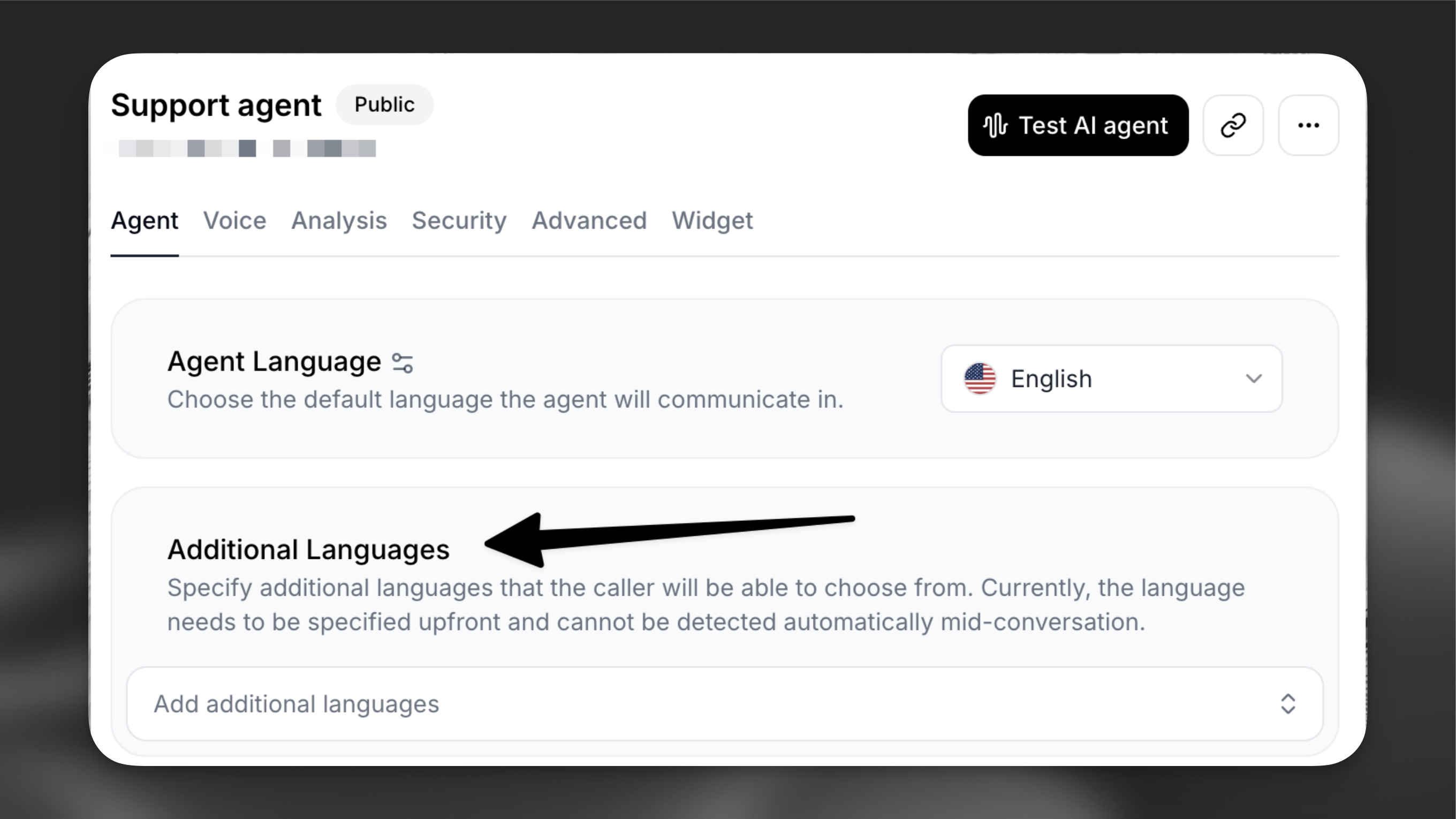
Section titled “Update via the dashboard”Navigate to your agent's configuration page and locate the Agent tab.
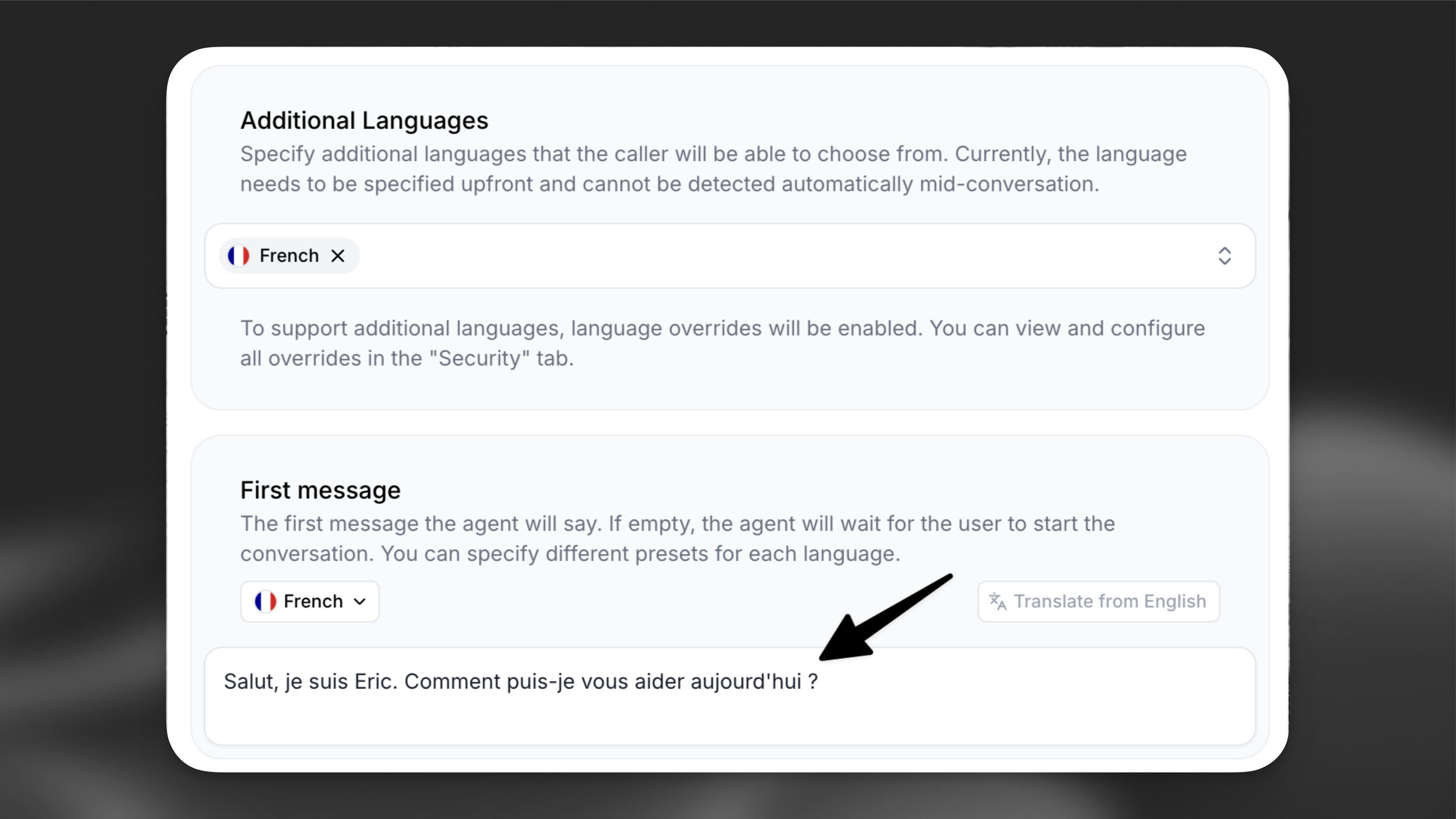
- In the Additional Languages add an additional language (e.g. French)
- Review the first message, which is automatically translated using a Large Language Model (LLM). Customize it as needed for each additional language to ensure accuracy and cultural relevance.
Update via the CLI
Section titled “Update via the CLI”Pull the agent configuration
Section titled “Pull the agent configuration”elevenlabs agents pull --agent "<agent-name>"Edit `agent_configs/<agent-name>.json`
Section titled “Edit `agent_configs/<agent-name>.json`”Set conversation_config.agent.language for the primary language and add entries to conversation_config.language_presets for each additional language. Each preset can override the first message and other conversation config fields per language:
{
  "conversation_config": {
    "agent": {
      "language": "en"
    },
    "language_presets": {
      "fr": {
        "overrides": {
          "agent": {
            "first_message": "Bonjour, comment puis-je vous aider ?"
          }
        }
      }
    }
  }
}
Push your changes
Section titled “Push your changes”elevenlabs agents push --agent "<agent-name>"Update via the API
Section titled “Update via the API”from elevenlabs import ElevenLabs
elevenlabs = ElevenLabs()
elevenlabs.conversational_ai.agents.update(
agent_id="agent_7101k5zvyjhmfg983brhmhkd98n6",
conversation_config={
"agent": {"language": "en"},
"language_presets": {
"fr": {
"overrides": {
"agent": {"first_message": "Bonjour, comment puis-je vous aider ?"},
},
},
},
},
)import { ElevenLabsClient } from "@elevenlabs/elevenlabs-js";
const elevenlabs = new ElevenLabsClient();
await elevenlabs.conversationalAi.agents.update("agent_7101k5zvyjhmfg983brhmhkd98n6", {
conversationConfig: {
agent: { language: "en" },
languagePresets: {
fr: {
overrides: {
agent: { firstMessage: "Bonjour, comment puis-je vous aider ?" },
},
},
},
},
});Configure language-specific voices
Section titled “Configure language-specific voices”For optimal pronunciation, configure each additional language with a language-specific voice from our Voice Library.
Language-specific voice settings
Section titled “Language-specific voice settings”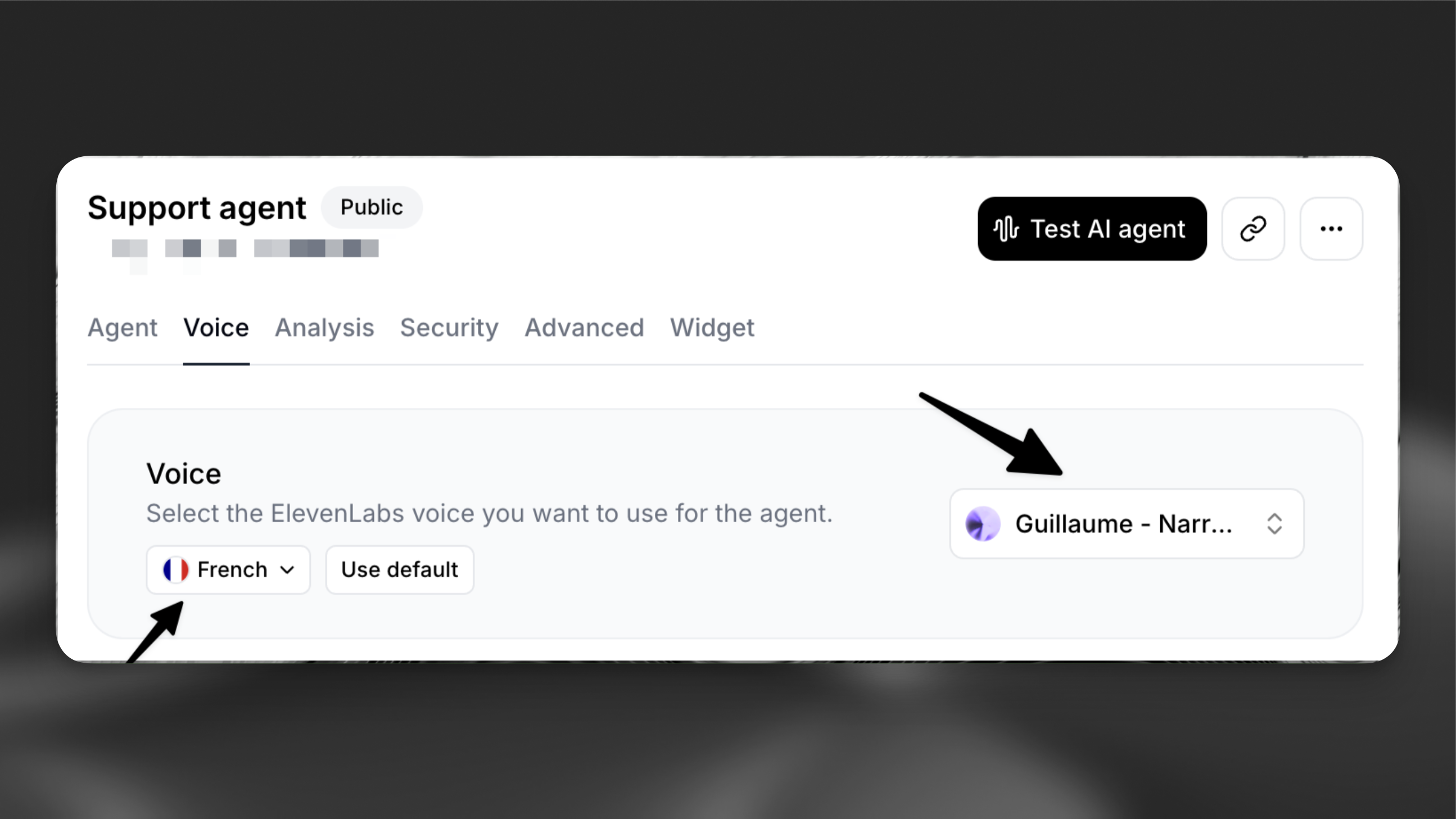
Voice library
Section titled “Voice library”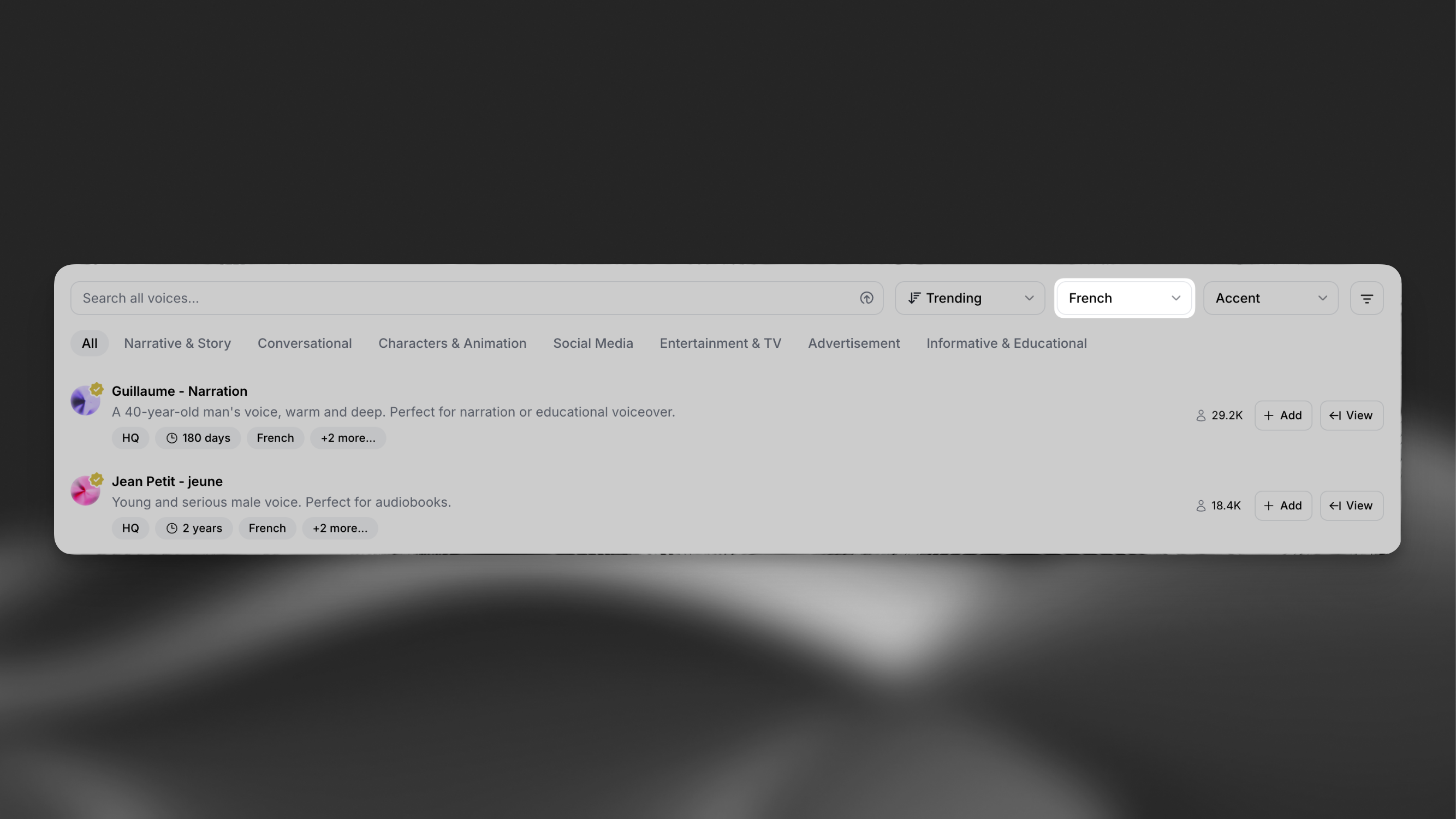
Enable language detection
Section titled “Enable language detection”Add the language detection tool to your agent can automatically switch to the user's preferred language.
Starting a call
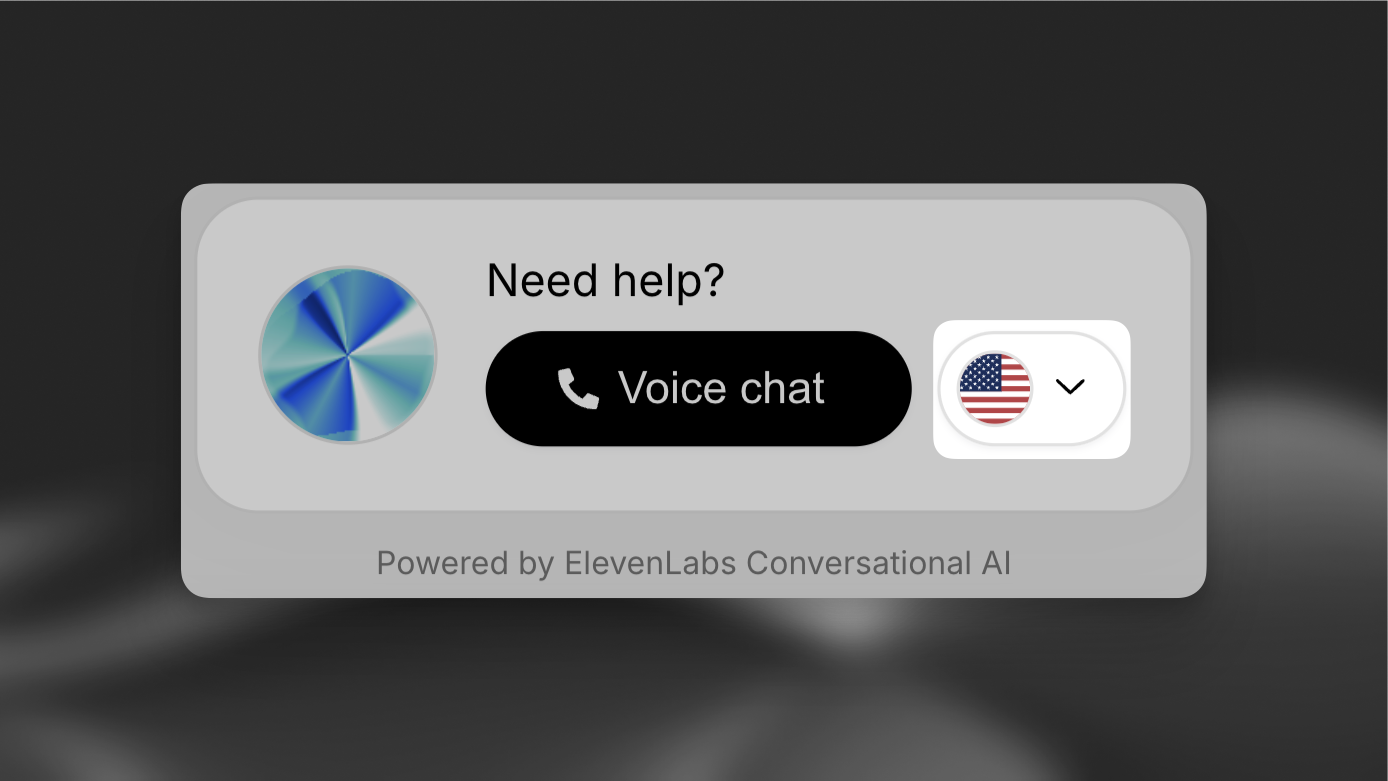
Section titled “Starting a call”Now that the agent is configured to support additional languages, the widget will prompt the user for their preferred language before the conversation begins.
If using the SDK, the language can be set programmatically using conversation overrides. See the Overrides guide for implementation details.
Internationalization
Section titled “Internationalization”You can integrate the widget with your internationalization framework by dynamically setting the language and UI text attributes.
Widget
<elevenlabs-convai
  language="es"
  action-text={i18n["es"]["actionText"]}
  start-call-text={i18n["es"]["startCall"]}
  end-call-text={i18n["es"]["endCall"]}
  expand-text={i18n["es"]["expand"]}
  listening-text={i18n["es"]["listening"]}
  speaking-text={i18n["es"]["speaking"]}
></elevenlabs-convai>Best practices
Section titled “Best practices”Voice selection
Section titled “Voice selection”Select voices specifically trained in your target languages. This ensures:
- Natural pronunciation
- Appropriate regional accents
- Better handling of language-specific nuances
First message customization
Section titled “First message customization”While automatic translations are provided, consider:
- Reviewing translations for accuracy
- Adapting greetings for cultural context
- Adjusting formal/informal tone as needed