Procedures
Overview
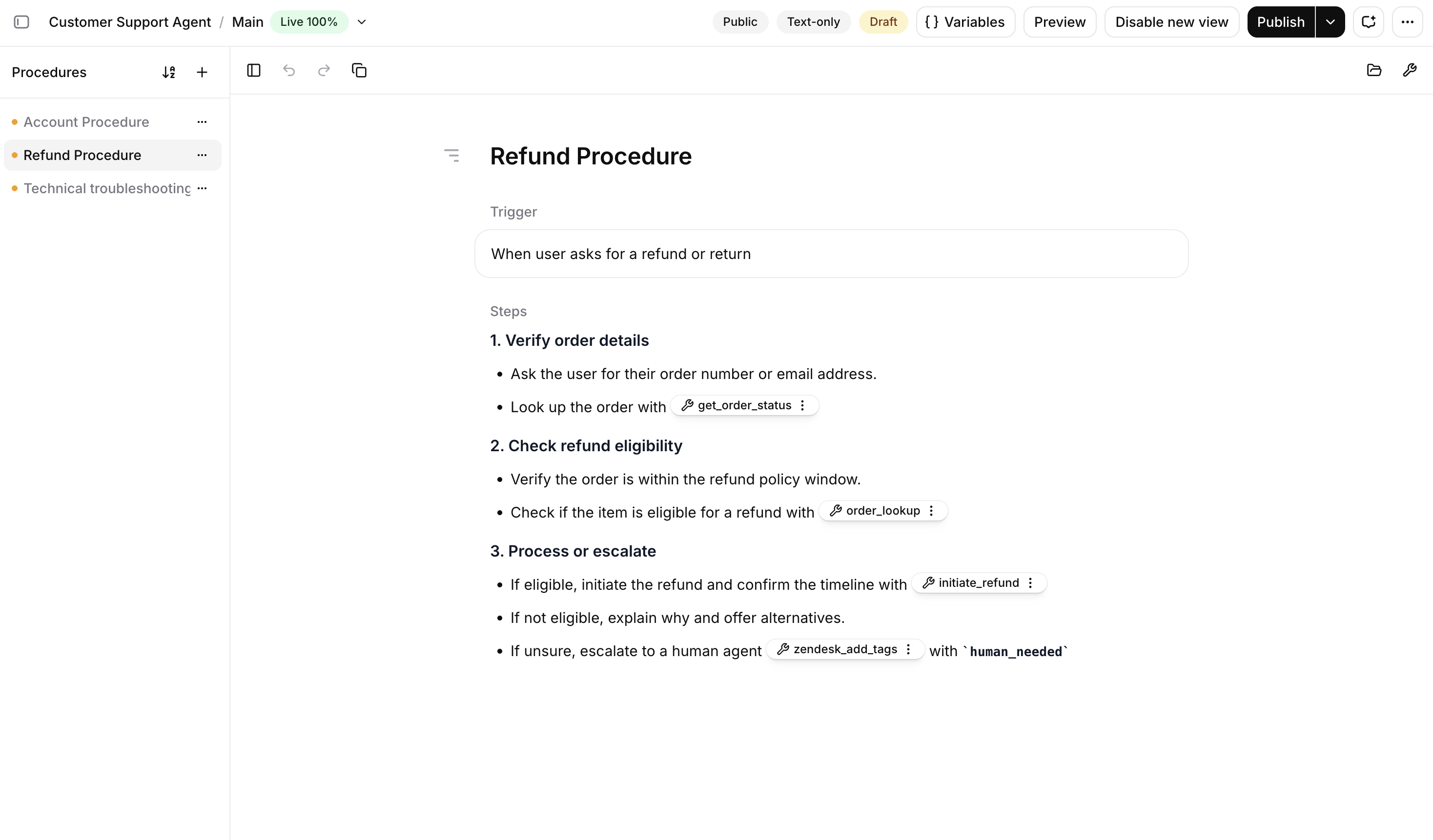
Section titled “Overview”A procedure contains instructions for one specific task. Each procedure has a trigger that describes when it applies and content that describes what to do. When a conversation matches the trigger, the agent loads the procedure.
Use procedures when your agent needs to handle many distinct tasks. One example use case is a customer support agent, where each procedure covers one type of request: refunds, identity verification, account recovery, or connection troubleshooting.
Procedure types
Section titled “Procedure types”There are two kinds of procedures:
- Free-form procedures are written as natural-language instructions the agent interprets and adapts to the situation.
- Structured procedures are an ordered list of typed steps the agent runs the same way every time.
You can use both kinds, alongside workflows, on the same agent. The agent picks the relevant procedure from its trigger, regardless of type.
When to use procedures
Section titled “When to use procedures”Every agent has a system prompt. Procedures and workflows are two alternative ways to add structure on top. Pick based on how much the conversation can vary.
| Requirement | Use | Why |
|---|---|---|
| Simple proof of concept agent | System prompt only | Fastest to set up and iterate on, but a single prompt gets unwieldy as the agent grows in scope. |
| Task where the agent can adapt wording and order | Free-form procedure | Keeps the whole conversation in one LLM's context, so the agent adapts wording and order and can follow unexpected turns. Uses more of the context window. |
| Task whose steps must run the same way every time | Structured procedure | Each step runs in the order you set, the same way every time, and you author it as a short list of steps. |
| Full control over complex branching and edge cases | Workflow | Runs as a graph of subagents you design and connect yourself, with full control over branching and the model each step uses. |
Manage procedures
Section titled “Manage procedures”The dashboard is the recommended way to build procedures. Use the API to manage procedures programmatically or integrate them into deployment tooling.
Build via the dashboard
Section titled “Build via the dashboard”Open your agent in the dashboard, then select Procedures. Use + to create a free-form or structured procedure. See Free-form procedures and Structured procedures for authoring guidance.
Manage via the API
Section titled “Manage via the API”Procedure drafts follow the agent versioning lifecycle. They are per-user, per-branch, so each team member has separate drafts on each branch. Publishing saves your procedure changes in a new immutable agent version on that branch. Other users' drafts are unaffected.
Agent configuration responses include procedure metadata such as IDs, names, types, and
triggers, but not procedure bodies or drafts. Use the procedure endpoints to read and edit the
full content. All procedure endpoints are nested under
/v1/convai/agents/{agent_id}/branches/{branch_id}.
Create or update a draft
Section titled “Create or update a draft”Create a procedure with POST /procedures. Update it with
PATCH /procedures/{procedure_id}/draft, including name, content, type, and trigger
in every request.
Use GET /procedures/{procedure_id}/draft to read unpublished changes. If you have no draft,
the endpoint returns the published version.
Publish the changes
Section titled “Publish the changes”Publish the draft by creating a new agent version. Free-form procedures can be published
directly. For structured procedures, call /procedures/compile to generate a workflow first.
Follow the type-specific instructions for free-form procedures or structured procedures.
Discard or remove a procedure
Section titled “Discard or remove a procedure”DELETE /procedures/{procedure_id}/draft discards unpublished edits and restores the
published version. If the procedure has never been published, this deletes it.
DELETE /procedures/{procedure_id} stages removal of a published procedure. Publish the
change using the same type-specific flow.
See the Procedures API reference for complete endpoint schemas.
Limitations
Section titled “Limitations”- A procedure's content is capped at 50,000 characters.
- You cannot change a procedure's type after creating it.
- Procedures belong to one agent. They cannot be shared across agents or stored as workspace-level resources.
- Duplicating an agent copies its procedures instead of sharing them. The copies receive new procedure IDs, so references in the duplicated agent must use those new IDs.
- Structured procedures cannot reference knowledge base documents.