Triage
Overview
Section titled “Overview”Triage tickets collect problems with an agent's real conversations so you can review and fix them in one place. Each ticket points at the underlying issue and the conversation it came from. Architect surfaces the ticket queue for whichever agent you have open, and can read, comment on, and update tickets when you ask it to.
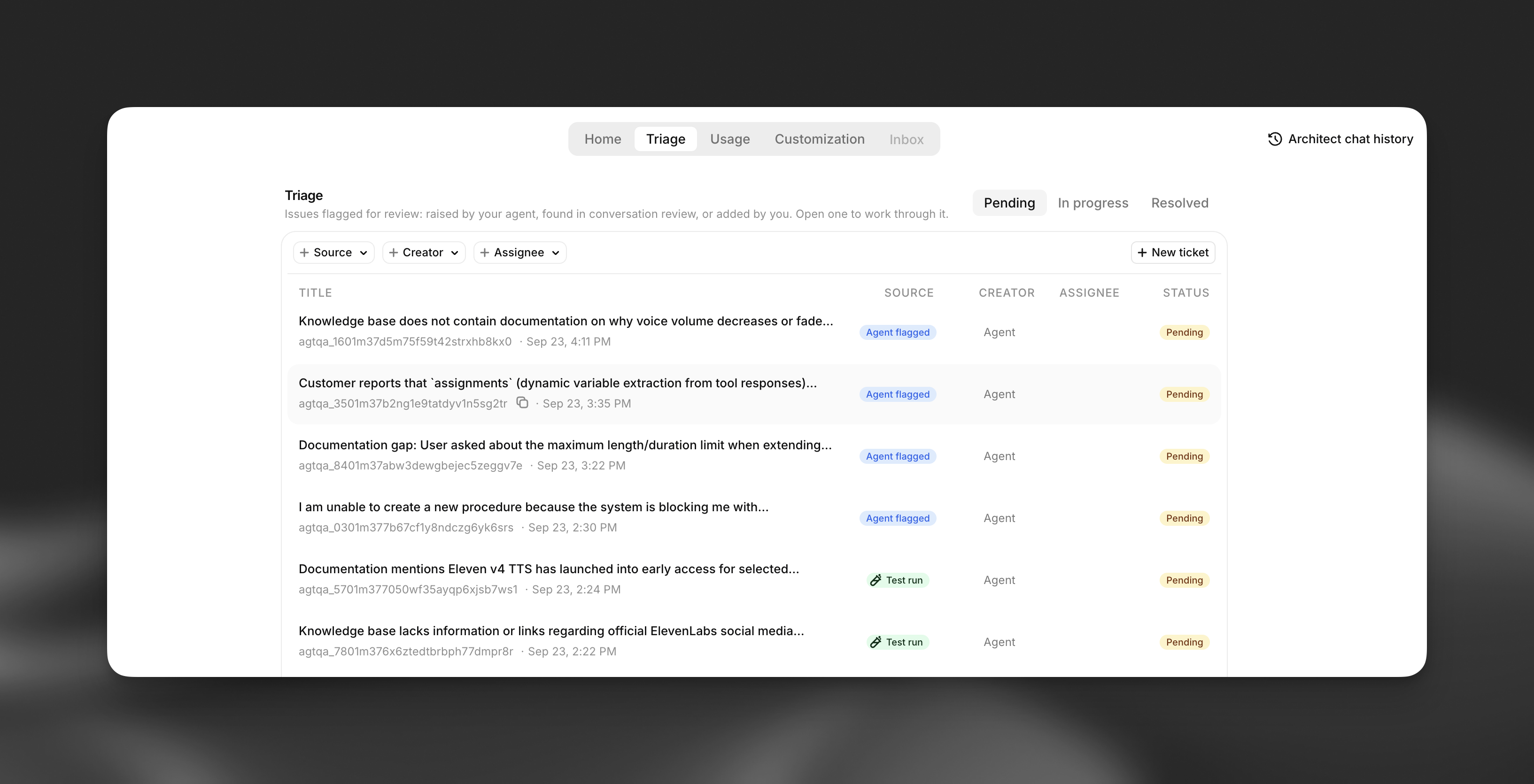
Where tickets come from
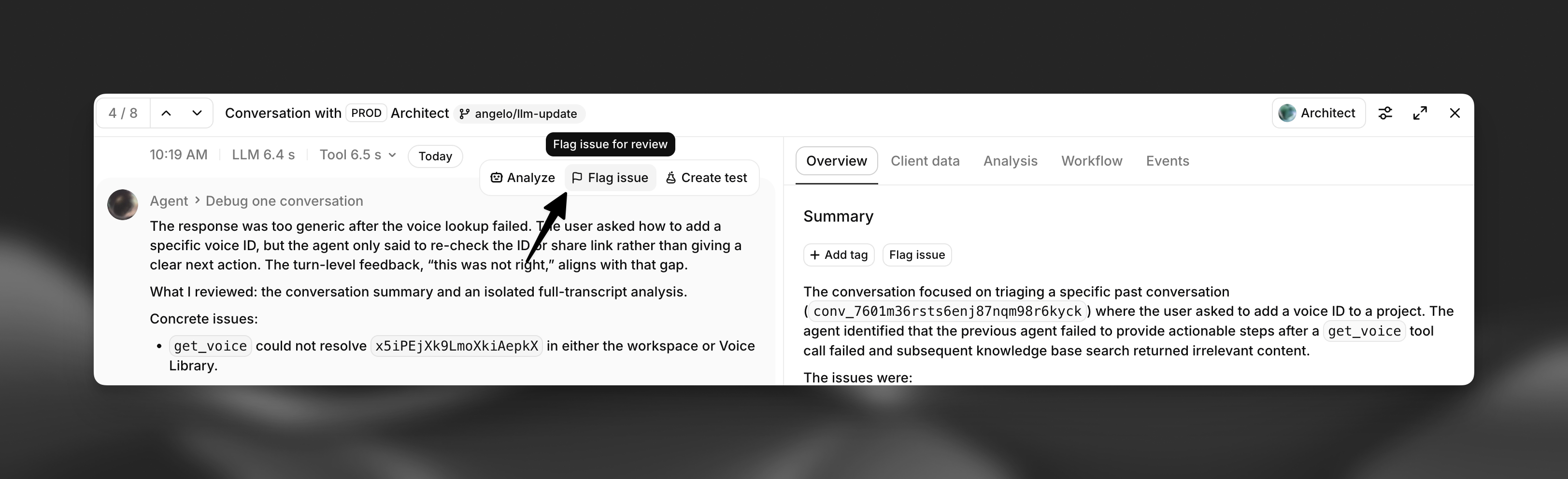
Section titled “Where tickets come from”- Flagged issue: a live agent calls the flag issue for review tool during a conversation.
- Manual: you or a teammate create a ticket by hand for a one-off fix or todo item.
- Conversation review: you or a teammate open a ticket while reviewing a transcript.
- Architect review (coming soon): Architect opens a ticket after spotting a recurring pattern across recent conversations.
Ticket statuses
Section titled “Ticket statuses”| Status | Meaning |
|---|---|
| Open | Not yet reviewed. |
| In progress | Someone is actively working on it. |
| Resolved | The underlying issue has been addressed. |
| Merged | Grouped with another ticket covering the same underlying problem. |
Working through the queue with Architect
Section titled “Working through the queue with Architect”Ask Architect to help you triage in plain language, for example:
- "Show me the open tickets for this agent."
- "What's the most common issue this week?"
- "Summarize this ticket and suggest a fix."
- "Mark this ticket resolved."
Architect can also propose grouping several tickets that describe the same root cause, so you fix it once instead of ticket by ticket.