Batch calling
Initiate multiple outbound calls simultaneously with your ElevenLabs agents.
https://www.youtube-nocookie.com/embed/TIOnL1TwzBs?rel=0
Overview
Section titled “Overview”Batch Calling enables you to initiate multiple outbound calls simultaneously using your configured ElevenLabs agents. This feature is ideal for scenarios such as sending notifications, conducting surveys, or delivering personalized messages to a large list of recipients efficiently. This feature is available for both phone numbers added via the native Twilio integration and SIP trunking.
Key features
Section titled “Key features”- Upload recipient lists: Easily upload recipient lists in CSV or XLS format.
- Dynamic variables: Personalize calls by including dynamic variables (e.g.,
user_name) in your recipient list as separate columns. - Agent selection: Choose the specific ElevenLabs agent to handle the calls.
- Scheduling: Send batches immediately or schedule them for a later time.
- Real-time monitoring: Track the progress of your batch calls, including overall status and individual call status.
- Detailed reporting: View comprehensive details of completed batch calls, including individual call recipient information.
Concurrency
Section titled “Concurrency”When batch calls are initiated, they automatically utilize the minimum of either 50% of your workspace’s concurrency limit or 70% of your agent’s concurrency limit. This ensures that sufficient concurrent capacity remains available for other conversations, including incoming calls and calls via the widget.
Requirements
Section titled “Requirements”- An ElevenLabs account with an agent setup.
- A phone number imported
Creating a batch call
Section titled “Creating a batch call”Follow these steps to create a new batch call:
Initiate a new batch call
Click on the “Create a batch call” button. This will open the “Create a batch call” page.
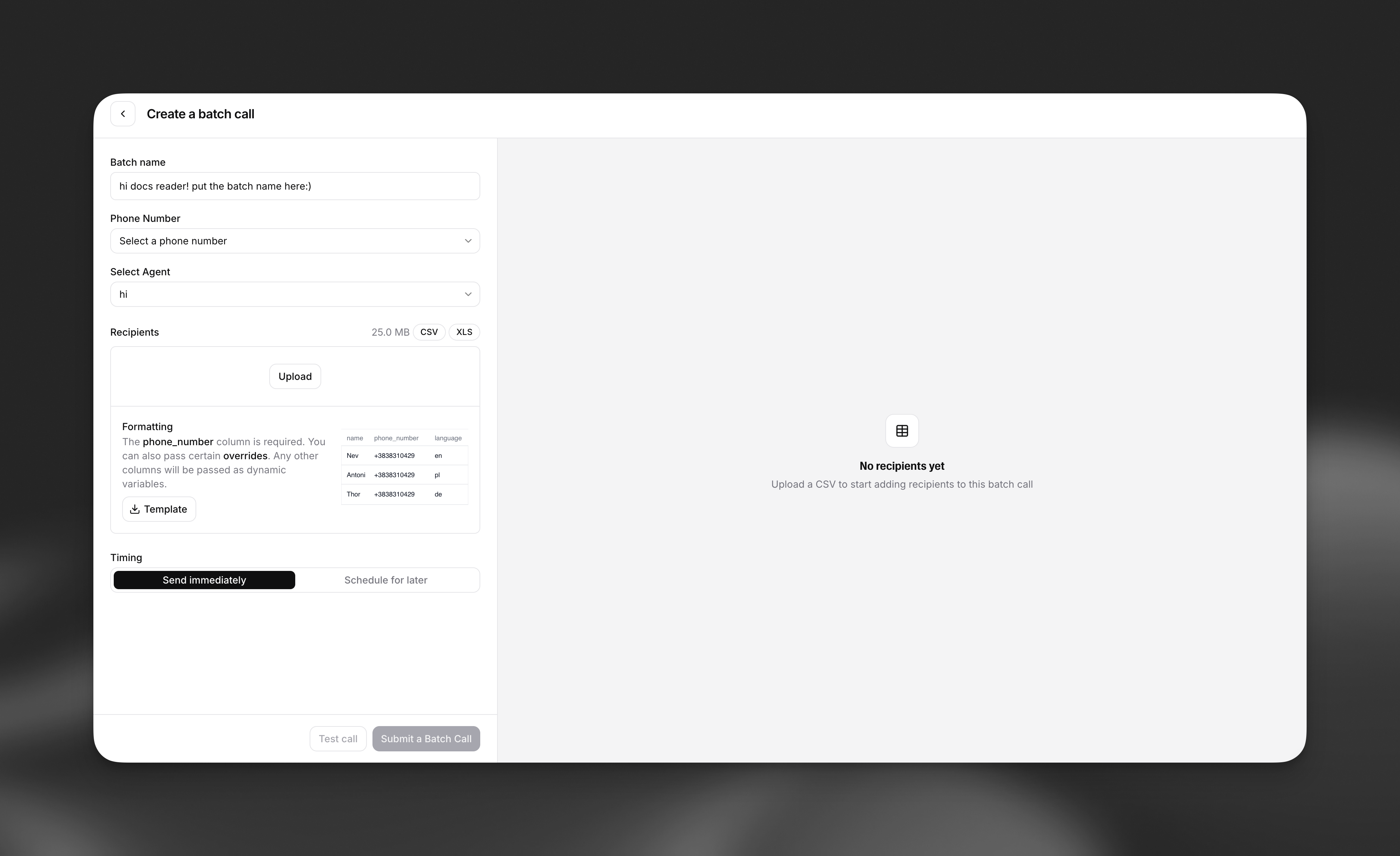
The 'Create a batch call' interface.
Configure batch details
- Batch name: Enter a descriptive name for your batch call (e.g., “Delivery notice”, “Weekly Update Notifications”).
- Phone number: Select the phone number that will be used to make the outbound calls.
- Select agent: Choose the pre-configured ElevenLabs agent that will handle the conversations for this batch.
Upload recipients
- Upload File: Upload your recipient list. Supported file formats are CSV and XLS.
- Formatting:
- The
phone_numbercolumn is mandatory in your uploaded file (if your agent has aphone_numberdynamic variable that also has to be set, please rename it). - You can include other columns (e.g.,
name,user_name) which will be passed as dynamic variables to personalize the calls. - A template is available for download to ensure correct formatting.
- The
Set timing
- Send immediately: The batch call will start processing as soon as you submit it. - Schedule for later: Choose a specific date, time, and timezone for the batch call to begin.
Submit the batch call
- You may “Test call” with a single recipient before submitting the entire batch. - Click “Submit a Batch Call” to finalize and initiate or schedule the batch.
Managing and monitoring batch calls
Section titled “Managing and monitoring batch calls”Once a batch call is created, you can monitor its progress and view its details.
Batch calling overview
Section titled “Batch calling overview”The Batch Calling overview page displays a list of all your batch calls.
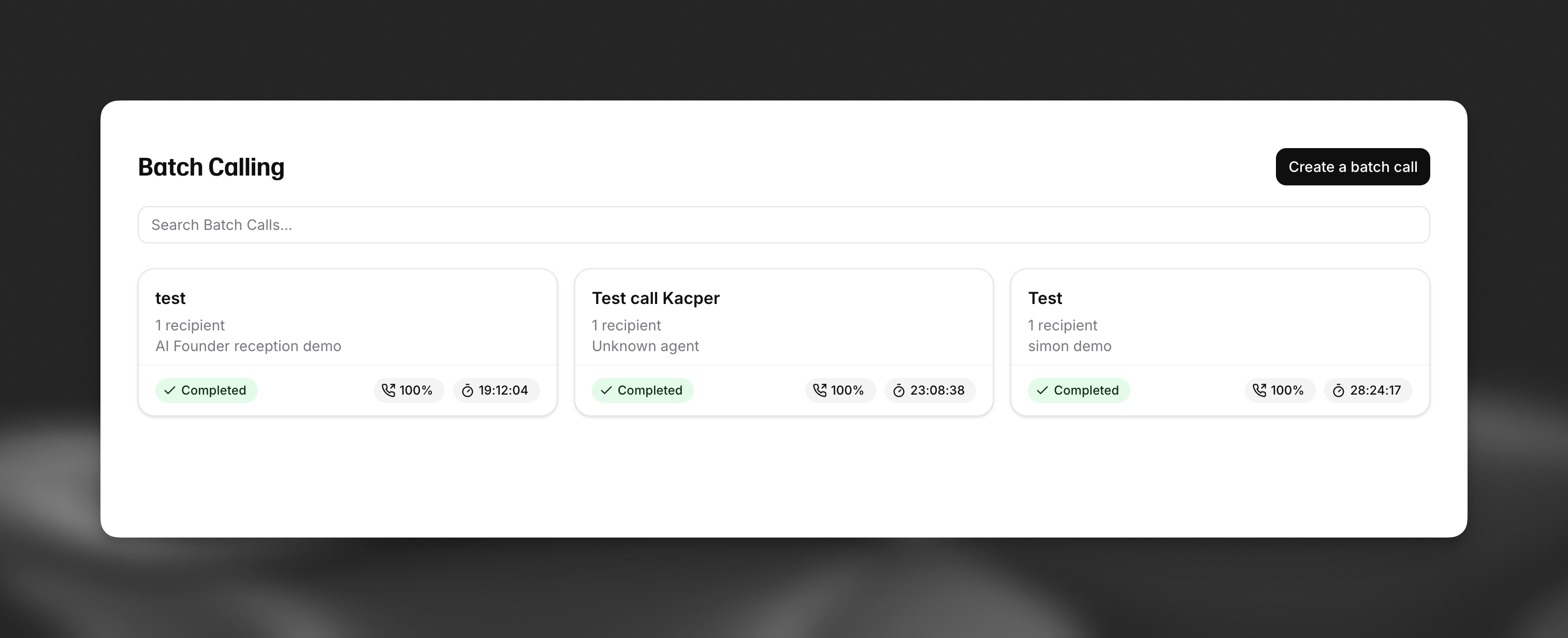
Overview of batch calls, displaying status, progress, and other details for each batch.
Viewing batch call details
Section titled “Viewing batch call details”Clicking on a specific batch call from the overview page will take you to its detailed view, from where you can view individual conversations.
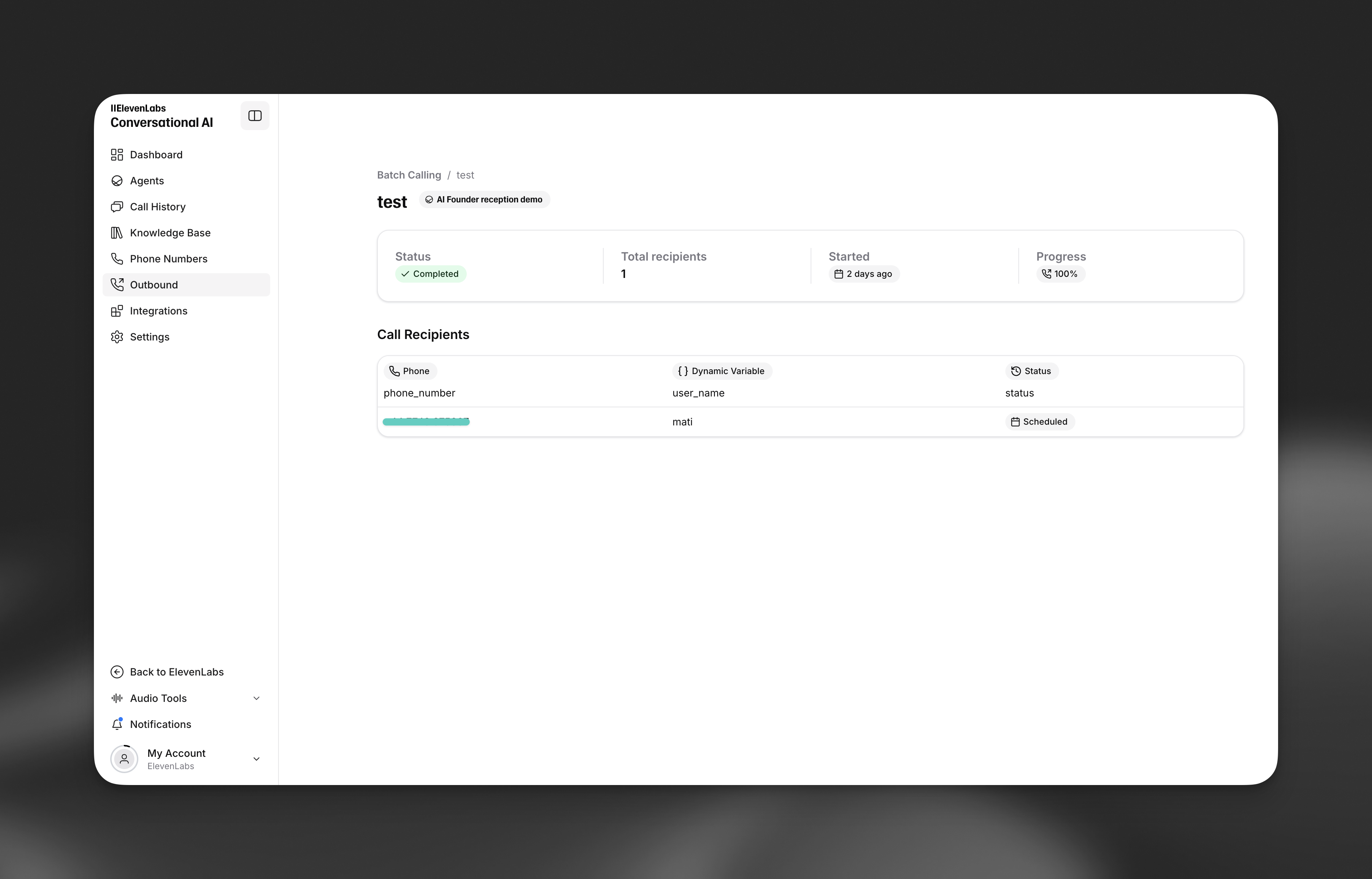
Detailed view of a specific batch call, showing summary statistics and a list of call recipients with their individual statuses.
API Usage
Section titled “API Usage”You can also manage and initiate batch calls programmatically using the ElevenLabs API. This allows for integration into your existing workflows and applications.
- List batch calls - Retrieve all batch calls in your workspace
- Create batch call - Submit a new batch call with agent, phone number, and recipient list