Cloudflare Workers AI
Connect an agent to a custom LLM on Cloudflare Workers AI.
Overview
Section titled “Overview”Cloudflare’s Workers AI platform lets you run machine learning models, powered by serverless GPUs, on Cloudflare’s global network, even on the free plan!
Workers AI comes with a curated set of popular open-source models that enable you to do tasks such as image classification, text generation, object detection and more.
Choosing a model
Section titled “Choosing a model”To make use of the full power of ElevenLabs Agents you need to use a model that supports function calling.
When browsing the model catalog, look for models with the function calling property beside it.
https://www.youtube-nocookie.com/embed/8iwPIdzTwAA?rel=0
Set up DeepSeek R1 on Cloudflare Workers AI
Section titled “Set up DeepSeek R1 on Cloudflare Workers AI”Navigate to dash.cloudflare.com and create or sign in to your account. In the navigation, select AI > Workers AI, and then click on the “Use REST API” widget.
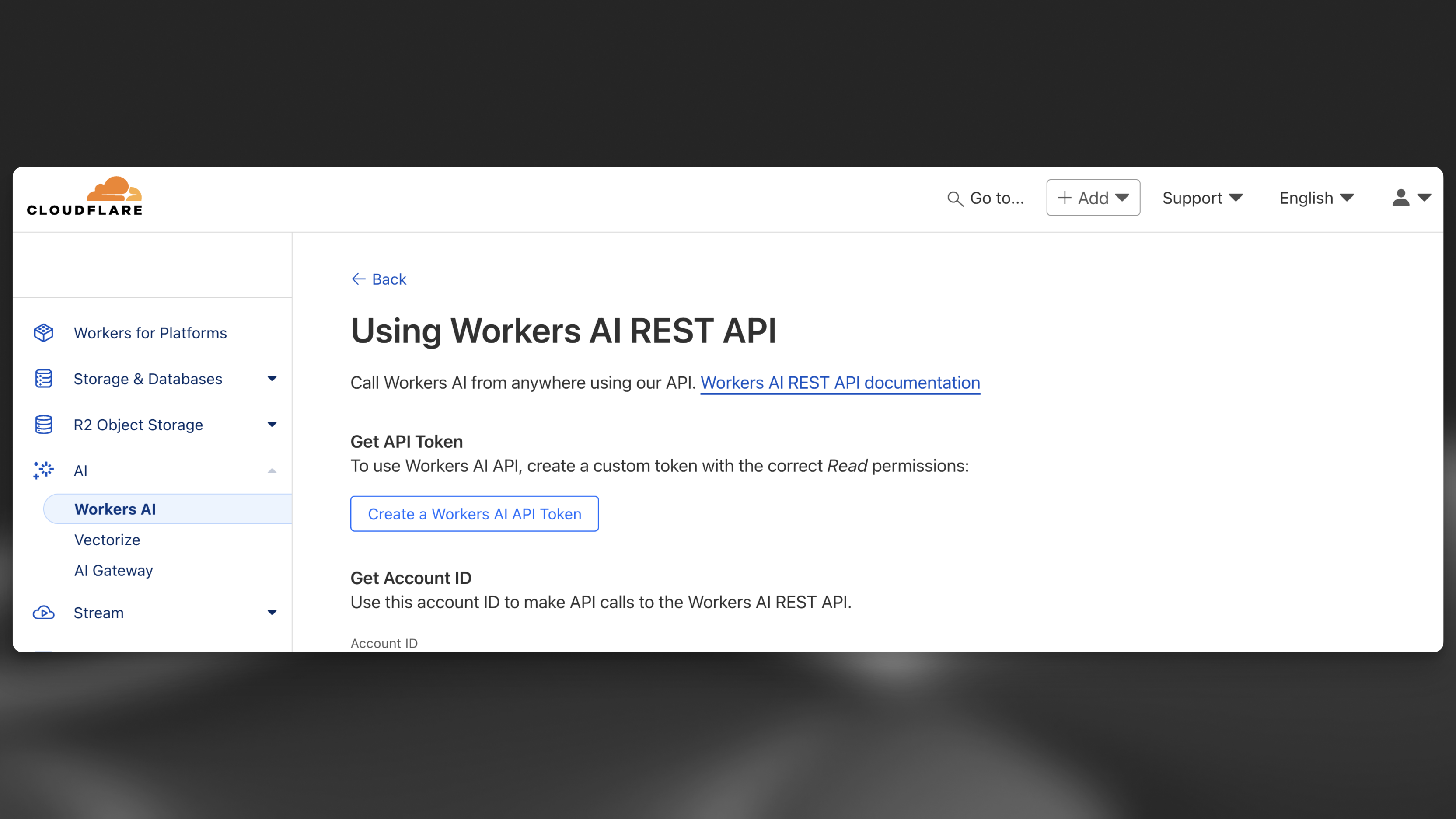
Once you have your API key, you can try it out immediately with a curl request. Cloudflare provides an OpenAI-compatible API endpoint making this very convenient. At this point make a note of the model and the full endpoint — including the account ID. For example:
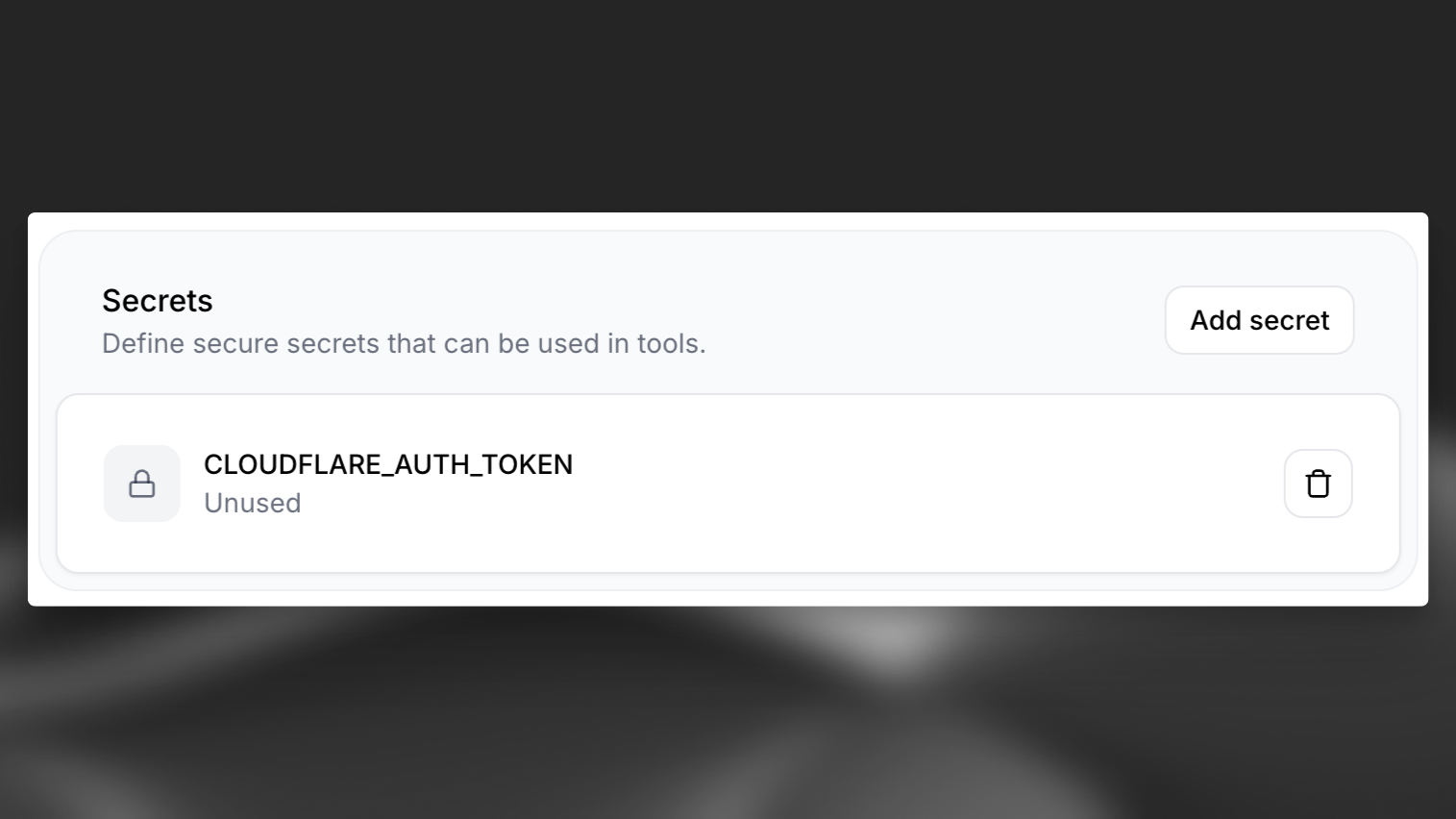
https://api.cloudflare.com/client/v4/accounts/{ACCOUNT_ID}c/ai/v1/.Bash curl https://api.cloudflare.com/client/v4/accounts/{ACCOUNT_ID}/ai/v1/chat/completions \ -X POST \ -H "Authorization: Bearer {API_TOKEN}" \ -d '{ "model": "@cf/deepseek-ai/deepseek-r1-distill-qwen-32b", "messages": [ {"role": "system", "content": "You are a helpful assistant."}, {"role": "user", "content": "How many Rs in the word Strawberry?"} ], "stream": false }'Navigate to your AI Agent, scroll down to the “Secrets” section and select “Add Secret”. After adding the secret, make sure to hit “Save” to make the secret available to your agent.
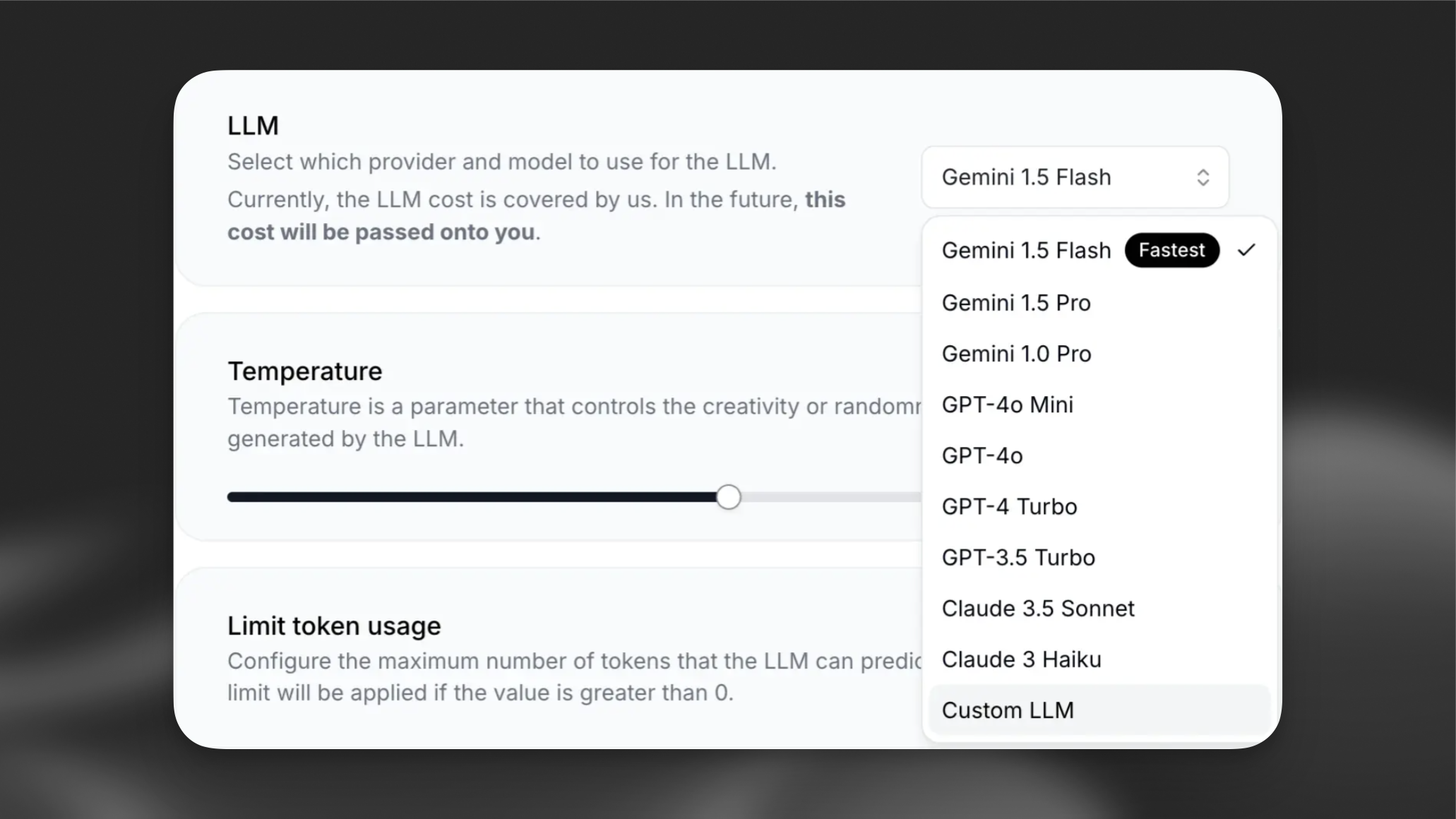
Choose “Custom LLM” from the dropdown menu.
For the Server URL, specify Cloudflare’s OpenAI-compatible API endpoint:
https://api.cloudflare.com/client/v4/accounts/{ACCOUNT_ID}/ai/v1/. For the Model ID, specify@cf/deepseek-ai/deepseek-r1-distill-qwen-32bas discussed above, and select your API key from the dropdown menu.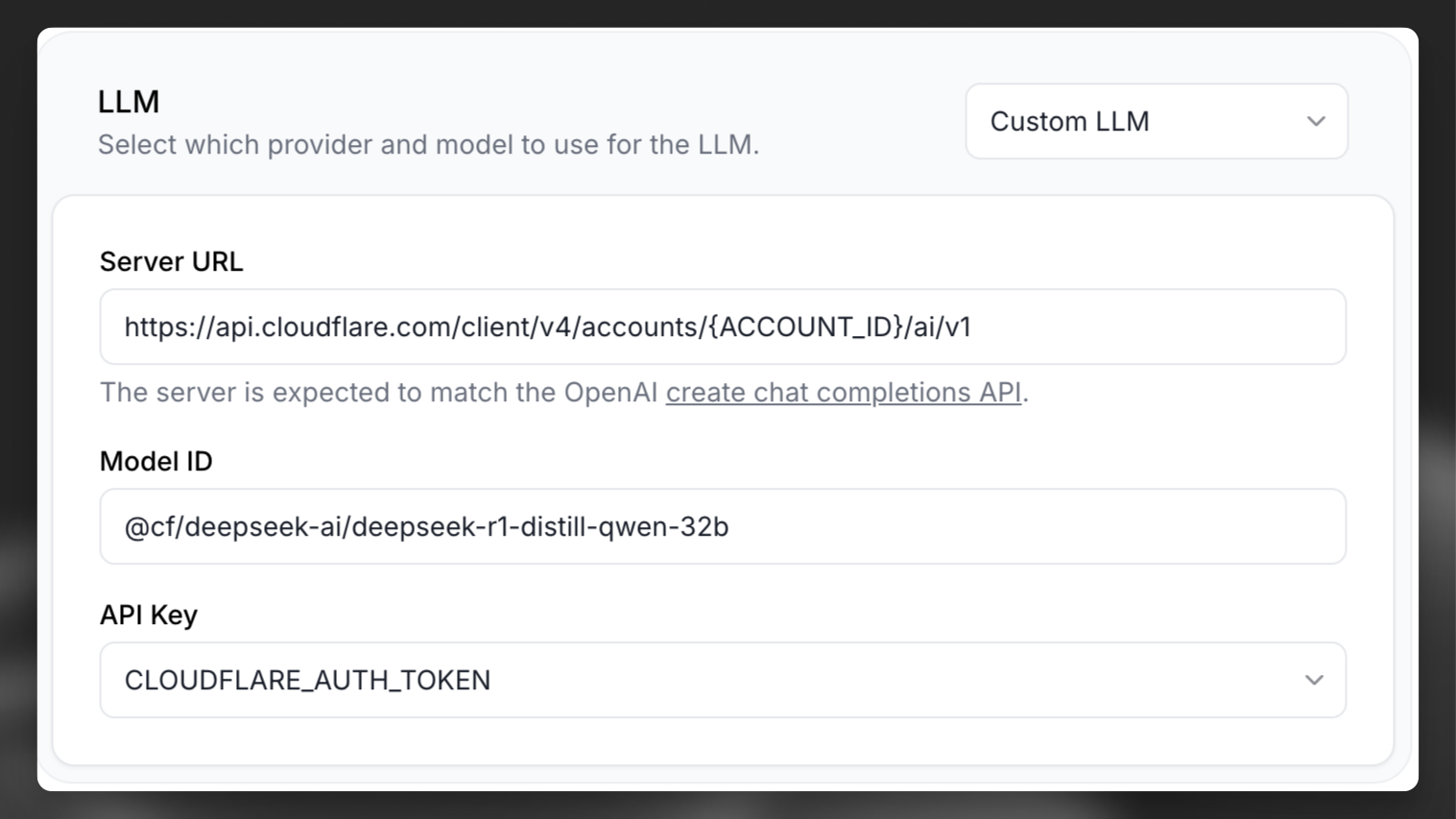
Now you can go ahead and click “Test AI Agent” to chat with your custom DeepSeek R1 model.