Manage documents
Manage your knowledge base from the knowledge base dashboard, the CLI, or the API. For what a knowledge base is and how agents use it, see Knowledge base.
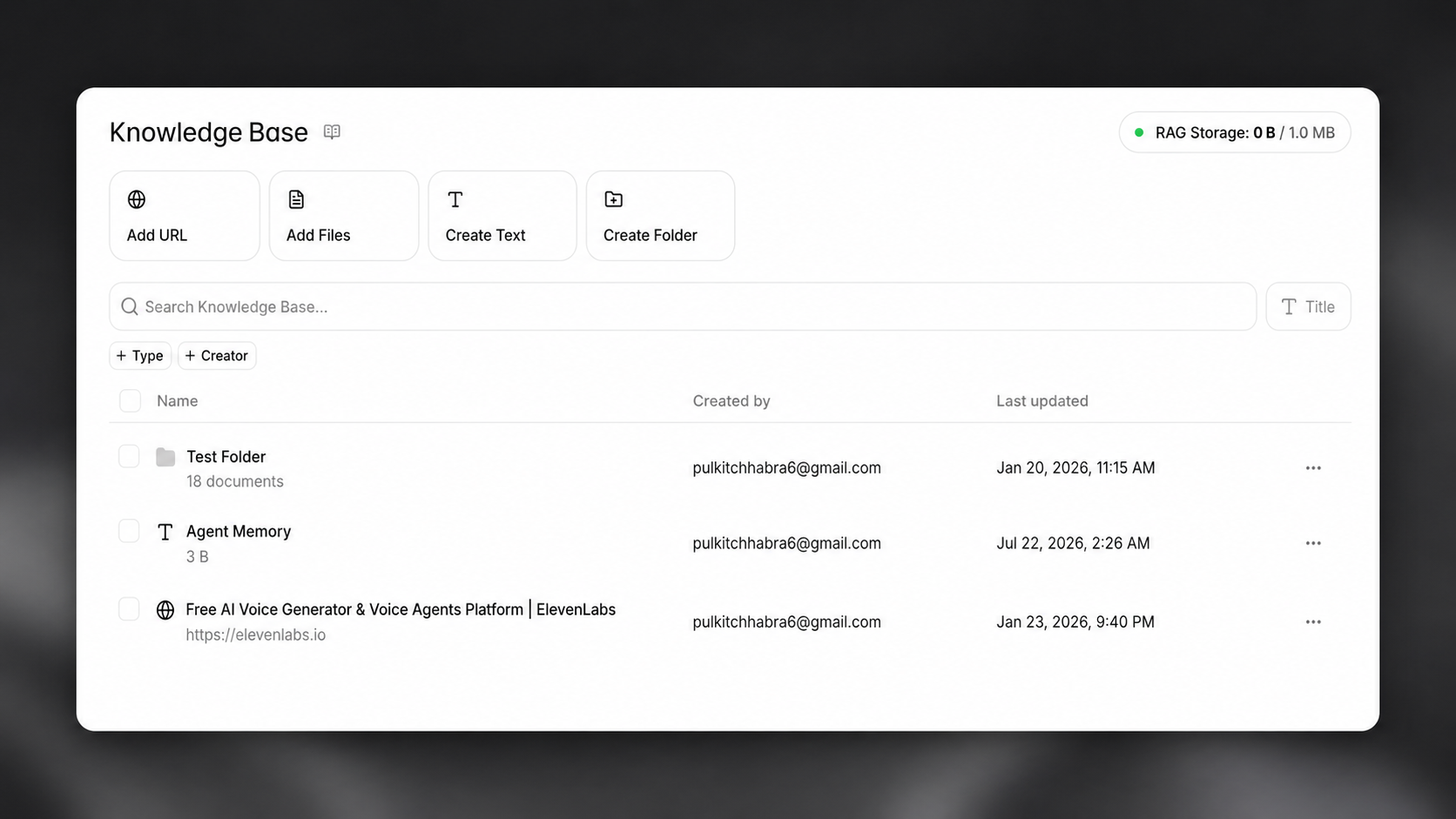
Add documents
Section titled “Add documents”Documents can be created from files, webpages, or plain text. Once created, attach them to an agent to make their contents available in conversations.
Dashboard
Section titled “Dashboard”From the knowledge base dashboard, or directly from an agent's configuration, click Add document and choose a source.
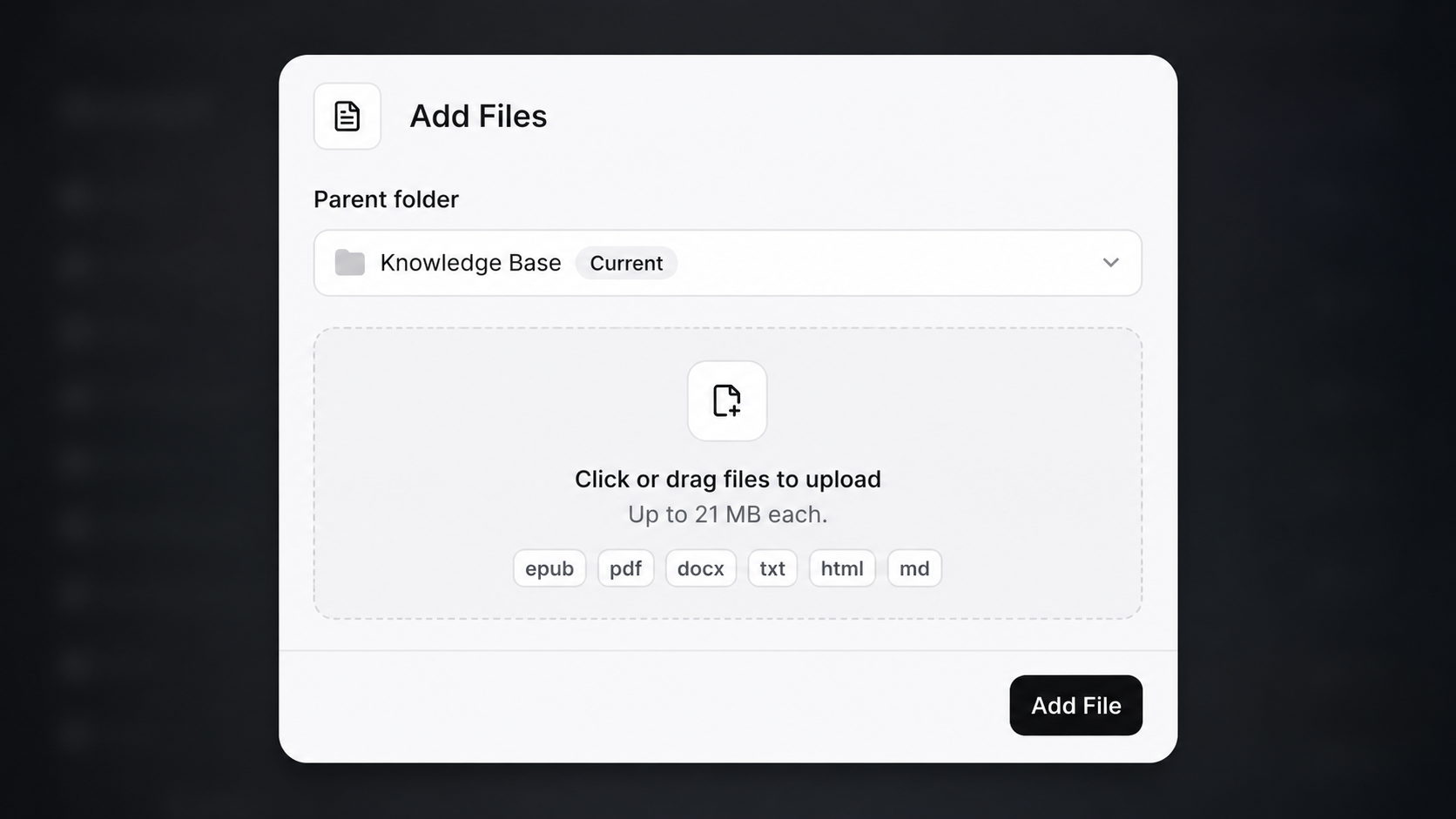
Upload a document in PDF, TXT, DOCX, HTML, EPUB, or Markdown format, up to 20MB per file.
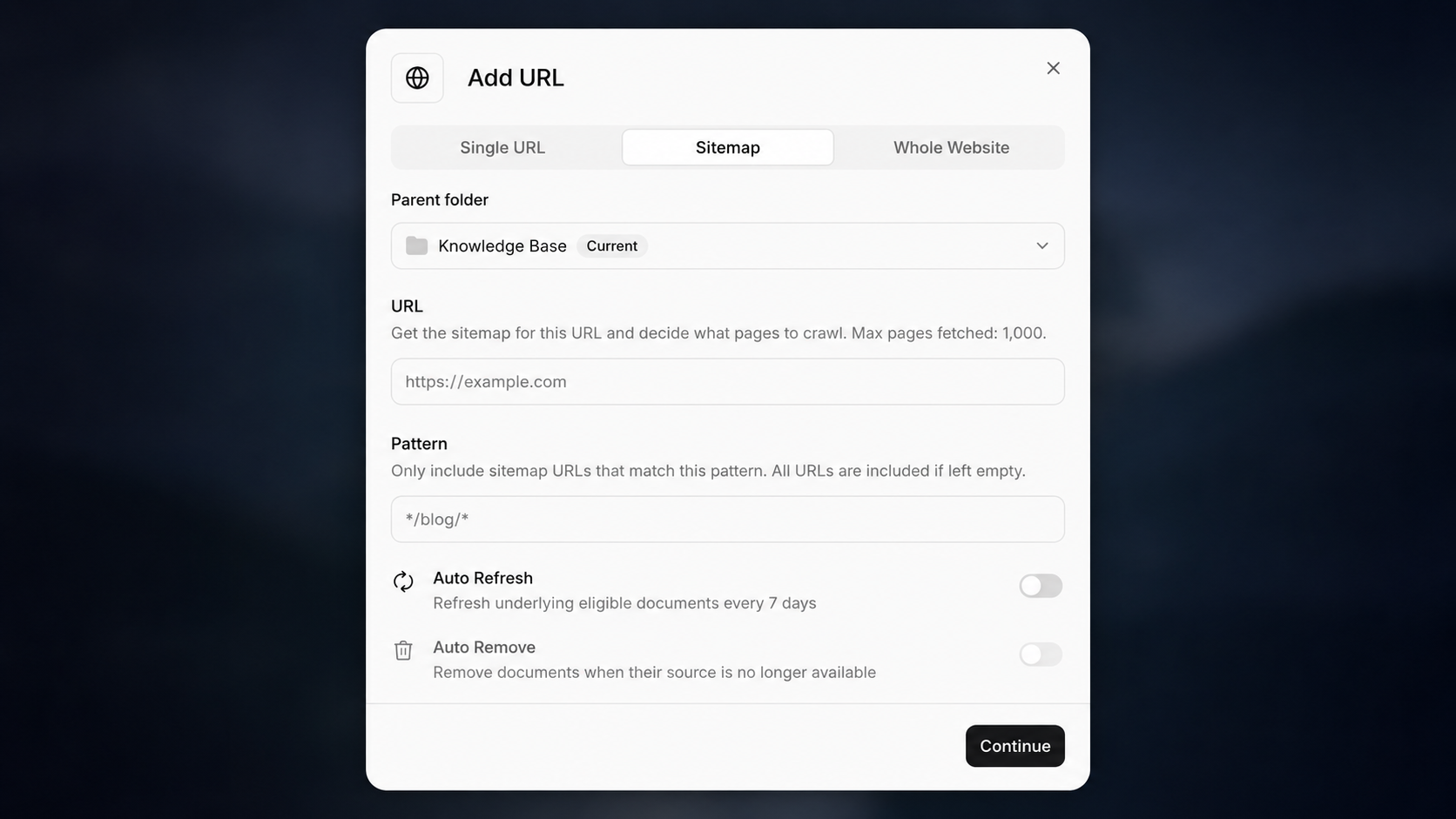
Import a webpage by pasting its URL. To ingest an entire site, use the crawl option — either crawl the whole website by following links from the starting URL, or import pages from the site's sitemap. If a page fails to import, confirm that your site allows the crawler user agent.
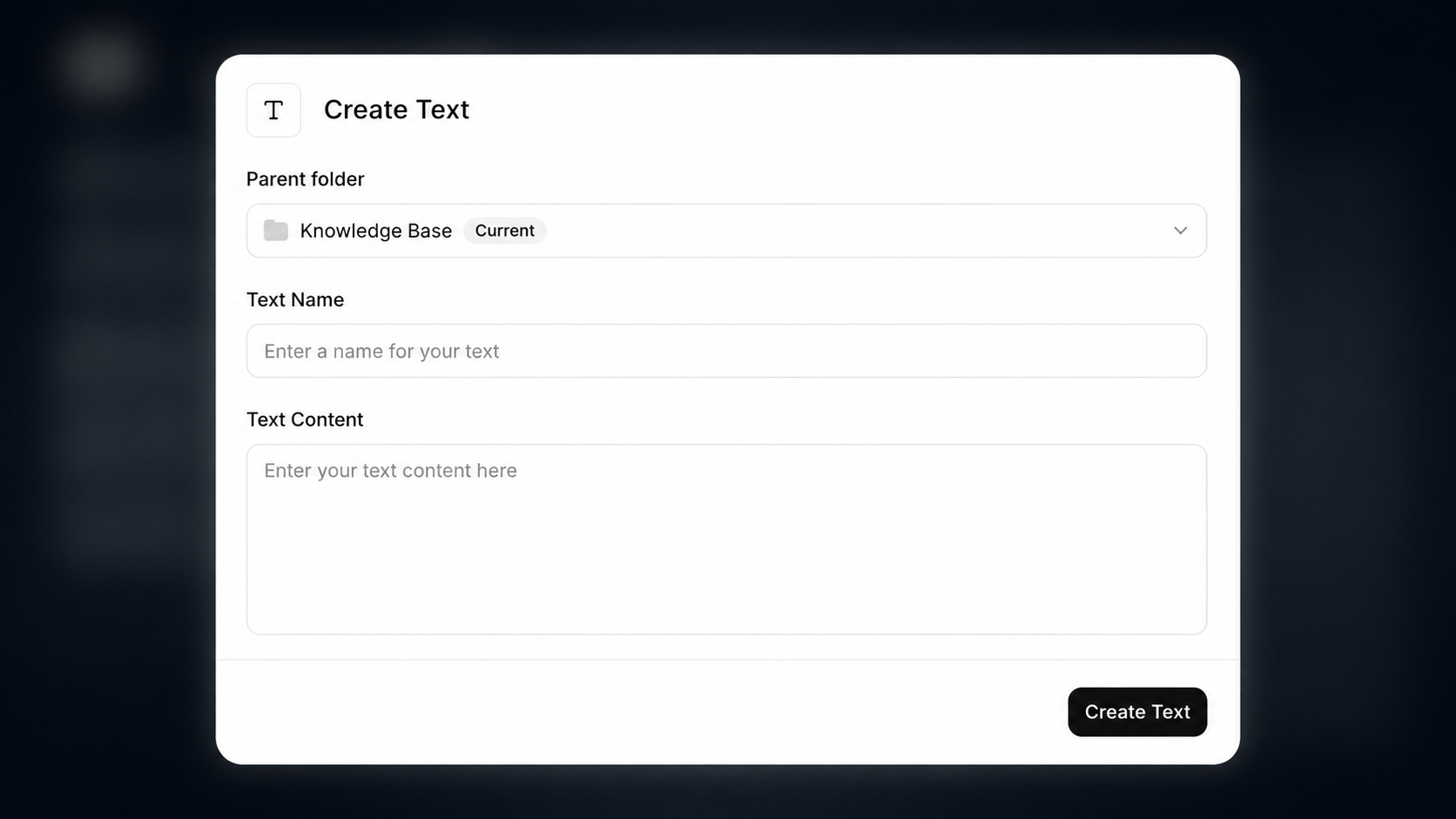
Enter text manually and give it a name.
The CLI does not upload knowledge base documents directly. Create them via the dashboard or API, then attach the resulting document IDs to your agent configuration.
Pull the agent configuration
Section titled “Pull the agent configuration”elevenlabs agents pull --agent "<agent-name>"Edit `agent_configs/<agent-name>.json`
Section titled “Edit `agent_configs/<agent-name>.json`”Set conversation_config.agent.prompt.knowledge_base:
{
  "conversation_config": {
    "agent": {
      "prompt": {
        "knowledge_base": [
          {
            "type": "file",
            "name": "Unladen Swallow Facts",
            "id": "i2YYI6huwBmcgYydAXARmQJc3pmX",
            "usage_mode": "auto"
          }
        ]
      }
    }
  }
}
Push your changes
Section titled “Push your changes”elevenlabs agents push --agent "<agent-name>"Create each document, then attach the returned IDs to the agent's configuration.
import os

from dotenv import load_dotenv
from elevenlabs import ElevenLabs

load_dotenv()

elevenlabs = ElevenLabs(api_key=os.getenv("ELEVENLABS_API_KEY"))

# Create a document from text
text_doc = elevenlabs.conversational_ai.knowledge_base.documents.create_from_text(
    text="The airspeed velocity of an unladen swallow (European) is 24 miles per hour, or roughly 11 meters per second.",
    name="Unladen Swallow facts",
)

# Create a document from a URL
url_doc = elevenlabs.conversational_ai.knowledge_base.documents.create_from_url(
    url="https://en.wikipedia.org/wiki/Unladen_swallow",
    name="Unladen Swallow Wikipedia page",
)

# Create a document from a file
file_doc = elevenlabs.conversational_ai.knowledge_base.documents.create_from_file(
    file=open("/path/to/unladen-swallow-facts.txt", "rb"),
    name="Unladen Swallow Facts",
)

# Attach the documents to an agent
elevenlabs.conversational_ai.agents.update(
    agent_id="agent_7101k5zvyjhmfg983brhmhkd98n6",
    conversation_config={
        "agent": {
            "prompt": {
                "knowledge_base": [
                    {"type": "text", "name": text_doc.name, "id": text_doc.id},
                    {"type": "url", "name": url_doc.name, "id": url_doc.id},
                    {"type": "file", "name": file_doc.name, "id": file_doc.id},
                ]
            }
        }
    },
)import { ElevenLabsClient } from "@elevenlabs/elevenlabs-js";
import fs from "node:fs";
import "dotenv/config";
const elevenlabs = new ElevenLabsClient();
// Create a document from text
const textDoc = await elevenlabs.conversationalAi.knowledgeBase.documents.createFromText({
name: "Unladen Swallow Facts",
text: "The airspeed velocity of an unladen swallow (European) is 24 miles per hour, or roughly 11 meters per second.",
});
// Create a document from a URL
const urlDoc = await elevenlabs.conversationalAi.knowledgeBase.documents.createFromUrl({
name: "Unladen Swallow Wikipedia page",
url: "https://en.wikipedia.org/wiki/Unladen_swallow",
});
// Create a document from a file
const fileBuffer = fs.readFileSync("/path/to/unladen-swallow-facts.txt");
const file = new File([fileBuffer], "unladen-swallow-facts.txt", { type: "text/plain" });
const fileDoc = await elevenlabs.conversationalAi.knowledgeBase.documents.createFromFile({
name: "Unladen Swallow Facts",
file,
});
// Attach the documents to an agent
await elevenlabs.conversationalAi.agents.update("agent_7101k5zvyjhmfg983brhmhkd98n6", {
conversationConfig: {
agent: {
prompt: {
knowledgeBase: [
{ type: "text", name: textDoc.name, id: textDoc.id },
{ type: "url", name: urlDoc.name, id: urlDoc.id },
{ type: "file", name: fileDoc.name, id: fileDoc.id },
],
},
},
},
});To crawl an entire website into a folder of documents instead of adding a single page, start a crawl job. Crawling runs asynchronously — use the returned job ID to check its status or cancel it.
crawl = elevenlabs.conversational_ai.knowledge_base.crawl_jobs.create(
    url="https://elevenlabs.io/docs",
    max_depth=3,
    max_pages=1000,
)const crawl = await elevenlabs.conversationalAi.knowledgeBase.crawlJobs.create({
url: "https://elevenlabs.io/docs",
maxDepth: 3,
maxPages: 1000,
});Crawler user agent
Section titled “Crawler user agent”URL imports and crawl jobs fetch pages with the user agent ElevenlabsBot/1.0.
The crawler also respects robots.txt. Pages disallowed for ElevenlabsBot or for all user agents are skipped, so check your rules if a page you expect to be indexed is missing. To allow the crawler explicitly:
robots.txt
User-agent: ElevenlabsBot
Allow: /
Add existing documents to an agent
Section titled “Add existing documents to an agent”Documents can be reused across agents, so shared knowledge only needs to be maintained once.
- Navigate to the agent's configuration.
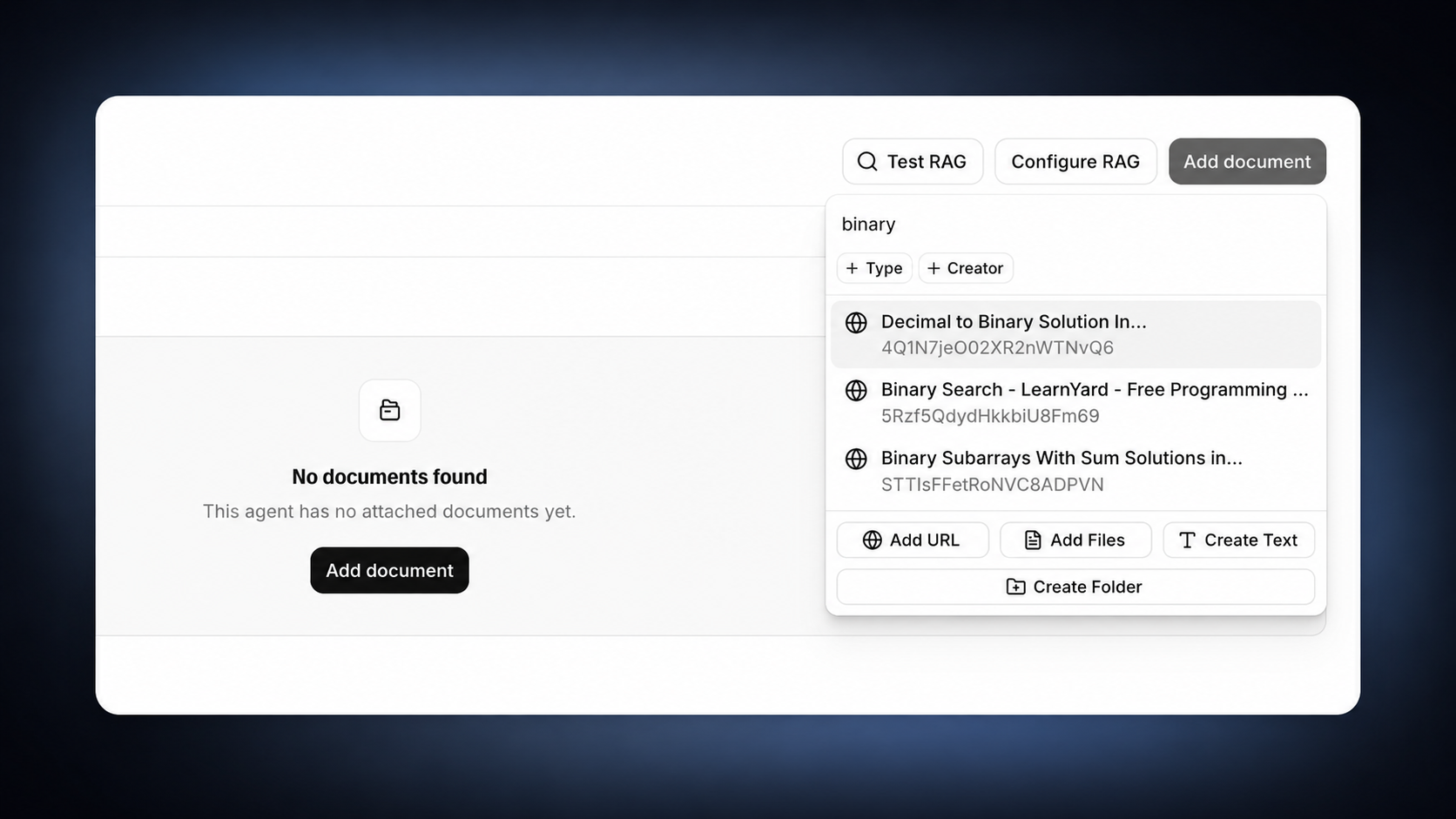
- Find the knowledge base section and click Add document.
- Select an existing document from your knowledge base, or upload a new one.
Edit documents
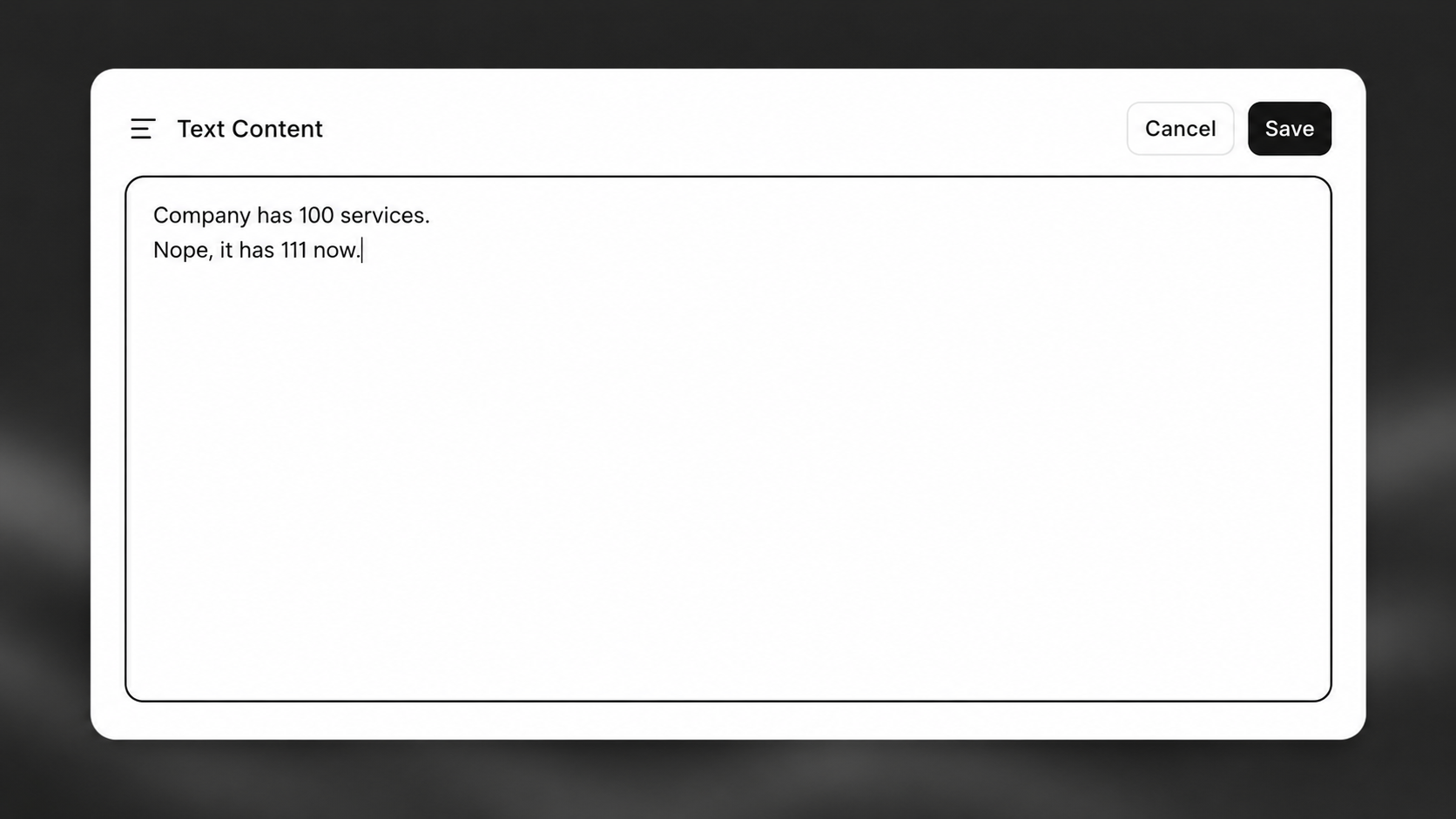
Section titled “Edit documents”You can edit a document's content directly instead of deleting and re-uploading it. Editing a document automatically regenerates its content-search chunks and RAG embeddings, so search and agent retrieval stay in sync.
- Text and file documents: Edit the content inline and save.
- File documents: Alternatively, replace the underlying file with a new version.
- URL documents: Edit the content when auto-sync is off. When auto-sync is on, the sync cycle manages the document and manual edits are blocked.
# Update a document's name or content
elevenlabs.conversational_ai.knowledge_base.documents.update(
    documentation_id="i2YYI6huwBmcgYydAXARmQJc3pmX",
    name="Unladen Swallow Facts",
    content="The airspeed velocity of an unladen swallow (European) is 24 miles per hour.",
)

# Replace the underlying file of a file document

elevenlabs.conversational_ai.knowledge_base.document.update_file(
documentation_id="i2YYI6huwBmcgYydAXARmQJc3pmX",
file=open("/path/to/unladen-swallow-facts-v2.txt", "rb"),
)
// Update a document's name or content
await elevenlabs.conversationalAi.knowledgeBase.documents.update("i2YYI6huwBmcgYydAXARmQJc3pmX", {
  name: "Unladen Swallow Facts",
  content: "The airspeed velocity of an unladen swallow (European) is 24 miles per hour.",
});

// Replace the underlying file of a file document
const fileBuffer = fs.readFileSync("/path/to/unladen-swallow-facts-v2.txt");
const updatedFile = new File([fileBuffer], "unladen-swallow-facts-v2.txt", { type: "text/plain" });
await elevenlabs.conversationalAi.knowledgeBase.document.updateFile("i2YYI6huwBmcgYydAXARmQJc3pmX", {
  file: updatedFile,
});
Keep URL content up to date
Section titled “Keep URL content up to date”Documents created from a URL can be refreshed to re-fetch the latest content from their source. Refreshing re-indexes the document so RAG-enabled agents use the updated content.
elevenlabs.conversational_ai.knowledge_base.document.refresh(
    documentation_id="i2YYI6huwBmcgYydAXARmQJc3pmX",
)await elevenlabs.conversationalAi.knowledgeBase.document.refresh("i2YYI6huwBmcgYydAXARmQJc3pmX");In the dashboard, you can also enable auto-sync to refresh URL documents automatically on a schedule, so their content stays current without manual updates.
Organize with folders
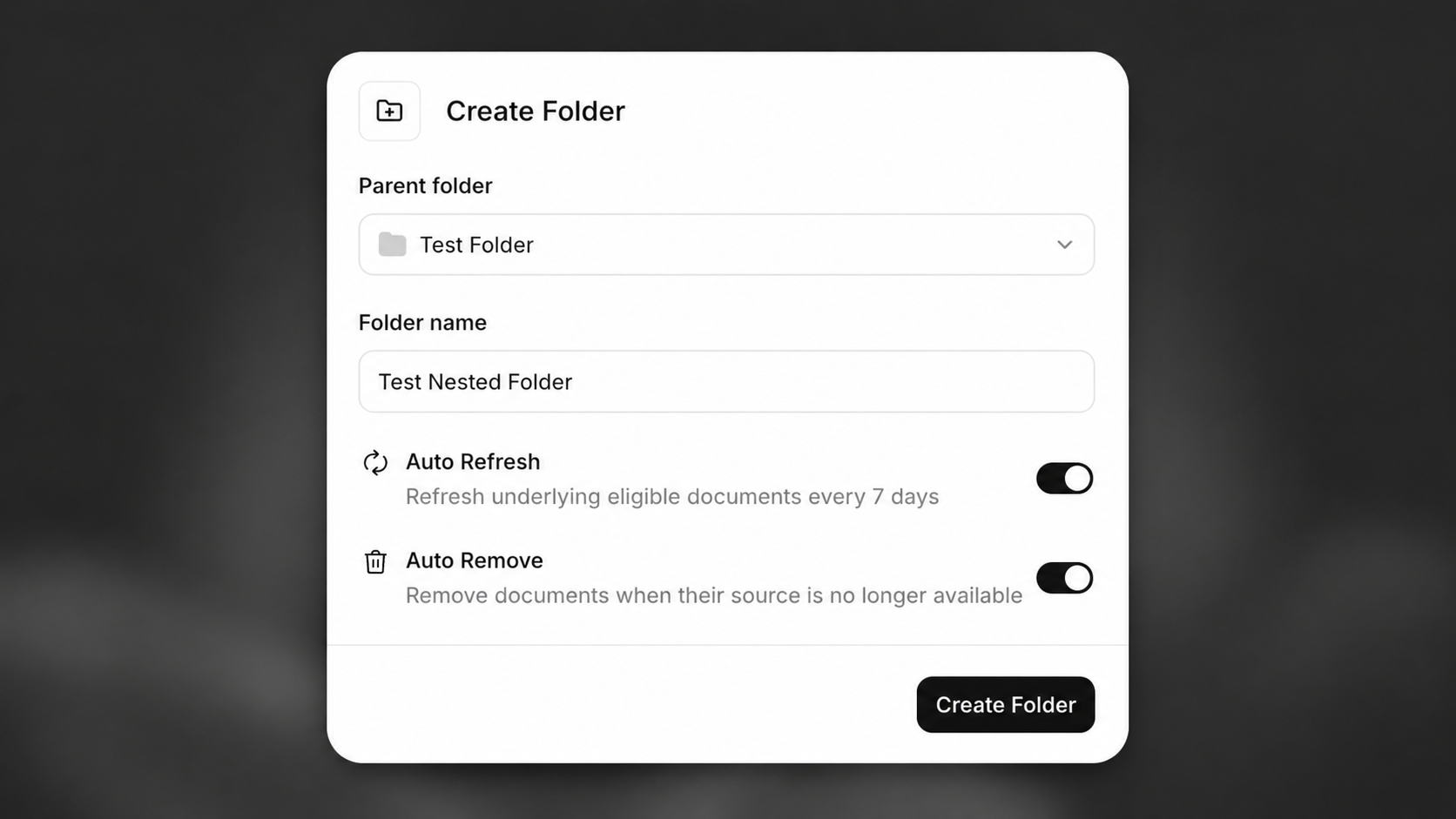
Section titled “Organize with folders”Folders group related documents so they are easier to manage and attach in bulk. Create a folder, then move documents into it from the dashboard or the API.
A folder attached to an agent makes all of its documents available through RAG, so the agent must have RAG enabled to use folders.
# Create a folder
folder = elevenlabs.conversational_ai.knowledge_base.documents.create_folder(
    name="Product documentation",
)

# Move a document into the folder

elevenlabs.conversational_ai.knowledge_base.documents.move(
document_id="i2YYI6huwBmcgYydAXARmQJc3pmX",
move_to=folder.id,
)
// Create a folder
const folder = await elevenlabs.conversationalAi.knowledgeBase.documents.createFolder({
  name: "Product documentation",
});

// Move a document into the folder
await elevenlabs.conversationalAi.knowledgeBase.documents.move("i2YYI6huwBmcgYydAXARmQJc3pmX", {
  moveTo: folder.id,
});
Dependencies and deletion
Section titled “Dependencies and deletion”Each document has a Dependent agents tab that lists the agents currently depending on it.
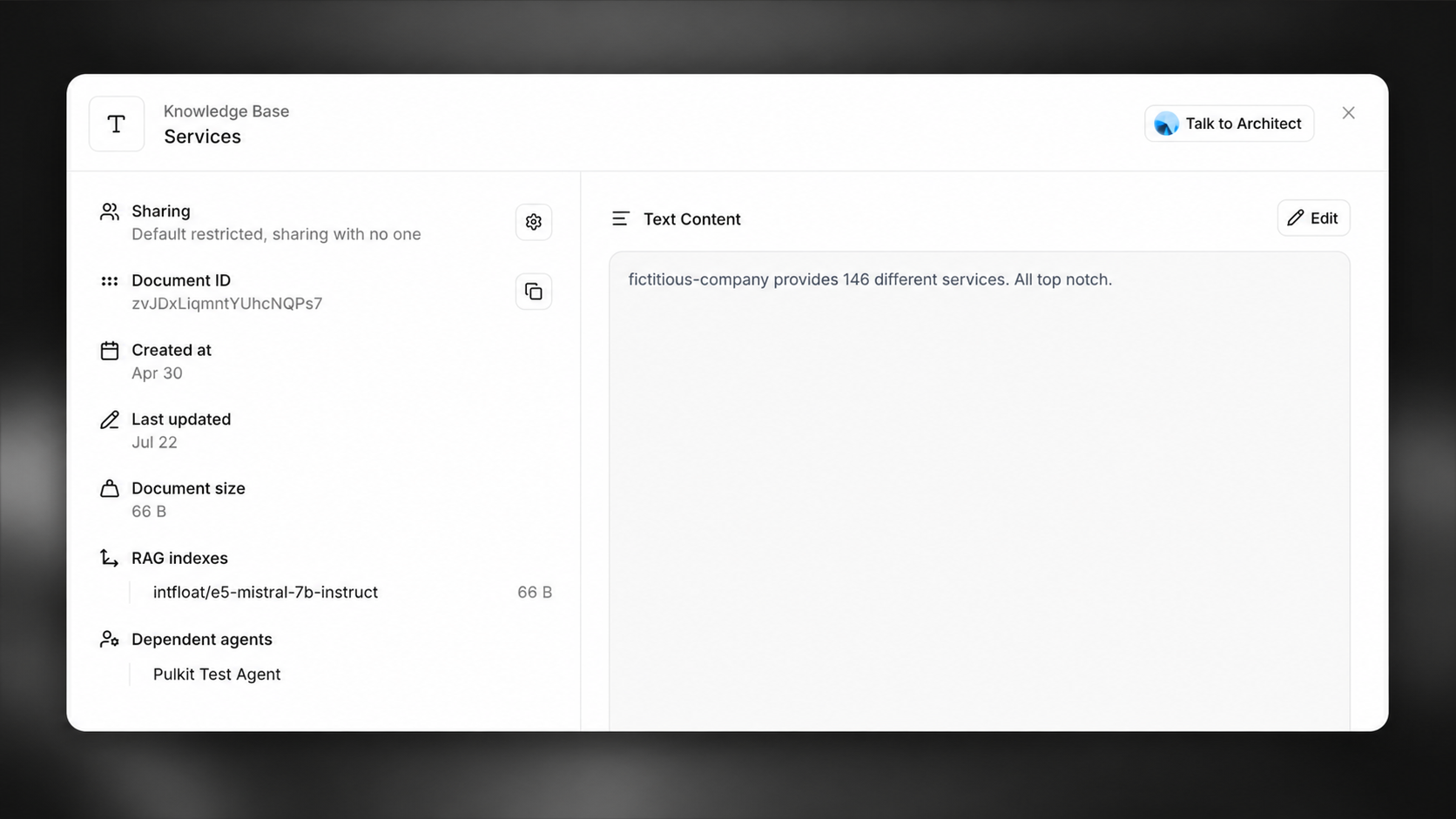
A document cannot be deleted while an agent depends on it. Remove the document from those agents first, or use force deletion to detach it from all dependents at once.