Users
Overview
Section titled “Overview”The Users page lists everyone who has talked to your agents in this workspace — who they are, when they last made contact, and which agent they spoke with.
Each user is identified by the user_id you pass when starting a conversation. See conversation initiation client data for how to set this, or the relevant guide under integrate for your platform.
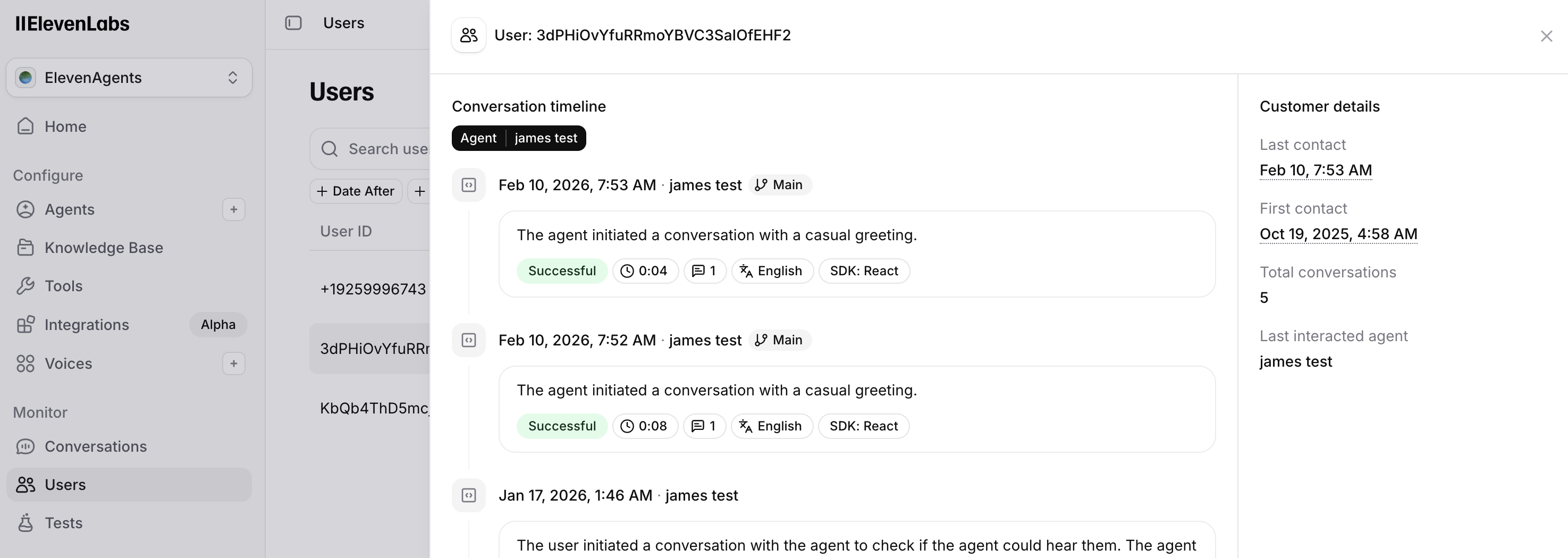
Table columns
Section titled “Table columns”- User ID — the external id you passed at session start.
- Last contact — when the user last interacted (sortable).
- Agent — the agent involved in that interaction.
- Conversations — total conversation count (sortable).
Search and filters
Section titled “Search and filters”Search performs an exact match on user id — enter the full id, not a partial string.
You can also filter by date range, agent, and branch (requires versioning enabled on the selected agent).
Drill-down
Section titled “Drill-down”Click a row to open that user's conversations in chronological order. From there you can open any individual conversation the same way as in conversation history.
API reference
Section titled “API reference”List users — request parameters, response shape, and pagination.