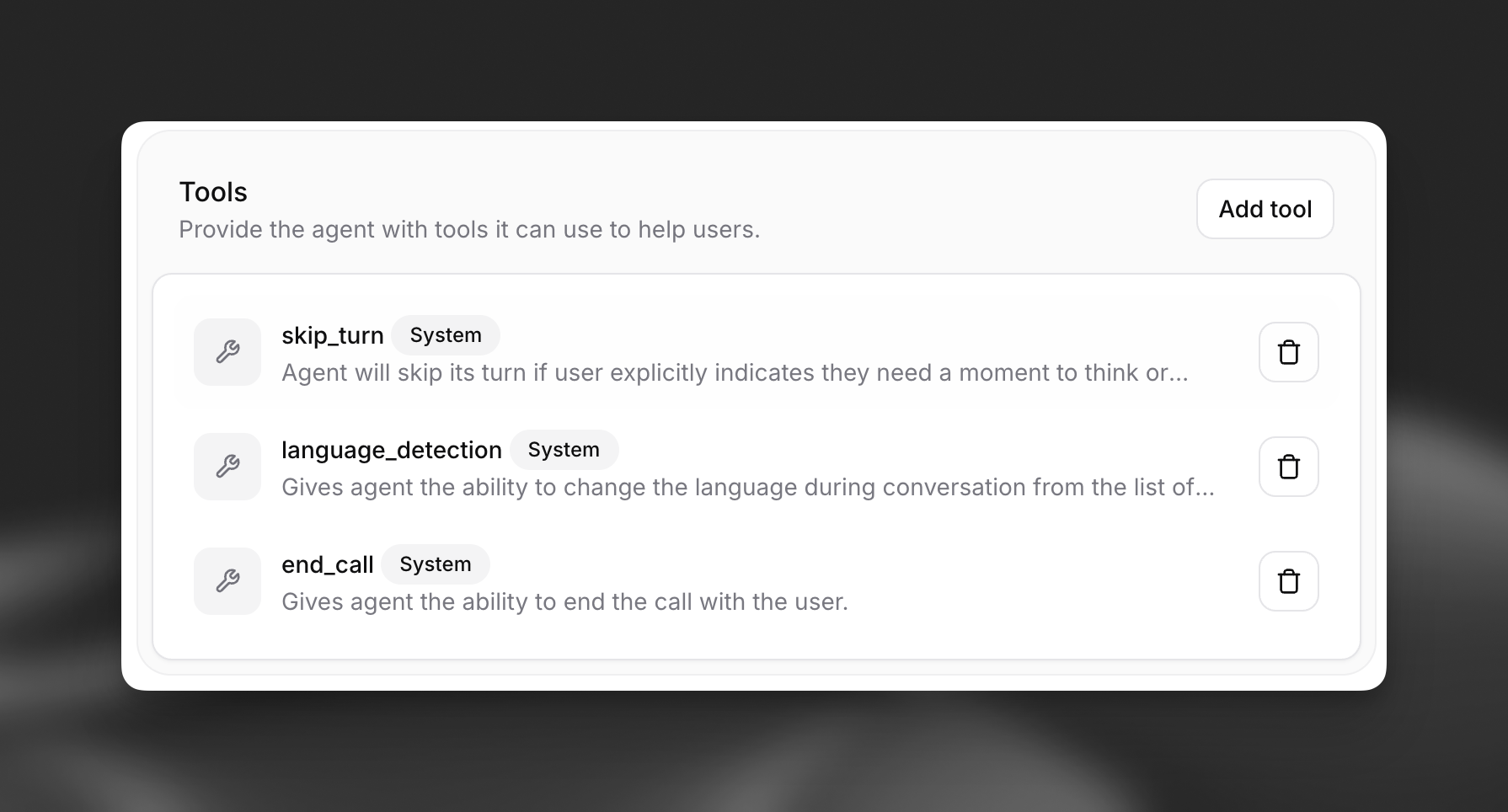
Skip turn
Overview
Section titled “Overview”The Skip Turn tool allows your conversational agent to explicitly pause and wait for the user to speak or act before continuing. This system tool is useful when the user indicates they need a moment, for example, by saying "Give me a second," "Let me think," or "One moment please."
Functionality
Section titled “Functionality”- User-Initiated Pause: The tool is designed to be invoked by the LLM when it detects that the user needs a brief pause without interruption.
- No Verbal Response: After this tool is called, the assistant will not speak. It waits for the user to re-engage or for another turn-taking condition to be met.
- Seamless Conversation Flow: It helps maintain a natural conversational rhythm by respecting the user's need for a short break without ending the interaction or the agent speaking unnecessarily.
Purpose: Allow the agent to pause and wait for user input without speaking.
Trigger conditions: The LLM should call this tool when:
- User indicates they need a moment ("Give me a second", "Let me think")
- User requests pause in conversation flow
- Agent detects user needs time to process information
Parameters:
reason(string, optional): Free-form reason explaining why the pause is needed
Function call format:
{
  "type": "function",
  "function": {
    "name": "skip_turn",
    "arguments": "{\"reason\": \"User requested time to think\"}"
  }
}Implementation: No additional configuration needed. The tool simply signals the agent to remain silent until the user speaks again.
API implementation
Section titled “API implementation”When creating an agent via API, you can add the Skip Turn tool to your agent configuration. It should be defined as a system tool, with the name skip_turn.
from elevenlabs import AgentConfig, ConversationalConfig, ElevenLabs

elevenlabs = ElevenLabs(api_key="YOUR_API_KEY")

response = elevenlabs.conversational_ai.agents.create(
    conversation_config=ConversationalConfig(
        agent=AgentConfig(
            prompt={
                "built_in_tools": {
                    "skip_turn": {
                        "type": "system",
                        "name": "skip_turn",
                        # Optional: customize when the tool should be triggered,
                        # or leave blank for the default.
                        "description": "",
                        "params": {"system_tool_type": "skip_turn"},
                    }
                }
            },
        ),
    ),
)import { ElevenLabsClient } from "@elevenlabs/elevenlabs-js";
const elevenlabs = new ElevenLabsClient({
apiKey: "YOUR_API_KEY",
});
await elevenlabs.conversationalAi.agents.create({
conversationConfig: {
agent: {
prompt: {
builtInTools: {
skipTurn: {
type: "system",
name: "skip_turn",
description: "", // Optional: Customize when the tool should be triggered, or leave blank for default.
params: { systemToolType: "skip_turn" },
},
},
},
},
},
});UI configuration
Section titled “UI configuration”You can also configure the Skip Turn tool directly within the Agent's UI, in the tools section.
Step 1: Add a new tool
Section titled “Step 1: Add a new tool”Navigate to your agent's configuration page. In the "Tools" section, click on "Add tool", the Skip Turn option will already be available.
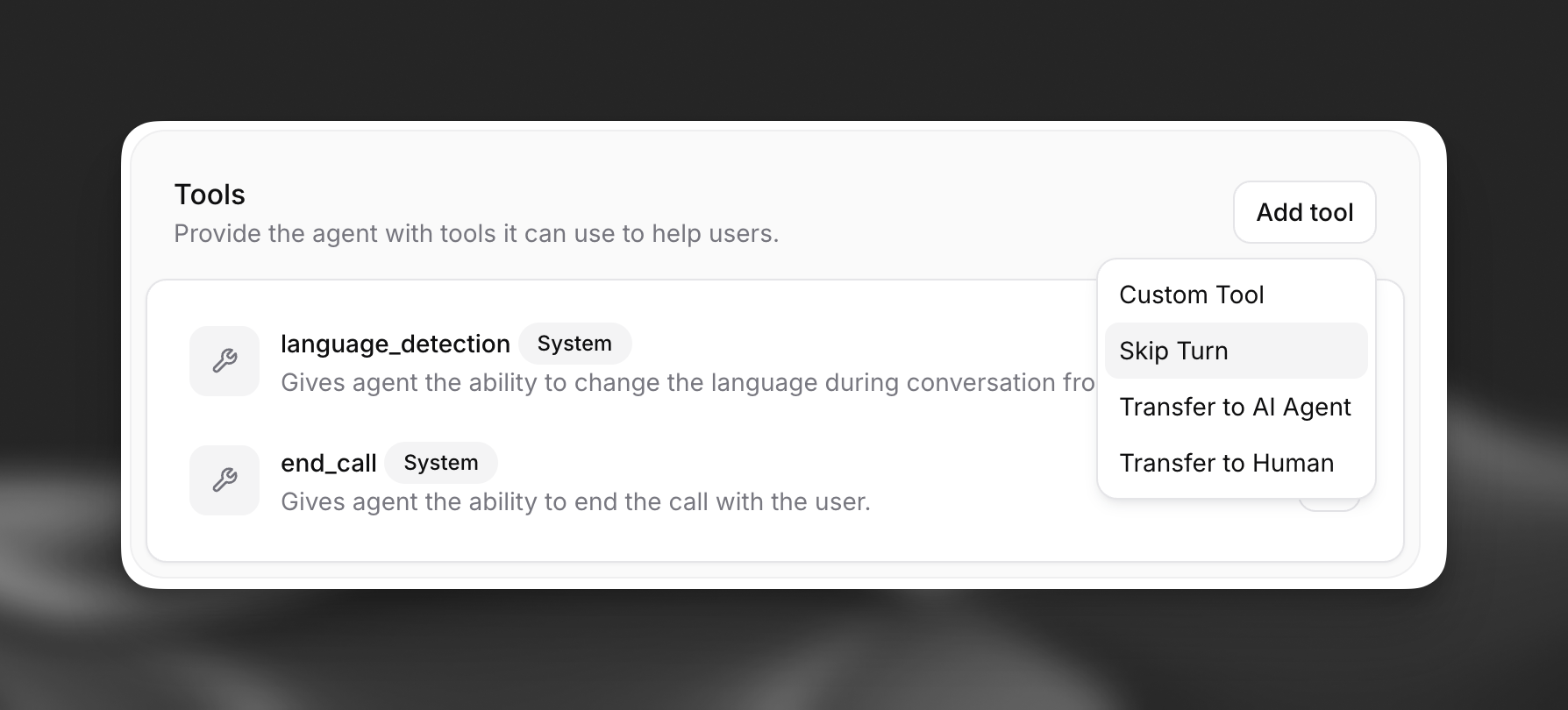
Step 2: Configure the tool
Section titled “Step 2: Configure the tool”You can optionally provide a description to customize when the LLM should trigger this tool, or leave it blank to use the default behavior.
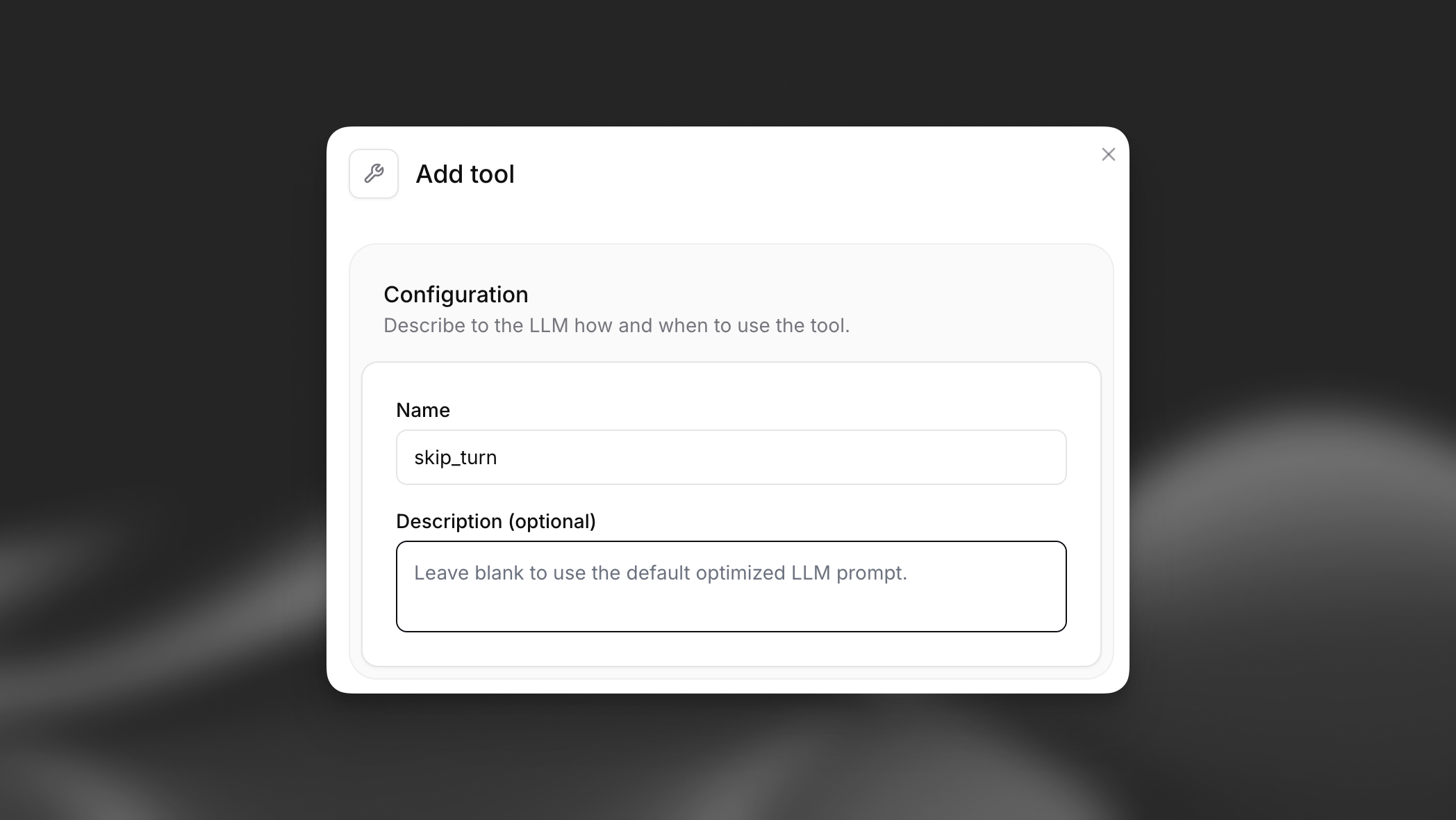
Step 3: Enable the tool
Section titled “Step 3: Enable the tool”Once configured, the Skip Turn tool will appear in your agent's list of enabled tools and the agent will be able to skip turns. .