Twilio personalization
Configure personalization for incoming Twilio calls using webhooks.
Overview
Section titled “Overview”When receiving inbound Twilio calls, you can dynamically fetch conversation initiation data through a webhook. This allows you to customize your agent’s behavior based on caller information and other contextual data.
For when the webhook fires and the request shape, see Conversation initiation webhooks.
https://www.youtube-nocookie.com/embed/cAuSo8qNs-8?rel=0
How it works
Section titled “How it works”- When a Twilio call is received, ElevenAgents will make a webhook call to your specified endpoint, passing call information (
caller_id,agent_id,called_number,call_sid,conversation_id) as arguments - Your webhook returns conversation initiation client data, including dynamic variables and overrides (an example is shown below)
- This data is used to initiate the conversation
Configuration
Section titled “Configuration”Configure webhook details
In the settings page of ElevenAgents, configure the webhook URL and add any secrets needed for authentication.
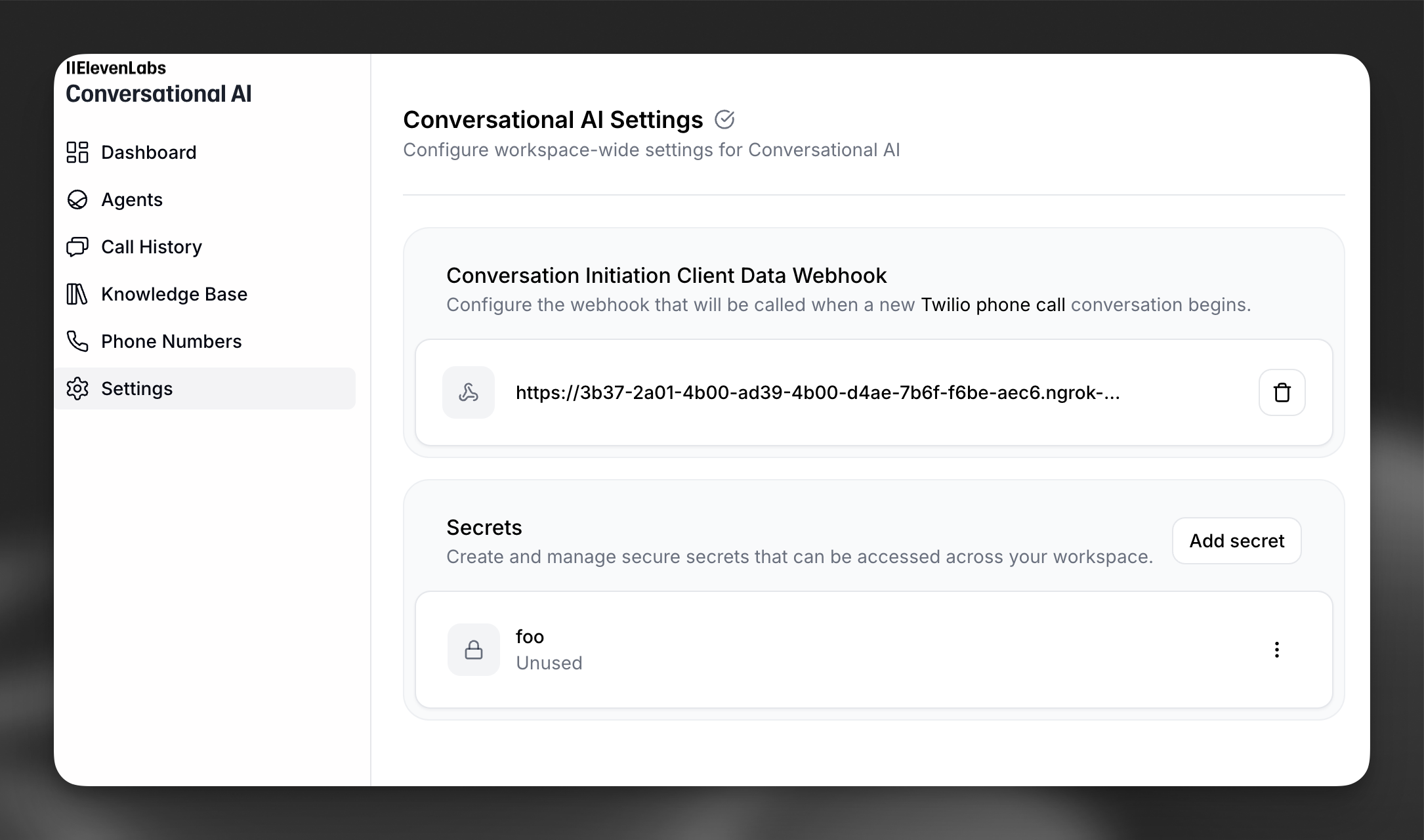
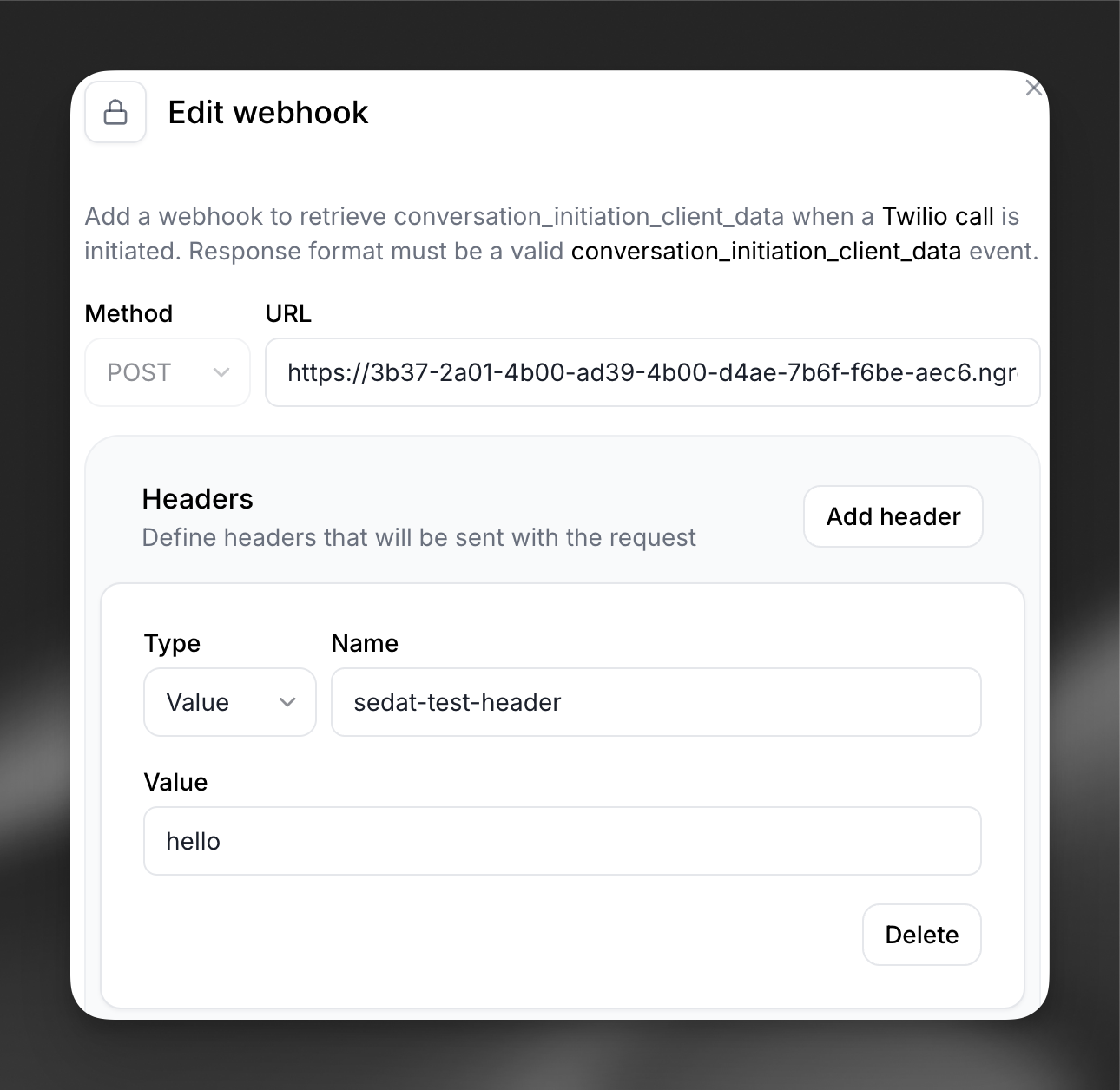
Click on the webhook to modify which secrets are sent in the headers.
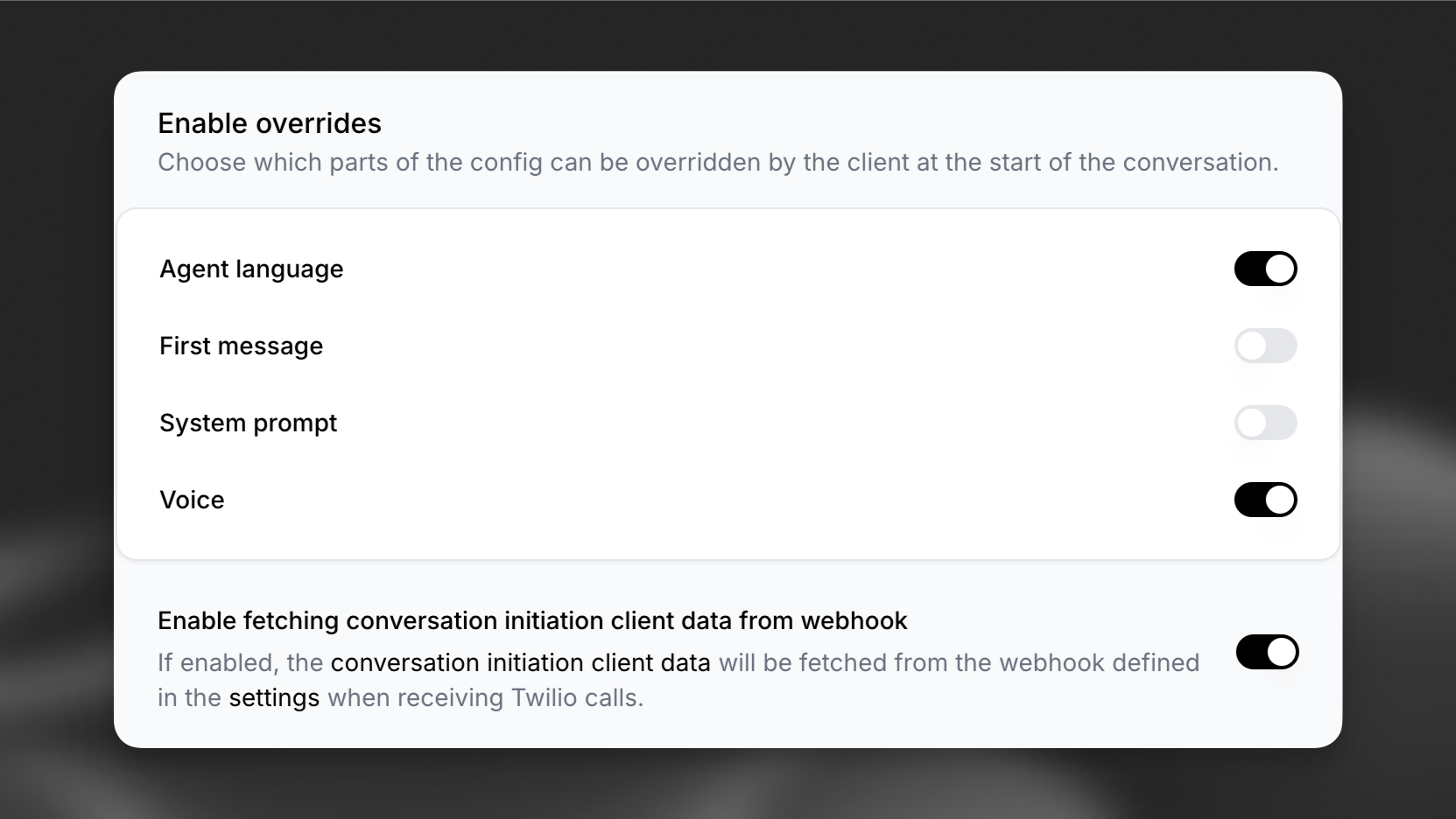
Enable fetching conversation initiation data
In the “Security” tab of the agent’s page, enable fetching conversation initiation data for inbound Twilio calls, and define fields that can be overridden.
Implement the webhook endpoint to receive Twilio data
The webhook will receive a POST request with the following parameters:
Parameter Type Description caller_idstring The phone number of the caller agent_idstring The ID of the agent receiving the call called_numberstring The Twilio number that was called call_sidstring Unique identifier for the Twilio call conversation_idstring ElevenLabs conversation identifier Return conversation initiation client data
Your webhook must return a JSON response containing the initiation data for the agent.
An example response could be:
JSON { "type": "conversation_initiation_client_data", "conversation_config_override": { "agent": { "prompt": { "prompt": "The customer's bank account balance is $100. They are based in San Francisco.", "llm": "gpt-5.6-luna" }, "first_message": "Hi, how can I help you today?", "language": "en" }, "tts": { "voice_id": "new-voice-id" }, "conversation": { "text_only": false } }, "dynamic_variables": { "customer_name": "John Doe", "account_status": "premium", "last_interaction": "2026-01-15" }, "branch_id": "agtbrch_xxxx", "environment": "production" }
ElevenAgents will use the dynamic variables to populate the conversation initiation data, and the conversation will start smoothly.
Security
Section titled “Security”- Use HTTPS endpoints only
- Implement authentication using request headers
- Store sensitive values as secrets through the ElevenLabs secrets manager
- Validate the incoming request parameters